

 Reply With Quote
hi,
Just to be shure: Do you know how lilo works?
After changing the file /etc/lilo.conf you have to run lilo and liloconfig, otherwise the changes don't get written to the boot-loader.
cheers


Hello!
When I run Knoppix directly from the CD, I need to add this options in order to display it properly on my computer (otherwise my computer will go blank and display an "out of range" error). This is the command: KNOPPIX screen=800x600 vsync=85 and when it boots it works perfectly. Now, that I install Knoppix on my hard drive, that command doesn't work. I install LILO so it gives me an options to run either Linux or Windows(hda1). So I select linux and type this exactly, Linux screen=800x600 vsync=85, let it boot but does'nt work. I also tried linux knoppix screen=800x600 vsync=85 and it still doesn't work. In the docs, it say that you can modified /etc/liloconfig file and add those parameters under append it should work. I do that and save it, but when I restart it doesn't work. Then I go to terminal (CTRL+ALT+F1) and open that file and their is nothing next to append. It looks they been deleted. I run out of ideas, oh, yes, I also tried xf86config and added all the stuff from my monitor specs but still doesn't work. Like I said, the way I got it to work was by just adding those parameters at boot, but they only work from CD not HD. How can I issue those parameters on the boot sequence?? Thanks for all your help, any answers would be appreciatedK4EVER!
hi,
Just to be shure: Do you know how lilo works?
After changing the file /etc/lilo.conf you have to run lilo and liloconfig, otherwise the changes don't get written to the boot-loader.
cheers
No way it could work those are Knoppix cheat codes not kernel parameters that can be passed at the prompt.Originally Posted by dot.hack//infection
Good at least you can get to the command line so I take it is the boot messages that you cannot see and/or the X server will not run?? You are not quite clear on this so if the boot messages try when you edit the /etc/lilo.conf changing the vga=791 line to either vga=788 (800x600 instead of the 1024x768 that is 791) or vga=normal to get rid of the frame buffer all together when you boot. After changing the file use /sbin/lilo -v to write the changes to the disk for use on the next boot. Make sure that you remove the changes that you made before if you have made them.Then I go to terminal (CTRL+ALT+F1) and open that file and their is nothing next to append. It looks they been deleted.
I run out of ideas, oh, yes, I also tried xf86config and added all the stuff from my monitor specs but still doesn't work. Like I said, the way I got it to work was by just adding those parameters at boot, but they only work from CD not HD. How can I issue those parameters on the boot sequence?? Thanks for all your help, any answers would be appreciated
You need to edit the /etc/X11/XF86Config-4 file and change all the sections similar to this.
To this.Code:SubSection "Display" Depth 24 Modes "1024x768" "800x600" "640x480" EndSubSection
Code:SubSection "Display" Depth 24 Modes "800x600" "640x480" EndSubSection
Now it should only have 800x600 and 640x480 resolutions to choose from and it will use the highest available resolution/refresh rate it can. You can restart the X server from the command line by using /etc/init.d/kdm restart as root and you should get a KDE login screen if it works.
If you cannot figure it out on your own after this then we will need a clearer description of the problem, information on your monitor and video card plus we need to see the XF86Config-4 file you are trying to use.
Thanks guys for your response!
Besserwisser: Thanks for the tip, I tried that and it saved it but still it does the same thing. The monitor displays out of range error as soon as GUI runs..and I need to press CTRL+ALT+"+" to get it work, and it does, but the screen is too small (640x480) and at least, I wanna get it to work at 800x600..
Stephen: When I boot to Knoppix, I can see all the boot stuff and it works ok, but as soon as it goes to the GUI (which I guess is X11?) that is when the monitor tells me out of range, and I need to press either CTRL+ALT+F1 to go to terminal (which works) or CTRL+ALT+"+" which makes it run at 640x480 (which is too low for me). I modified the file like you ask, and type this command: /etc/init.d/kdm restart and the screen goes blank and comes back to the command prompt like 3 times then it gives up saying an error. I'll find the contents of the file that you ask (I can only use the terminal, but I'm not very good at it) and I'll post the error messages.
Thanks guys for all your help!
Ok so it works then you could use the 640x480 until you can correct the problem with the config file.
Did you put in the refresh rates for your monitor in the monitor section like this.I modified the file like you ask, and type this command: /etc/init.d/kdm restart and the screen goes blank and comes back to the command prompt like 3 times then it gives up saying an error. I'll find the contents of the file that you ask (I can only use the terminal, but I'm not very good at it) and I'll post the error messages.
Thanks guys for all your help!
Or if you want to try something else since the boot with Knoppix and the cheat codes worked fine then you should be able to boot the CD and copy the file from there to your HD and get the same behavior.Code:# Acer AcerView 54e Section "Monitor" #DisplaySize 270 200 # mm Identifier "Monitor0" VendorName "API" ModelName "4536" HorizSync 30-54 VertRefresh 50-110 Option "DPMS" EndSection
Once booted to the desktop open a console window (clam shell on a monitor on the taskbar) and.
Reboot and check the results. Replace the ?? with the drive letter and partition number of the / partition of the install. BTW you still have not said what your hardware is and we are definitely going to need to see the config file so even if you have to boot the CD to be able to mount the drive and post it graphically then you should.Code:sudo mount /dev/hd?? /mnt/hd?? sudo cp /mnt/hd??/etc/X11/XF86Config-4 /mnt/hd??/etc/X11/XF86Config-4.original sudo cp /etc/X11/XF86Config-4 /mnt/hd??/etc/X11/XF86Config-4
Hey, thanks alot!!
I did the commands that you told me to do:
sudo mount /dev/...
sudo cp /mnt/hda5/..
sudo cp /etc/X11..
Then I boot Knoppix from my hard drive and voila! Now it runs at 800x600 at 85hz!! It's perfect now, I can see everything and nice. Thanks alot for your help!! By the way, I use a Compaq MV520 monitor and the Intel 810-DC100 Chipset. Yeah, I know...the monitor is crap, 'cause of all computers I tried Knoppix it picks them up properly. But, still, it works now and nice. Thanks again for everything.
 Posting Permissions


MegaRAID 9580-8i8e 16-port 12G SAS/SATA/NVMe 8GB PCIe RAID - 05-50076-00
$1619.30

BROADCOM 05-50077-01 PCI-E 4.0 x8 PCI-Express MegaRAID 9560-8i RAID Controller
$739.99

Broadcom 9600-24i Tri-Mode RAID Controller 4.0 NVMe SAS SATA NEW 05-50111-01003
$639.69

Intel VROC Premium RAID Controller Card PCIe Add-On Module VROCPREMMOD
$265.00

Broadcom LSI 9305-16i 12Gbps SAS-3 PCIe x8 HBA 16-Ports Raid Controller
$64.99

Inspur LSI YZCA-00424-101 12Gbps SAS 3.0 RAID Controller CARD HBA HDD
$14.99

OWC Mercury Elite Pro Quad 4 Bay RAID Storage Enclosure USB 3.1 Gen 2 No Drives
$149.95
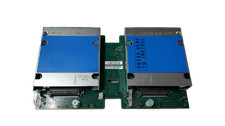
Cisco UCSB-MRAID12G FlexStorage 12G SAS Raid Controller
$23.99

9300-8i LSI SAS3008 8-Port 12Gb PCIe IT mode ZFS FreeNAS unRAID 2*SFF-8643 US
$49.50
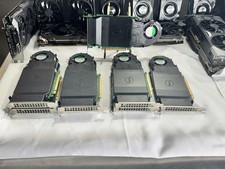
1 Dell Ultra SSD M.2 NVMe PCI-Express x16 Solid State Storage Adapter Card 6N9RH
$59.99