
how do i do this?


how do i do this?
It should already be available unless you have changed the defaults by using the flag icon in the lower right corner on the taskbar you should be able to switch on the fly in KDE. If you have changed the defaults then in the KDE Control Center -> Regional & Accessibility -> Keyboard Layout and select the German keyboard to add to the list with the Enable keyboard layouts.Originally Posted by CSY
is there a generic way as im using fluxbox for example?
The keyboard is determined by a script.
/etc/init.d/keymap.sh
as root, edit the line:
loadkeys /usr/share/keymaps/i386/qwerty/us.kmap.gz
(to whatever kmap you want)
and run
/etc/init.d/keymap.sh reload
There's a script (somewhere) which enables you to do this, but I don't know where it is!
Open the file /etc/X11/XF86Config-4 and change layout from the "us" to "de" in the keyboard section then you will have to restart the X server for it to take effect.
Code:Section "InputDevice" Identifier "Keyboard0" Driver "keyboard" Option "CoreKeyboard" Option "XkbRules" "xfree86" Option "XkbModel" "pc101" Option "XkbLayout" "us" Option "XkbOptions" "crtl:nocaps" EndSection
 Posting Permissions


Samsung 860 PRO 2TB 2.5" SATA III V- NAND SSD MZ-76P2T0 86%-90% Health
$187.00
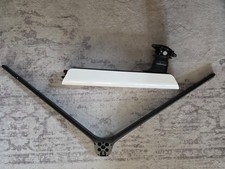
Samsung Odyssey Neo G95NA - OEM Stand - BN96-51632B
$125.00

Samsung Galaxy Tab Active 3/ 64 gig/WIFI
$85.00
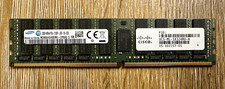
Samsung 32GB DDR4-2133 PC4-2133P ECC Registered RDIMM 288-Pin 15-102217-01
$239.00

RAM-HOL-SAM52CPU RAM USB-C Powered Dock Samsung Tab Active4 Pro & Tab Active Pro
$81.99

RAM-HOL-SAM60CPU RAM USB-C Powered Dock for Samsung Tab Active5 - 3 - 2
$81.99

RAM-GDS-SKIN-SAM54-NG-1 RAM Mounts IntelliSkin® Next Gen for Samsung Tab Active4
$93.99

Cell Phone Smartphone Computer repair banner poster sign iphone Samsung
$89.99

Samsung PM9C1A 256GB m.2 2280 SSD GEN4X4 NVME MZVL8256HDJD new Laptop PC
$34.99

Samsung Chomrebook XE350XBA-K02US LCD Screen FHD Display 15.6" XE350XBA-K03US
$51.77

 Reply With Quote