

 Reply With Quote
have you changed the fstab?
to be able to help further it would be nice if you could post putput from(and coment where you want your /home)Code:fdisk -l
then post your fstab.


Hi,
I installed Knoppix 3.4 CeBit (remastered by iso-top) to my HDD and it is really nice. The HDD already had a 5 GB /home partition from a previous installation of another Linux distribution. Unfortunately I did not know about the trick for modifying .knoconf (or whatever it's called) and so the /home partition was not used.
I then found the HOWTO about moving /home to its own partition. I followed all of the steps exactly as described. However, after rebooting I still end up using the old /home rather than the one with its own partition. Running mount also shows that the partition has not been mounted
Is there something missing in the HOWTO or is it no longer able to be done this wayI really do not want to reinstall the system now that I have added and configured so many things...
Thanks in advance.
P.S.: in case I missed an answer to this somewhere in this forum, then please excuse me and just point me to the answer.
have you changed the fstab?
to be able to help further it would be nice if you could post putput from(and coment where you want your /home)Code:fdisk -l
then post your fstab.
I had this problem when I ran out of space/wanted to use a new partition for my home directory. I changed fstab, but without going into detail, the change to fstab stopped me from viewing my existing /home directory, i.e. I remounted my new volume over the old /home directory. I puzzled for ages over this and in the end I didn't change fstab but instead I put a soft link in the home directory to the actual directory I wanted to use. (On the other partition).
This works but I bet it's not the correct way to do it! I expect you would have problems as you add new users, but this is no problem for me as I am the only user!
Stu.....
if you mke a folde called home2 and mount the new partition there, i will assume ext3 as filesystem.
as root do a cp -avx /home/* /home2/Code:mount -t ext3 /dev/hdXY /home2
then unmount the /home2 change fstab so that the new home will be mounted under /home.
that is add the line.
replace the XY with the apropiate numbers. this SHOULD work. perhaps aCode:/dev/hdXY /home ext3 defaults 1 2is necesary (not likely) but that should be a quick operation...Code:chown -R username:users /home/username
if you still want your old home, mount that under the users /home/username directory with fstab,
put lineas above change the AB to apropriate value.Code:/dev/hdAB /home/username/oldhome ext3 defaults 1 2
First of all, thanks to everyone for replying!!
To OErjan: I changed fstab and the relevant lines are
/dev/hdc3 / ext3 defaults,errors=remount-ro 0 1
(where the old /home resides), and
/dev/hdc4 /home ext3 defaults 0 0
(where the copy of the old /home resides (made as specified in the HOWTO with
cp -Rp * /mnt/hdc4/
executed as root from the old home directory). In response to your other request, the output of fdisk -l is "Konnte /dev/hdc nicht öffnen" (english: "Could not open /dev/hdc"). I will try your suggestion about creating /home2 etc. shortly and will report the results.
OErjan,
I tried your suggested /home2 approach -- without success. What happened was that I could no longer login as the <username>, but instead got sent back to the login screen. I logged in as root and could mount /dev/hdc4 at /home but apparently the system could not do this.
I'm baffled
Don't be baffled.
First, rename the old home (old_home) will do. Next create a new home directory alongside it.
Next mount the new home temporarily (something like -- adjust to suit your system) mount -t ext3 /dev/hdc? /home
Copy everything you want from /old_home to /home
edit your /etc/fstab. You want a line something like:
/dev/hdc3 /home ext3 auto 0 0
the auto here is crucial -- omit it and you'll have to remount it by hand every time you boot.
Reboot.
Chances are that you'll only be able to log in as root. Don't panic. As root (hell, use Kde to do it) chown home.
Once you're sure everything is OK, grab back a little space by deleting /old_home.
The easiest way is to boot the knoppix CD with knoppix 2 dma then once at the command prompt.
Then edit the /etc/fstab and use this line for new /home.Code:mkfs.ext3 /dev/hdc4 mount /dev/hdc3 /mnt/hdc3 mount /dev/hdc4 /mnt/hdc4 cp -Rp /mnt/hdc3/home/* /mnt/hdc4/
Reboot (shutdown -r now at the knoppix command line) and you should be using the new /home partition.Code:/dev/hdc4 /home ext3 defaults 0 2
Wow!

 Posting Permissions


Netac DDR4 32GB 16GB DDR4 3200MHz UDIMM C16 Desktop Internal Memory RAM Kit
$99.99
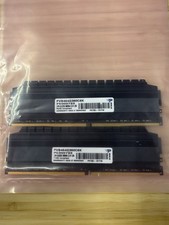
Patriot Viper 4 Blackout 64GB 2x32GB DDR4-3600 CL18 PVB464G360C8K RAM Kit #P2
$349.00

A-Tech 8GB DDR3 1600 PC3-12800 Laptop SODIMM 204-Pin Memory RAM PC3L DDR3L 1x 8G
$21.68

Major Brand 16GB (2x8GB) PC3-12800U DDR3-1600MHz DDR3-12800 DESKTOP RAM NON-ECC
$29.99
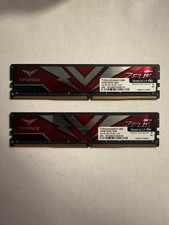
TEAMGROUP T-Force Zeus 64GB (2x32GB) DDR4 2666MHz PC4-21300 Desktop RAM Kit
$199.99

Samsung 16GB LPCAMM2 PC5 7500 DDR5 LPDDR5X CAMM2 M561K1LC4DM0-CCTGM RAM Memory
$189.00

Crucial DDR3L 16GB 2 x 8GB 1600 MHz PC3L-12800 Laptop RAM Sodimm Memory 1.35V
$41.00

RAMAXEL Lenovo 32GB LPDDR5X CAMM2 7500MHz Laptop RAM | UNTESTED
$445.00

Micron 32GB 1x32GB DDR5 5600 CL46 ECC Unbuffered SO-DIMM MTC20C2085S1TC56BD1
$399.00
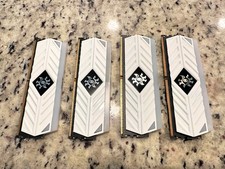
ADATA XPG Spectrix White RGB AX4U320038G16-BW41 32GB DDR4 matching set of 8GB
$149.99
