-
Senior Member
registered user
The easiest way is to boot the knoppix CD with knoppix 2 dma then once at the command prompt.
Code:
mkfs.ext3 /dev/hdc4
mount /dev/hdc3 /mnt/hdc3
mount /dev/hdc4 /mnt/hdc4
cp -Rp /mnt/hdc3/home/* /mnt/hdc4/
Then edit the /etc/fstab and use this line for new /home.
Code:
/dev/hdc4 /home ext3 defaults 0 2
Reboot (shutdown -r now at the knoppix command line) and you should be using the new /home partition.
Similar Threads
-
By radnor in forum Hdd Install / Debian / Apt
Replies: 8
Last Post: 03-17-2005, 02:58 PM
-
By firebyrd10 in forum General Support
Replies: 1
Last Post: 05-28-2004, 01:09 AM
-
By liebrand in forum Hdd Install / Debian / Apt
Replies: 0
Last Post: 04-20-2004, 04:28 PM
-
By stukennedyuk in forum Hdd Install / Debian / Apt
Replies: 5
Last Post: 02-13-2004, 02:55 PM
-
By eadz in forum The Lounge
Replies: 6
Last Post: 01-12-2003, 02:25 AM
 Posting Permissions
- You may not post new threads
- You may not post replies
- You may not post attachments
- You may not edit your posts
-
Forum Rules


16GB KIT (2x8GB) DDR3 Gamer Desktop RAM PC3 MIXED BRANDS VIPER VENGEANCE FURY
$10.00

Netac DDR4 32GB 16GB DDR4 3200MHz UDIMM C16 Desktop Internal Memory RAM Kit
$99.99

A-Tech 8GB DDR3 1600 PC3-12800 Laptop SODIMM 204-Pin Memory RAM PC3L DDR3L 1x 8G
$21.68

Major Brand 16GB (2x8GB) PC3-12800U DDR3-1600MHz DDR3-12800 DESKTOP RAM NON-ECC
$29.99

Samsung 32GB DDR4-2666V-2Rx4-RB2-12 RAM M393A4K40CB2-CTD6Q
$169.00

G.SKILL FLARE X5 64GB (2 x 32GB) 6000 MT/s DDR5 (AMD EXPO + INTEL XMP) *CL30*
$785.00

Samsung 16GB LPCAMM2 PC5 7500 DDR5 LPDDR5X CAMM2 M561K1LC4DM0-CCTGM RAM Memory
$189.00

RAMAXEL Lenovo 32GB LPDDR5X CAMM2 7500MHz Laptop RAM | UNTESTED
$445.00
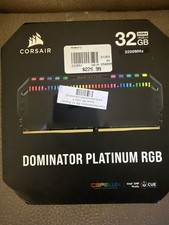
Corsair Dominator Platinum RGB 32GB (2x16GB) 3200MHz
$380.00
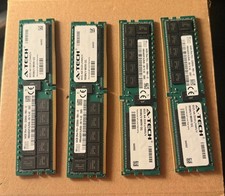
SK Hynix 256GB (4x64GB) DDR4 3200MHz PC4-25600 ECC RDIMM 288-Pin Workstation RAM
$1950.00



 Reply With Quote