
Has anyone gotten ndiswrapper to work with their card? If so, please post how you got it to work, and the hardware you are running. This could help me and everyone else looking for help!


Has anyone gotten ndiswrapper to work with their card? If so, please post how you got it to work, and the hardware you are running. This could help me and everyone else looking for help!
Linksys WPC54G card
Running ndiswrapper-0.6
I checked the instructions and followed them to the letter. I copied my windows xp drivers to the ndiswrapper directory.
Now on bootup all I have to do is drop to a shell and type the following:
iwcongig wlan0
iwconfig wlan0 mode Managed
iwconfig wlan0 essid myessid " whatever your essid is"
Now I run netcardconfig and allow DHCP
Everything works fine. The only problem I have had is after I appied my windows xp updates I couldn't get it working. I checked the forums here and found a little command that done the trick...
sudo mii-tool-r
Hope this helps some.... I'm still new and have a long ways to go !!!
Opps typo on the above message:
Should have read iwconfig wlan0 NOT iwcogig wlan0
Sorry !!
Got it to work with the Intel Centrino Pro2100 chipset of my Toshiba TECRA M1 by just following the Ndiswrapper v0.7 installation instructions.
I'd like to add a me too!
I've got an MSI PC54G. I used driverloader by Linuxant first, but the driver expired after 30 days. I found ndiswrapper, followed the directions and it just plains works.
The only complaint I have now is that I have to run wavelan configuration everytime I reboot.
Now here's the fun part. Has anyone gotten it to work using Live CD Knoppix? If you ask me, installing Knoppix on your HD is really pointless.
The new Kanotix has the NDIS wrapper on it by default so you might want to give it a try.Originally Posted by Ninja
i have ndiswrapper on knoppix 3,7... but i can't find hda1 partition, when i browse for driver...
Yup, I have ...
Detailed instructions are found on the sticky post Success with Knoppix 3.6 and Wireless networking. That was done using the LiveCD and ndiswrapper with both Belkin PCI and notebook cards.
I did change my HD under M$ and create a folder high in the file hierarchy for convenience. E.g. I created C:\Belkin to put the requisite .inf file in there, but strictly speaking as long as you can navigate to where the file is, that is all you need to do.
HTH
Grant D. Vallance
 Posting Permissions


Vintage Apple II Avant-Garde Creations Super Shape Draw And Animate 1981
$295.00

Apple Macintosh Classic M1420 Vintage Desktop Computer Model Macintosh Classic
$100.00

Vintage Apple Macintosh Plus 1MB - M0001A W/ Keyboard, 2 Mice, 800K HD, + More
$300.00

Vintage Apple Macintosh Plus Desktop Computer - M0001A
$150.00

LARGE LOT Vintage Apple Macintosh Mouse Cables Accessories SCSI etc - UNTESTED
$80.00
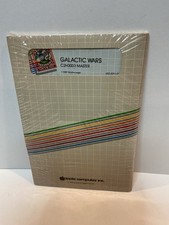
Vintage Apple II Arcade Game Galactic Wars Apple Computer NOS Sealed
$125.00
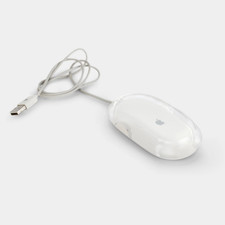
Vintage Apple Pro Mouse M5769 Wired Optical USB White/Clear
$24.99
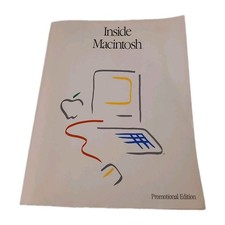
Inside Macintosh Promotional Edition Vintage Apple Developer Book 1985
$32.00

Vintage Apple Multiple Scan 15av Display Monitor M4681
$299.99

Vintage Apple Monitor IIc 9" Green Monochrome 06/1985 A2M4090 October 1984 Stand
$275.00

 Reply With Quote