

 Reply With Quote
Is it a PS/2 or USB mouse? If it's USB, check your BIOS setup screen and toggle the Legacy USB Support setting--if it's on, turn it off, if it's off, turn it on.Originally Posted by vital_pc


hi. i've run knoppix-cd correctly and i thaught that everything was ok. BUT the mouse, which is a normal mouse without wireless and optic-laser, didn't move.
THANK's
Is it a PS/2 or USB mouse? If it's USB, check your BIOS setup screen and toggle the Legacy USB Support setting--if it's on, turn it off, if it's off, turn it on.
it's a simple ps/2 mouse. i can't understand it because a year ago i had installed mandrake 9.2 and my mouse went well. and this knoppix-cd is well-copied because one friend tried it and run well.
THX to help me.
I have seen cases where a mouse caused wierd problems--in one case, a mouse kept me from installing SUSE. I think it was a timing issue. Mouses have processors that vary, and processors have to "shake hands"--if the "hands" keep missing, problems ensue. Try another mouse, is all I can suggest.
thank's for your help. i think that i will install another time the whole linux mandrake system.
 Posting Permissions

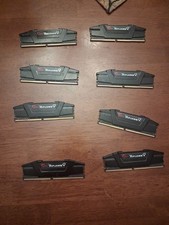
G.Skill PC RAM kit Ripjaws V F4-3200C16D-16GVKB 64GB 8 x 8 GB DDR4 RAM 3200 MHz
$69.99

Netac DDR4 32GB 16GB DDR4 3200MHz UDIMM C16 Desktop Internal Memory RAM Kit
$105.99

Corsair CMK32GX4M2B3000C15 Vengeance LPX DDR4 3000mhz Memory Kit - 32GB (2x16GB)
$164.95

RAMAXEL Lenovo 32GB LPDDR5X CAMM2 7500MHz Laptop RAM | UNTESTED
$445.00
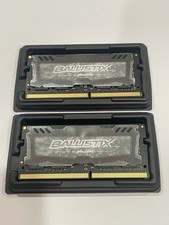
Crucial 32GB Ballistix Sport LT-Laptop Ram 2x16 DDR4 2666 Memory 2 Module Kit
$89.92

Corsair Vengeance DDR3 8GB 16GB 32GB 1866MHz PC3-14900 Desktop RAM Memory DIMM
$85.00
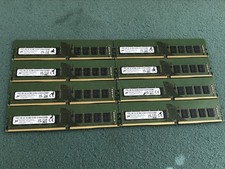
Micron 128GB(8 x 16GB) MTA18ASF2G72AZ-3G2R1ZI PC4-3200AA ECC UDIMM RAM - R1069A
$499.95
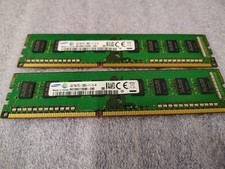
2 (pair) Samsung 4GB DDR3 desktop RAM modules
$25.00
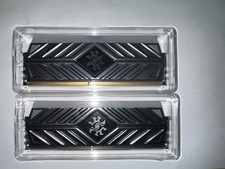
XPG DDR4 3200 2x8Gb Ram (ax4u320038g16a) CL 16-20-20
$85.00
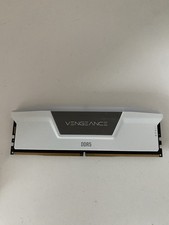
Corsair Vengeance - 16gb DDR5 Ram (Single Stick)
$190.00