-
Success getting USB ADSL modem working
Ok, I succeeded in getting Knoppix Live CD to see and use my D-Link DSL-200B1 USB modem, and I'm pretty happy with the results.
I'll go through all the steps I took to achieve this so anyone else trying to get this working has a head start as well.
First you will need to grab the EciAdsl USB drivers, freely available at http://eciadsl.flashtux.org/index.php?lang=en . Of course, check on the site to make sure your modem is supported. If it's not supported, don't even bother trying this, as the drivers will not work at all (for my DSL-200, I had to grab the eciadsl-usermode-0.10-nortek-alpha.tar.bz2 archive. Grab the extra .bin package as well while you're there (I needed them) – http://eciadsl.flashtux.org/download...g=en&view=sync
The file you want is eciadsl-synch_bin.tar.bz2
Ok, with both files saved to a directory on my HD, boot the live CD, then open a root console. Extract the driver file, then compile it as root (ie, “./configure”, then “make install”. Extract the .bin archive to the /etc/eciadsl directory as well at this point.
Type “make cfg” to run the config utility. Here you specify your ISP/DNS (TPG Aus for me), login details, modem type (DSL-200B1 for me), PPP mode (default VCM_RFC2363 worked for me), DHCP and static IP if applicable (not for me).
I also changed my .bin package to number 4, which was needed to achieve sync with the modem. Try each one until you find one that succeeds, if you can't sync initially.
Type (as root) “eciadsl-start”, and the modem should sync, then connect to your ISP automatically. That's all there is to it!
I had to play about a bit to get it working initially (hence the need for a different .bin), but now it's working fine (apart from the pain of having to reinstall the driver and re-enter the setup each time I reboot for now). I've already repeated this process several times now with success every time, and am typing this running Knoppix now.
I hope this helps any others having trouble with their USB modems.
-
Senior Member
registered user
For those that are looking for a usb router I will suggest "d-link dsl-500". I work with it and knoppix since knx3.4 (to 3.8 ), and it work with knoppix livecd just-on-the-fly-out-of-the-box with dhcp.
Better for soho networks, maybe little oversized for single user.
-
Addendum - I missed a few important steps in my initial post:
- Boot from the live cd with the modem unplugged.
- In the config utility, you should also remove dabusb.
- Plug the modem in just before running "eciadsl-start"
Similar Threads
-
By The Black Death in forum General Support
Replies: 1
Last Post: 07-19-2004, 07:05 PM
-
By EPS in forum Hardware & Booting
Replies: 12
Last Post: 05-03-2004, 07:13 PM
-
By Dr Snark in forum The Lounge
Replies: 2
Last Post: 02-06-2004, 02:46 AM
-
By kaerthi in forum Tips and Tricks
Replies: 2
Last Post: 11-26-2003, 08:33 PM
-
By gangie in forum Hardware & Booting
Replies: 4
Last Post: 05-12-2003, 02:06 AM
 Posting Permissions
- You may not post new threads
- You may not post replies
- You may not post attachments
- You may not edit your posts
-
Forum Rules


Vintage RARE 1980s Apple Computer Logo Frisbee. Great shape, w/ the usual nicks
$220.00

Vintage Computer - PC Innovation Intel 486DX2 - Dos Ver 6.2 Windows 3.1
$250.00

Vintage Jetway J-620BF Socket 370 Celeron AT Motherboard SiS 620 Brand New
$75.00

Vintage HP Hewlett Packard 2112A 21MX 1000 M-Series 16-Bit Minicomputer
$419.99

DEC T2053-DE MS65A-DA 128MB VAX 6000 Memory Board Gold Scrap Vintage
$79.99

Vintage Cherry W. Germany G80-0486H/05 Mechanical 25-Pin D-Sub Keyboard M8
$170.99
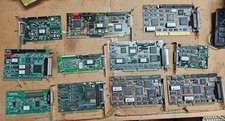
Lot Vintage SCSI Controller Cards Adaptec BusLogic BusTek AHA-1542 1520 ISA EISA
$179.95
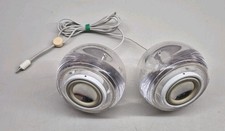
Vintage Clear M6531 Apple Pro Speakers by Harman Kardon For iMac G4
$59.45

Vintage 1986 Goldenrod Research Corp CP/M Desktop Computer Syste w/Keyboard
$350.00
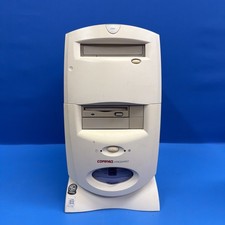
Compaq Presario 7594 Vintage Desktop PC Windows 98 SE 64MB Floppy CD-ROM
$129.00



 Reply With Quote