

 Reply With Quote
Add this line to your /root/.bashrc you would of course change it to your user name.Originally Posted by m_yates
Code:# Allows me to run an X program as root export XAUTHORITY=/home/stephen/.Xauthority


In Knoppix installed to the hard drive, it is possible to open X programs from a console program automatically as root. For example, if I login to KDE as a user, open Konsole, su to become root, then enter a command like "kwrite", a new window will open up, allowing me to run kwrite as root.
If I install Debian using the official installer, I cannot open X programs as root. Does anyone know how Knoppix does it? In my normal Debian system, I have to enter the command "xhost local:root" to give root permission to open a display. I would like root to automatically have permission from my user account every time I log on. I know it introduces some security issues, but I don't care. It is very convenient to have the ability to open windows as root from a console.
I know this is a little off topic (sorry).
Add this line to your /root/.bashrc you would of course change it to your user name.
Code:# Allows me to run an X program as root export XAUTHORITY=/home/stephen/.Xauthority
Thanks Stephen. I'll give this a try.
 Posting Permissions


Dell 6P85J 4TB ST4000NM0063 7.2k 6Gb/s 3.5” SAS SED Hard Drive with Tray
$39.99

Western Digital HUS726T4TAL5204 4TB 7.2K SAS 12Gb/s 3.5" 512e HDD NetApp X375A
$64.00

Seagate ST8000NM0075 Enterprise Capacity 3.5 HDD 8TB SAS Hard Drive 8TB EXOS
$184.99

Toshiba DT01ACA100 1 TB 3.5" SATA III 3.5 in Desktop Hard Drive
$24.99

Dell ST6000NM0034 1HT27Z-150 NWCCG 6TB SAS 3.5 7.2K ENTERPRISE SERVER DRIVE
$68.99
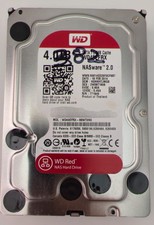
Western Digital WD Red 4TB NAS Hard Drive WD40EFRX SATA 64MB 3.5" HDD
$95.00

Seagate Barracuda ST1000DM003 1 TB SATA III 3.5 in Desktop Hard Drive
$23.99

Seagate ST3000NM0005 HDD 3TB SATA 6Gb/s 7.2K 3.5" 512 b/s
$59.00

New Western Digital WD40EFPX 68C6CN0 4TB 3.5" SATA III Internal NAS Red Plus HDD
$137.59

HGST Ultrastar HUS726040AL5210 4TB 7200RPM SAS 12Gb/s Enterprise HDD
$41.00