

 Reply With Quote
Try an apt-cache search mplayer and see what packages you have available. Then apt-get install mplayer-<arch>


i just tried dselect update one more time and IT WORKED !. Maybe it was my Cable connnection it was a little slugish.
i no longer get the same error message about "unmet dependecies" but now it says
root@silver:/home/c01100011# apt-get --reinstall install mplayer
Reading Package Lists... Done
Building Dependency Tree... Done
E: The package mplayer needs to be reinstalled, but I can't find an archive for it.
wierd responce almost scary not everyday my computer says I...
yet again HELP
(sorry for being such a newbie)
Try an apt-cache search mplayer and see what packages you have available. Then apt-get install mplayer-<arch>
i got this
i am not sure what i am supposed to do with it
root@silver:/home/c01100011# apt-cache search mplayer
mplayer-doc - Documentation for mplayer
acidrip - ripping and encoding DVD tool using mplayer and mencoder
kplayer - A KDE media player based on MPlayer
libpostproc0 - Mplayer postproc shared libraries
libpostproc-dev - Mplayer postproc devel files
mencoder-586 - MPlayer's Movie Encoder
mencoder-k6 - MPlayer's Movie Encoder
mplayer-386 - The Ultimate Movie Player For Linux
mplayer-586 - The Ultimate Movie Player For Linux
mplayer-686 - transitional dummy package which can be safely removed
mplayer-fonts - Fonts for mplayer
mplayer-k6 - The Ultimate Movie Player For Linux
mplayer-k7 - transitional dummy package which can be safely removed
mplayer-mozilla - Empty package to install the official package
mplayer-nogui - The Ultimate Movie Player For Linux
mga-vid-source - Kernel driver for the back-end scaler on Matrox cards (source)
movixmaker-2 - Utility to create customized eMoviX/MoviX/MoviX² CD images
mozilla-mplayer - MPlayer-Plugin for Mozilla, Konqueror and OpenOffice.org
xmms-xmmplayer - XMMS plugin that uses MPlayer to play video files
mplayer -

You need mplayer-??? with the ??? being the arch you want. For the most compatible apt-get install --reinstall mplayer-386 will give you a reinstall if already installed of the 386 mplayer version if you have a pentium mplayer-586, an athlon mplayer-k7. To find what you already have installed dpkg -l | grep mplayer-*.Originally Posted by c01100011
root@silver:/home/c01100011# dpkg -l | grep mplayer-*
iHR mplayer 0.90-3
now what
(i promise i will get better)
apt-get --purge remove mplayer then apt-get install mplayer-386 to get a proper package.
root@silver:/home/c01100011# apt-get --purge remove mplayer
Reading Package Lists... Done
Building Dependency Tree... Done
E: The package mplayer needs to be reinstalled, but I can't find an archive for it.
same probem
Just install the mplayer-386 package then and it should upgrade the package to the higher version.
root@silver:/home/c01100011# apt-get install mplayer-386
Reading Package Lists... Done
Building Dependency Tree... Done
E: The package mplayer needs to be reinstalled, but I can't find an archive for it.
root@silver:/
Can I see the output of apt-cache policy mplayer and apt-cache policy mplayer-386?
 Posting Permissions


Dell 6P85J 4TB ST4000NM0063 7.2k 6Gb/s 3.5” SAS SED Hard Drive with Tray
$39.99

Western Digital HUS726T4TAL5204 4TB 7.2K SAS 12Gb/s 3.5" 512e HDD NetApp X375A
$64.00

DELL 2TB Enterprise HDD (7200RPM, 3.5", SATA III, 128MB Cache) HUS722T2TALA600
$49.95
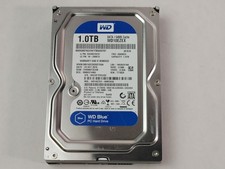
Western Digital WD Blue WD10EZEX 1 TB 3.5" SATA III Desktop Hard Drive
$23.99

Seagate Exos ST2000NX0253 HDD 2TB SATA 7.2K 2.5" 512b/s
$55.00

Dell ST6000NM0034 1HT27Z-150 NWCCG 6TB SAS 3.5 7.2K ENTERPRISE SERVER DRIVE
$68.99

Toshiba 14TB MG07 MG07ACA14TEY 7.2K RPM SATA 6Gb/s 512e 3.5" Enterprise HDD
$339.00

Seagate ST3000NM0005 HDD 3TB SATA 6Gb/s 7.2K 3.5" 512 b/s
$59.00

Western Digital 1TB 3.5" SATA III 7200RPM Desktop Hard Drive
$34.99

HUS726060ALA640 HGST Ultrastar 6TB SATA 6Gbps 7.2K 3.5" Hard Drive OF21860
$129.99