

 Reply With Quote
Try
xscanimage
from the command line (with your scanner turned on, of course!)
Let us know what error messages you get (if any).


I am a beginner. I want my Epson Perfection 636U scanner to work. I have researched and I find that it IS supported. I give the command cat /proc/bus/usb/devices and I see that it is recognized and identified. Now what do I do next?
Under Multimedia I found something to click on and it did something for awhile, but no screen came up.
OCTOGENarian
Try
xscanimage
from the command line (with your scanner turned on, of course!)
Let us know what error messages you get (if any).
After I run the xscanimage cmd. at the cmd. line, I get an error msg. which starts out: "No scanners were identified . . ." and continues.
This is strange cause cat /proc/bus/usb/devices does identify it.
Clicking on xscanimage as a menu item under Multimedia still does nothing.
In a "competing" product called Pclinuxos, when I click on xscanimage it DOES work. So I am not up against a wall here; I can use the scanner, but I would prefer to use it with Knoppix.
Thanks for the help and I await further suggestions.
 Posting Permissions

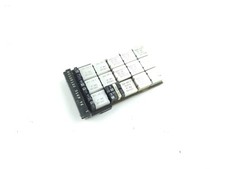
Vintage IBM Mainframe System Board IBM 14 Transistor Chip Circuit
$44.99
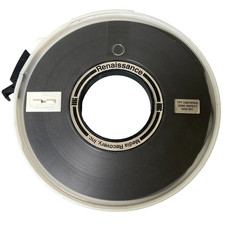
Renaissance Media Recovery Computer Data Tape Reel TPT Certified 6250 BPI Super
$148.66

HP 5060-8359 8K Semiconductor Memory Module 5080-9747 Vintage HP Computer
$157.30

HP 13210-60001 Disc Drive Interface PCB HP 7900A 7901A Vintage
$157.93
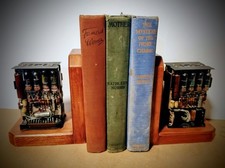
One Of A Kind Homemade Vintage Mainframe Computer, Logic Module Wood Bookends
$149.00
Vintage IBM Mainframe System Board IBM 14 Transistor Chip Circuit Gold
$44.99
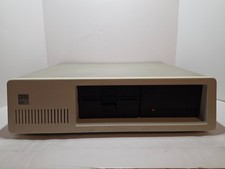
Vintage IBM XT 5160 PC Computer 640KB RAM with Expansions (Powers On As Is)
$350.00
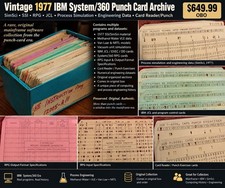
Vintage 1977 IBM System/360 Punch Card Program Archive SimSci SSI RPG Mainframe
$449.99

Vintage Intel Mainframe Server MCM CPU Substrate Lot Prototyping PGA Validation
$500.00

Vintage Telex 952003-112 Mechanical Terminal Keyboard IBM 3270 Mainframe DB25
$799.00