

 Reply With Quote
I'm having the same problems. Dell 5150 1600x1200 resolution. Radeon 9000 video card. Yes, this laptop is mentioned an linuxlaptops. They get it to work with gentoo and other Linux OSs.
Anxiously awaiting help...


Hi, I've been unable to boot knoppix in my brand new Dell Inspiron 5150. I've tried a variety of boottime options (failsafe, xmodule=radeon, xmodule=fbdev, noapic, 2, idebus=33) to no avail.
In failsafe mode, I see the kernel decompress, but everything stops with:
CPU speed is 3056.5628 MHz
Host bus clock speed is 0.000 MHz
cpu: 0, clocks: 0, slice: 0
Any clues?
I'm having the same problems. Dell 5150 1600x1200 resolution. Radeon 9000 video card. Yes, this laptop is mentioned an linuxlaptops. They get it to work with gentoo and other Linux OSs.
Anxiously awaiting help...

Hi,
I have the same problem as you. I own a DELL 5150 Inspiron (that is powerful otherwise under windows snif) but i donnot manage to install ANY version of linux. I tried knoppix 3.2, mandrake 9.1, red hat 8, and none of them are working. I always have the same problem:
CPU speed is 3056.5628 MHz
Host bus clock speed is 0.000 MHz
cpu: 0, clocks: 0, slice: 0
Could someone help me please? i really need it , I am so bad on linux ( a little bit as my english, sorry for that)
here is my config:
P4 3.06GHtz
GeFX5200 32Mb
hd 40Go
UXGA 1600*1200
really hopping help
I must say that I did manage to install debian on this machine, it's just Knoppix that won't start. I began with the stable installation CD, and then I upgraded to testing (check the debian.org if you don't know what I'm talking about). Two other guys have set up pages describing successfull installations with Gentoo and Crux linux (see www.linux-laptop.net).
The only thing that gave me real trouble was XFree, until I upgraded to 4.3.0 (it seems that the Radeon 9000 that comes with the 5150 is only supported in this release).
As a sideline, I recently discovered a really sweet mini-live-cd that is great for preinstallation work (fs resizing, partitioning, etc.) and as a rescue disk. It's called System Rescue CD, you can find it at systemrescuecd.org. The ISO is just 67MB, this is a containe little system that tries to serve a definite purpose (partitioning/rescue).
Hi every1,
I had the same problem with knoppix too! Couldnt get it to run past the second screen.
I tried other Linux versions:
Red hat 9 (WORKS!) - it recognizes all the hardware, inluding the ATI Radeon 9000 MOBILE (I was impressed)!. Everything went smoothly.!
Mandrake 9 (the first version, doesnt work), go and download the new beta release of 9.0 RC2
at
ftp://mandrake.mirrors.pair.com/mandrake-iso/i586
there are more mirros on the mandrake site if thats doesnt work.
basically its a matter of the kernel recognzing the right H/W, and Red Hat seems to do a splendid job of this ! Mandrake works too!
I havent tried Debian or Suse yet, hopefully a new beta release of Knoppiz with better Hardware detection and updated driver list comes out soon.
good luck !
-bond
Hi,
I installed slackware 9.1 and it worked right out of the box. I noticed that the computer got stuck during boot right after the cpu stuff when I enabled:
[ ] Local APIC support on uniprocessors
under Prosessor type and features in the menuconfig.
Maybe this should be disabled by default?
Hi, im the guy who wrote the gentoo guide mentioned before. Consequently ive been in touch with quite a few trying to throw a better operating system on this machine
I have had no problems with knoppix, as a matter of fact prior to gentoo 1.4 release (as opposed to prerealease) it wouldnt boot with the gentoo disk and thus knoppix was used as a stepping stone to get my distro on there, and thus 3.2 has run an atleast one 5150.
That said, in the course of conversations with others and a warrenty replacement I have concluded that there are a number of different bios versions available, and now if I understand correctly, two video cards, probably a plethora of other hardware, etc.
I would suspect it is perhaps a problematic bios version (two guy I corresponded with had a buggy bios version that halved cpu speed, so we are not necessarily talking about particularly throughly tested stuff here). As a first step it couldnt hurt to upgrade
There are also serious errors with the way the ACPI stuff works on this machine, or perhaps how it is implemented on all but newer kernels. In my case a few months back when I got this laptop, the ONLY kernels which I found to boot with acpi enabled in any form (even as unloaded modules) were the development and ac series kernels. With newer kernel versions this seems to have been fixed, but this could also be an artifect of the fact that I got a replacement machine from dell with a different bios version and I assume minor hardware variations.
Just another 5150 user with the same problem.
i have the nvidia go 5200 video card (64mb) and no linux yet will boot.
No luck with knoppix. An older Mandrake (8.1) worked for me.
The new 9.2 works as well. That's with a nvidia 5200 based laptop.
 Posting Permissions


OEM Genuine 42Wh WDX0R For DELL Inspiron WDXOR Battery 15 5567 5568 13 5368 7368
$22.99

OEM 68Wh 3HWPP Battery For Dell Latitude 5401 5501 5410 5510 E5411 E5511
$28.99
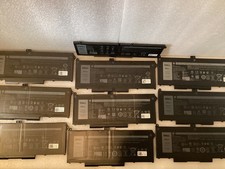
Lot of 10OEM Dell Latitude 5420 5520 63WH Battery RJ40G M033W - Excellent
$175.00
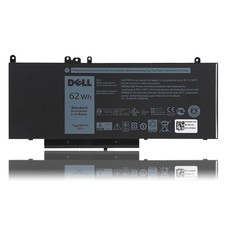
OEM Genuine 62WH 6MT4T Battery For Dell Latitude E5470 E5570 6MT4T 07V69Y 7V69Y
$36.66

OEM Genuine 86WH 69KF2 Battery For Dell XPS 15 9500 Precision 5550 M59JH M15 M17
$45.49

OEM 68Wh 3HWPP Battery For Dell Latitude 5401 5411 15 5501 5511 Precision 3541
$35.78
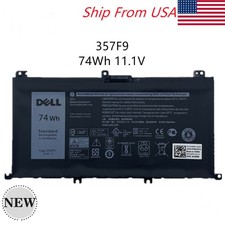
OEM 74WH 357F9 Battery For Dell Inspiron 15 7559 i7559 7557 i7557 5577 7567 5576
$26.99
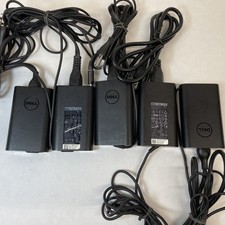
Lot of 5 Dell OEM 65W 7.4mm 19.5V 3.34A AC Adapters Mixed Models B Grade
$36.99
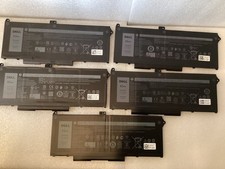
Lot of 5 OEM Dell Latitude 5420 5520 63WH Battery RJ40G M033W - Excellent
$99.99
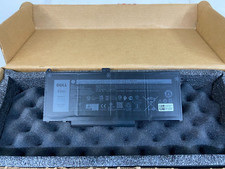
New Genuine OEM Dell Latitude 5420 5520 3560 4 Cell Laptop Battery RJ40G M033W
$49.95