

 Reply With Quote
This is just a shot in the dark, but some motherboards have a bios options for diabling MBR changes for virus protection reasons. Look around there to see if this option is enabled and if it is disable it.Originally Posted by derjens


hi all,
i just installed knoppix3.1 on my hdd (created hda1/swap 300MB, hda2/ext2 3900MB with cfdisk). installation went fine. but when i try to reboot i can not boot from hdd (insert system disk). booting from fd works. but i can not install lilo. a lilo -v -t gives me a message like: mbr and map not altered. no ohter os on my hdd.
many thnx for input.
cheers from berlin,
jens
This is just a shot in the dark, but some motherboards have a bios options for diabling MBR changes for virus protection reasons. Look around there to see if this option is enabled and if it is disable it.
I had a similar problem. What I did was
boot from the cd
edit the /etc/lilo.conf (ramdisk copy) to identify
hda as the boot drive
run lilo with the options to specify the locations of the map files
eject the cd and reboot
i check the BIOS, no virus options.
will try the cd boot way. but since i'm quite a newbe what
specific options do i have to run lilo with, specially regarding
map file option?
thnx for help
jens
Are you dual-booting, I would assume not since you are talking about your first hard drive (hda)
if you are not dual-booting, then:
Boot with your cd, and use " knoppix 2 " to start so you just have root console(s) running, then:
first I would run cfdisk and check your partitions:
*cfdisk /dev/hda
in the partition table make sure that in the Flags column that there is a Boot entry listed for your /dev/hda2 partition (which should be FS-Type ext2) if your ext2 partition is not bootable select that partition and then make it [Bootable] save the changes and then re-run lilo using the example below. If your partition table looks OK, ie. your ext2 partition is bootable, then look at your lilo setup, mount your / partition on your hard drive (from what you've posted):
*mount /dev/hda2 /mnt/hd
then:
*cd /mnt/hd
to change directory to your hard drive, and then:
*chroot /mnt/hda2
to change your 'root filesystem to your hard drive' and now check your lilo.conf file with:
*less /etc/lilo.conf
make sure that the following lines are in the file:
boot=/dev/hda
root=/dev/hda2
If you are NOT dual-booting you will need to have: boot=/dev/hda this line writes your boot record to your master boot record, it should be near the top, and the root=/dev/hda2 line should be after the image=.... line, it tells lilo where your root file system is located.
if both lines look OK. then I would rerun lilo with:
*/sbin/lilo -v
If either line is goofed up, ie. boot=/dev/hda2 instead of boot=/dev/hda etc. you'll need to edit your lilo.conf file, so use a console editor, nano is pretty easy to use run it like this:
*nano /etc/lilo.conf
which will start nano and load your lilo.conf file, then make the necessary changes, press CTRL-x then y then ENTER now re-run lilo with the /sbin/lilo -v command.
If you still get errors post them.
HTH
rock
 Posting Permissions


IBM System X3850-X5 Server w/4x Intel Xeon E7-4870 CPU , 512 GB DDR3 RAM,NO HDD
$1599.99

Unused IBM 09P0037 MAINBOARD For RS/6000 7044-170 P-Series
$375.00

IBM 7915 AC1 M4 E27R704 Server Intel 2650V2 32GB RAM NO HDD w/ 2x 750w PSU
$225.00

IBM QRadar xx29 2x Xeon E5-2650v4 2x 900W PSU M5120 12x 3.5" Bay Server No RAM
$179.99

IBM Power 8 S822L Server 8247-22L POWER8 Enterprise 256GB RAM 2x 00KV626 CPU
$999.99
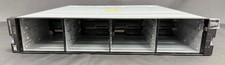
IBM Storwize V5000E V5030E SAN Storage Control Enclosure Server w/ Dual 02PX517
$1249.99

IBM SYSTEM X3500 M3 SERVER 7380AC1 TOWER Server XEON E5620 8GB RAID SEE NOTES
$110.30

IBM System x3550 M3 1U Server 2x Xeon E5645, 192GB RAM, 2x 300GB HDD (7944-AC1)
$150.00

IBM ADP Server Type 7870 AC1 NO HDD | 128GB RAM PC3L | 2 x Xeon E5620
$199.99

IBM EMC 091-000-091 17 Inch Rackmount LCD Keyboard KVM Console 03N7012
$109.99