
Assuming I would install to hard disk, how do I then start Knoppix? Does it "run" as an application under my Win XP. or do I boot into it at startup, or is it a dual boot situation? What?
How much room (approx.) does it take on the hard disk?


Assuming I would install to hard disk, how do I then start Knoppix? Does it "run" as an application under my Win XP. or do I boot into it at startup, or is it a dual boot situation? What?
How much room (approx.) does it take on the hard disk?
To install Knoppix you simply need to boot the CD. After Knoppix and KDE has started simply type "knx-hdinstall" in a console. You can get a console by clicking the shell/screen icon in KDE or press Ctrl-Alt-F2. Type "su" to change to root user if applicable.
::WARNING::
You should install LILO to enable dual boot. I havn't tried this so I don't really know!
Knoppix takes approximately 2 GB of space including swap space and "apt-get update" + "apt-get dist-upgrade". I'm really missing a selective package approach to installing Knoppix
Thanks for the comeback.
I found the info at http://www.knoppix.net/docs/index.php/HdBasedHowTo
and I have done the "poor man's install" to see how I like it.
My original question may now be ignored.
 Posting Permissions


HP ProLiant MicroServer Gen8 G1610T @2.3 GHz, 16GB, 712317-001 NO HDD/OS
$199.00

$280.00

Supermicro CSE-937 3U Storage Chassis No CPU No HDD No Ram Tested & Reset
$129.99

Supermicro CSE-216 No CPU No Ram No HDD Tested & Reset
$149.99

HP PROLIANT TPS-W003 MICRO- SERVER TOWER Gen 8, 16G RAM
$195.00

Supermicro Superserver CSE-836 Xeon E5-2609 v4 1.7GHz No RAM No Drives No OS
$249.98
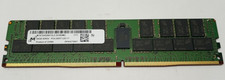
Micron 64GB 4DRX4 PC4-2400T-LE2-11 MTA72ASS8G72LZ-2G3B2MG DDR4 Server RAM KD313
$249.98

Supermicro 2U X10DRU-i 2x E5-2680 v3 2.5ghz 32gb Ram 240gb SSD 2x GPU *READ*
$369.99

Supermicro CSE-937 3U Storage Chassis No CPU No HDD No Ram Tested & Reset
$129.99

Supermicro CSE-216 No CPU No Ram No HDD Tested & Reset
$149.99

 Reply With Quote