

 Reply With Quote
The easy solution is to use a USB > PS2 adapter on your keyboard. They're usually green and come with any USB mouse.


Hi, everyone.
I downloaded Knoppix and created a boot CD. When I boot from the CD, I get a "root:" prompt. When I press <Enter> at that point, Knoppix displays several messages on screen, then stops with the error:
insmod:insmod:insmod/lib/modules/2.2.24-xfs/kernel/drivers/input/input.0 failed
insmod:insmod:insmod usbkbd failed
I have a Dell dimension 8200 with a Dell/Logitech Cordless iTouch Keyboard (USB), M/N Y-RB6.
Am I supposed to enter something other than <Enter> at the prompt? If not, how can I get Knoppix to recognize my keyboard?
Thanks.
The easy solution is to use a USB > PS2 adapter on your keyboard. They're usually green and come with any USB mouse.
 Posting Permissions

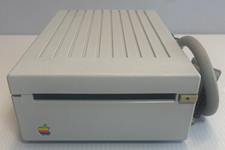
VINTAGE Apple 3.5 Drive External 3½" Floppy Drive DB-19 Beige | P/N A9M0106
$159.00
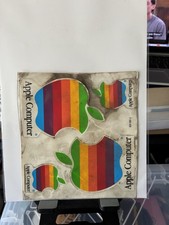
Vintage Apple Computer Rainbow Logo Sticker Sheet
$54.00

Vintage Apple USB Mouse M4848 Bondi Blue iMac G3 Hockey Puck - Tested Working
$22.99
![VINTAGE APPLE III COMPUTER FOR RESTORATION OR PARTS [NOT WORKING MISSING PARTS] picture](/store/img/g/LtgAAeSwBWFqwvf-/s-l225/VINTAGE-APPLE-III-COMPUTER-FOR-RESTORATION-OR-PART.jpg)
VINTAGE APPLE III COMPUTER FOR RESTORATION OR PARTS [NOT WORKING MISSING PARTS]
$299.99
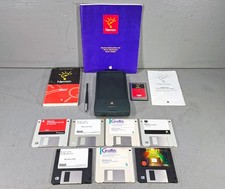
Vintage Apple Newton MessagePad 120 w/ Stylus Flash Card & Software *WORKS*
$99.99

Lot of 3 VIntage Apple Computer Rainbow Logo Sticker Decal Macintosh 1980s NOS
$7.00
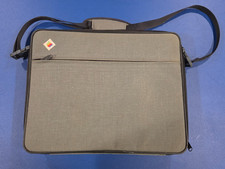
Vintage Apple IIc Computer Carrying Case Bag Grey Canvas Rainbow Logo 1980s
$74.99
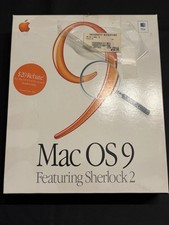
Vintage Apple Mac OS 9 Retail Box 1999 Sherlock 2 Original CD Manuals
$50.00

Vintage Apple Multiple Scan 15av Display Monitor M4681
$299.99
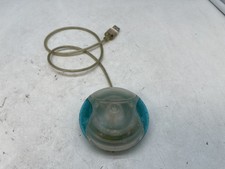
Vintage Apple USB Mouse M4848 Bondi Blue "Hockey Puck" Mac Mouse - Free S/H
$24.99