

 Reply With Quote
The easy solution is to use a USB > PS2 adapter on your keyboard. They're usually green and come with any USB mouse.


Hi, everyone.
I downloaded Knoppix and created a boot CD. When I boot from the CD, I get a "root:" prompt. When I press <Enter> at that point, Knoppix displays several messages on screen, then stops with the error:
insmod:insmod:insmod/lib/modules/2.2.24-xfs/kernel/drivers/input/input.0 failed
insmod:insmod:insmod usbkbd failed
I have a Dell dimension 8200 with a Dell/Logitech Cordless iTouch Keyboard (USB), M/N Y-RB6.
Am I supposed to enter something other than <Enter> at the prompt? If not, how can I get Knoppix to recognize my keyboard?
Thanks.
The easy solution is to use a USB > PS2 adapter on your keyboard. They're usually green and come with any USB mouse.
 Posting Permissions

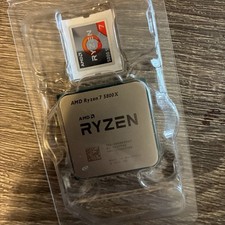
AMD Ryzen 7 5800X Desktop Processor (4.7GHz, 8 Cores, Socket AM4)
$169.99

Corsair RM750e 750W Fully Modular 80 Plus Gold ATX 3.1 PSU Certified Refurbished
$44.99

Intel Core i7-9700 3.0 GHz 8 Core Processor
$85.00
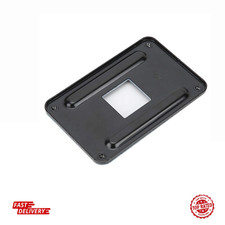
AM4 Backplane CPU Heatsink Bracket Backplane Backplate Back Sheet Iron Plate Du
$9.97

Intel i7-8700 Coffee Lake 3.2GHz 6-Core Max Turbo 4.6GHz Processor
$69.99

Intel Core i7-7700T 2.9GHz 8MB Socket LGA1151 Quad Core Processor SR339
$39.99

Intel 4th Gen Core i7-4790 SR1QF 3.60GHz (Turbo 4.00GHz) 8M 4-Core LGA-1150 CPU
$39.99

Intel Core i7-9700 SRG13 3.0 GHz Desktop CPU
$80.00
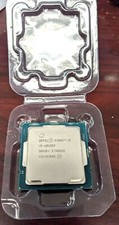
Core i3-10105F 4-Core Comet Lake Processor 3.70GHz 8GT/s 6MB LGA 1200 CPU Tray
$79.00
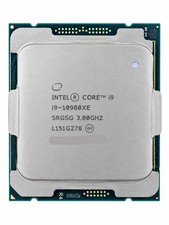
Intel Core i9-10980XE 18-Core 3.0GHz LGA2066 24.75MB Extreme Edition CPU
$349.99