

 Reply With Quote
I'm getting the same crash w/o the error message on a second computer. That fact alone makes it seem strange to me that I'm the only one seeing this. Has no one else run into this problem? Recent upgrades break kdeprint?


If I go into the the KDE control center /peripherals/printers, the KDE control center crashes. Moreover, I can no longer print from KDE apps. If I start start the control center from the command line, I get the following error message:
I'm not sure what's happening here. Anyone else having this problem? /usr/share/icons/kids/ is a valid path for me. This a group/permissions problem?kdecore (KIconLoader): WARNING: Icon directory /usr/share/icons/kids/ group not valid.
knoppix@Knoppix:~$ kdecore (KIconLoader): WARNING: Icon directory /usr/share/icons/kids/ group not valid.
I'm getting the same crash w/o the error message on a second computer. That fact alone makes it seem strange to me that I'm the only one seeing this. Has no one else run into this problem? Recent upgrades break kdeprint?
I have the same problem, but somehow also people from other distributions are complaining, very unhandy tough....
Robert
I am not 100% sure about this, as I do not have Knoppix on this computer, but if you go to the Knoppix menu on the toolbar at the bottom of the screen, there is an item there about setting up a printer.
Alternatively, in the main KDE menu, there is an menu tree for Knoppix, and there is the same menu set for setting up a printer in Knoppix. I can only assume that there is some special thing for creating a printer under Knoppix than under KDE.
HTH
Paul.
Right,
I'm having a problem printing with the 17th May version installed to HD using the Beginner's method and kernel26.
I set up an Epson printer, printed the test page OK, but am unable to print, for example, from Opera 7.50.
mvh
I can print from kwrite, but it is kprinter that is causing the problem. Could anyone of you try to start kprinter from the commandline?
launching Kprinter from the command lines, gives this message:
kdeinit: Shutting down running client.
---------------------------------
It looks like dcopserver is already running. If you are sure
that it is not already running, remove /home/knoppix/.DCOPserver_knoppix_:0
and start dcopserver again.
COPClient::attachInternal. Attach failed Authentication Rejected, reason : None of the authentication protocols specified are supported and host-based authentication failed
DCOPClient::attachInternal. Attach failed Authentication Rejected, reason : None of the authentication protocols specified are supported and host-based authentication failed
WARNING: DCOP communication problem!
regards,
Robert
 Posting Permissions


(New) AMD Ryzen 7 5700X 8 Core 16 Thread AM4 Unlocked 3.4 GHz CPU OEM Tray
$174.99

MSI GF63 Thin 11SC-693 15.6" 256GB SSD, Intel Core i5 11th Gen., 8GB Windows 11
$550.00

Dell OptiPlex 5090 SFF PC w/ i7-10700 2.9GHz CPU 2TB HDD 8GB DDR4 RAM Win 10 Pro
$209.95
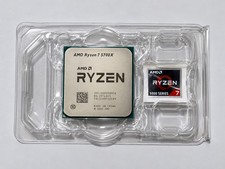
AMD Ryzen 7 5700X 8-Core 16-Thread AM4 Desktop Processor - Tested & Working
$155.00

Intel Core i7-6700 SR2L2 3.40GHz 8 MB 4-Core LGA1151 Socket CPU Processor
$27.99

AMD Ryzen 7 5700X3D Desktop CPU Processor 3.0GHz, 8-Core, 16-Thread, AM4 Socket
$270.00

AMD Ryzen 7 5700X 8-Core 16-Thread Unlocked Desktop Processor 3.8GHz
$165.00
AMD Ryzen 7 5700X3D Desktop CPU Processor 3.0GHz, 8-Core, 16-Thread, AM4 Socket
$280.00

AMD Ryzen 7 5700G 3.80GHz 8 Core 100-000000263 16 Thread AM4
$149.99

Lenovo Thinkpad E15 Gen 2 8GB RAM 256GB SSD Intel Core [email protected] Laptop
$220.36