

 Reply With Quote
You can use xkill to kill an application, or type in a konsole "ps fax" without the quotes to get the PID for the stopped app and do "kill pidnumber" or "killall application-name". If kill doesn't work try "kill -HUP pidnumber".


I have a question...
If I try to work to fast on Knoppix sometimes an application will freeze up. Then I have to restart my computer and start knoppix again to get rid of it. Is there an easier way to just like completely clear all applications running?
You can use xkill to kill an application, or type in a konsole "ps fax" without the quotes to get the PID for the stopped app and do "kill pidnumber" or "killall application-name". If kill doesn't work try "kill -HUP pidnumber".
why kill them all?
Go to a vt (lets say: ttyS2, to do that, hitt ctrl+alt+F2, to get back to KDE and X hit, ctrl+alt+f5, could be F1, F3, F4... be patient it might take a few seconds for the screen to wake) and type ps -A look for the name of what is bothering you.
if i had a frozen centericq i would do
output would be a looooong list (i have some 6 xterms), here is a part of that output.ps -A
then aCode:652 ? 00:00:00 fvwm95 686 ? 00:00:40 gkrellm 687 ? 00:00:00 FvwmTaskBar 688 ? 00:00:00 FvwmButtons 692 ? 00:00:00 xterm 702 pts/0 00:00:01 centericqwould do just that, kill the process with number 702. it might be that it won't die, hmmm, ok.Code:kill 702
that would work. if not, hmmm. ok lets pretend it did not work, check if something keeps it alive (is above it in the ps tree)Code:kill -9 702
ps -aux then kill anythng assosiated with centericq, and ofcource centericq).
in this case Xterm.
now dooe 652 0.0 0.6 2808 1532 ? S 16:23 0:00 fvwm95
oe 686 0.3 2.5 10276 6112 ? S 16:23 0:41 gkrellm
oe 687 0.0 0.5 2532 1216 ? S 16:23 0:00 /usr/X11R6/lib/X1
oe 688 0.0 0.5 2520 1216 ? S 16:23 0:00 /usr/X11R6/lib/X1
oe 692 0.0 1.0 5036 2620 ? S 16:23 0:00 xterm -T centeric
oe 694 0.0 0.4 2092 1024 ? S 16:23 0:00 /bin/sh /usr/lib/
oe 702 0.0 1.8 7648 4380 pts/0 S 16:23 0:01 centericqif it survives this it is a Zombie process (yes it is the actuall name) and canot be killed short of reboot.Code:kill -9 692 702
 Posting Permissions


Seagate ST6000NM0115 6TB 256MB 7200RPM 3.5" SATA 6.0Gb/s Enterprise Hard Drive
$159.99

HUS726060ALA640 HGST Ultrastar 6TB SATA 6Gbps 7.2K 3.5" Hard Drive OF21860
$129.99
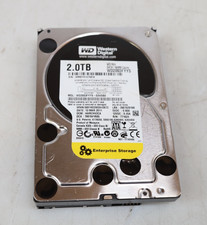
Western Digital 2TB WD2003FYYS-02W0B0 3.5" SATA 7200RPM Hard Drive
$44.99

Seagate 14TB Exos X14 7200RPM SATA 6Gb/s 256MB 3.5" Enterprise HDD ST14000NM0408
$354.99

Hitachi / HGST Travelstar HTS541010B7E610 1TB 2.5" SATA III HDD
$29.99

HITACHI ULTRASTAR 2TB 7.2K 6G 3.5INCH SATA HDD HUS724020ALA640 | TESTED WIPED
$34.95
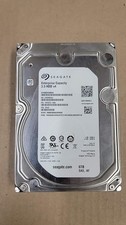
Seagate Enterprise ST6000NM0034 6TB 7.2K RPM SAS-12Gb/s 128MB 3.5"HDD (not SATA)
$69.99
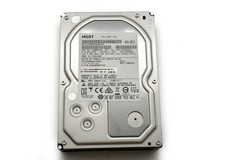
HGST Ultrastar 2TB 3.5" Enterprise SATA 7200RPM Internal HDD HUS724020ALA640
$54.99

Seagate BarraCuda ST5000LM000 5TB 5400RPM SATA III 6Gb/s 2.5" Internal Hard
$169.99
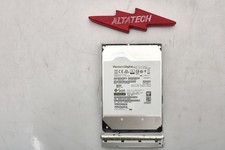
Sun Oracle 7357761 14TB 7.2K 3.5 12G SAS-3 HDD Hard Disc Drive w/ Coral Bracket
$249.99