-
vaio laptop prob after install
hi all
i have installed knoppix on a vaio laptop PIII 866 512mo ram HD27go
i will list all my probs in one topic
1) the hd
on the init screen, it says the dma is assuming at 33mz
2) the keyboard
on caps lock mode, i can get the numbers to display 0->9, i have to hold the shift key to print the numbers
i have tryed all keyboards on the keyboard managers but i couldn't get it to work properly
3) The screen
i 'm blocked to 640x480 even i use the config manager and change to 600x800, it will reboot on the low resolution mode
i have changed the /etc/X11/XF86Config-4 file and add a # at each line with low resolution
but anyway
root@sony_vaio:/usr/src/kernel-source-2.6.3# mkxf86config
Video is (yet) unknown card, using XFree86(vesa) Server
Monitor is Generic Monitor, H:28.0-96.0kHz, V:50.0-75.0Hz
Using Modes "1024x768" "800x600" "640x480"
4) I have tryed to upgrade the kernel to 2.6.3 (on the vaio & a terminator box too)
i have tryed all tips on this forum and on the forum related links
i can't get make menuconfig to work
i have the asm/socket.h problem
strangely if i give the make command, it works and the term ask line by line the new config
then make menuconfig works
i take my .config file and move to /usr/src/linux and save
then
make-kpkg buildpackage -rev Custom.1 kernel_image gives the asm/socket.h error
and all commands trying to build give that error
i have seen it could be a knoppix kernel header prob so :
i tryed to change the headers but the os didn't let it => so i have removed the headers => lol
and now i can't get it back
thanks for reading all my probs, i prefered to put all in one topic
-
Senior Member
registered user
Well, I can answer what I can.
1) Put idebus=66 in the append="" line in /etc/lilo.conf.
2) Don't know about that one, My laptop keyboard won't let me switch to number lock mode either.
3) If your screen was good when booting knoppix from the cd, then boot to the cd, and copy the /etc/X11/xf86cong-4 file from the ramdisk to the chroot hd installation. That will fix it in a jiffy. If it doesn't, post back with more info about video card, or better yet, post results of lspci -vv > lspci.txt to here.
4) Others have reported similar problems and fix which has to do with the asm symlink pointing to the wrong asm architecture type for your hardware. In /usr/src/linux/include/asm should point to /usr/src/linux/include/asm-i386. Fix that by using the following commands:
Code:
cd /usr/src/linux/include
rm asm
ln -s /usr/src/linux/include/asm-i386 asm
Try running make xconfig again and it should work.
HTH,
Durand
Similar Threads
-
By lestat730 in forum Hdd Install / Debian / Apt
Replies: 3
Last Post: 02-01-2005, 10:32 PM
-
By Zerro in forum Hdd Install / Debian / Apt
Replies: 1
Last Post: 11-28-2004, 02:58 PM
-
By DestroyerOfWorlds in forum General Support
Replies: 4
Last Post: 10-05-2004, 03:57 PM
-
By annamerikin in forum Hdd Install / Debian / Apt
Replies: 3
Last Post: 06-26-2003, 04:26 AM
-
By raypace in forum Hdd Install / Debian / Apt
Replies: 0
Last Post: 02-07-2003, 03:18 AM
 Posting Permissions
- You may not post new threads
- You may not post replies
- You may not post attachments
- You may not edit your posts
-
Forum Rules


Intel Xeon E5-2680 V2 2.8GHz 10-Core 25MB 8GT/s SR1A6 LGA2011 B Grade Server CPU
$7.95

HPE DL360 G10 CTO Server W/ 2x800W 1x LP PCIE RISER 1xFLEXROM 2XHIGH PERF FANS
$200.00

NEW HP Z4 G4 Workstation Xeon W-2123 16GB ECC 256GB NVMe NVIDIA T400 750W Win11
$450.00

Lenovo ThinkStation P520c Intel Xeon W-2133 6-Core 3.60GHz -NO RAM/ HDD/ GPU/ OS
$127.54
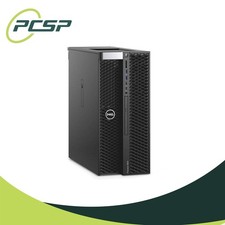
Dell Precision T5820 Workstation 3.70GHz W-2135 No RAM/ GPU/ HDD/ OS
$179.98

Dell Precision T7820 2x Xeon Gold 6130 2.10GHz 950W No RAM GPU HDD 4x SATA
$374.48
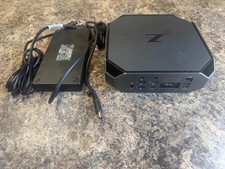
HP Z2 Mini G5 Workstation Xeon W-1270P 3.8GHz/16GB/1TB SSD/ NVIDIA T1000/W11 Pro
$349.00

Dell Precision T7820 2x Xeon Silver 4114 2.20GHz 950W No RAM GPU HDD 4x SATA
$354.48
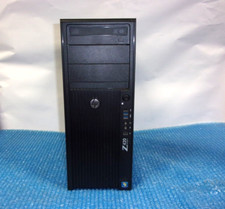
HP Z420 Tower Workstation Xeon E5-1620 3.60GHz, 4GB Ram, NO HDD, NO OS
$140.00

DELL Precision T3420 | Xeon 1240v6 | 525GB SSD |16GB RAM |Nvidia GPU |Win11
$149.00



 Reply With Quote