

 Reply With Quote
Actually I have it ready for a few days now. Let me upload it somewhere.


Hello all. I have been reading all the messages about this project. I to am curious if there is any progress made. I am looking for a LIVE CD web browser to run small internet kiosks. I'm really interested in an easy way to edit the default homepage and default bookmarks. What I'm looking to do is set systems up in bars. The default hompage will be the establishments website, with news and updates, and the bookmarks will be for online casino gaming. So java and flash plugins would be needed also. Right now I currently use the Morphix Firefox-1. But it lacks... If anyone has a beta iso created already for download, that would be great. I'd love to test it out.
Actually I have it ready for a few days now. Let me upload it somewhere.
http://www.ljudmila.org/~gandalf/firefox3.iso
Changelog:
* flash plugin [done ]
* Change start-up bootsplash and color of progress bar [done]
* Boot FireFox into fullscreen mode [done]
* maybe make a bookmarks.txt file that could include a list of premade bookmarks, (or settings.txt config file) [done]
* proxy.txt that gets scanned at boot where proxy info could be placed, maybe a few other minor items I forgot (or settings.txt config file) [done]
* network configuration -- dhcp or fixed ip [done] (needs to add files to cd)
There is also wiki: http://wiki.livecd.net/livecd/FireFox to which you can add items for the todo list.
WOW, this is awesome!. I love it. Very clean and simple. Great job!
I only have a few questions. How do I remaster the CD with preset bookmarks, proxy, oh and change the default home page?...When i explore the iso image, I do not see the bookmarks.txt, proxy.txt, setting.txt files. Do I create these myself? if so, how? and where do I put these files.
Also I noticed that you can still get around the full screen mode on the browser. By clicking out of full screen mode (upper right hand corner) the user can still access the browser configurations. Anyway of making the browser permanently stay in full screen? and maybe just include a printer icon in full screen mode? Also is there away to add a java VM plugin or other java plugin, so that someone can play yahoo games, or use java based chat rooms?
I once did a job at a univerity. In there library they had live cd internet kiosks terminals. The browser was netscape and had java & flash abblilities. I remember booting one up and seeing a verbose type of screen, so I think it was some form of knoppix or other. I just wish I knew where I could get that same live cd they were using. It also did something cool which you might consider...when you close out all the browsers and just see the desktop...5 secs later a new browser automatically opens to the default homepage, always keeping a browser window open for the next user.
Oh, and how and where do I edit the file for a network printer? and could this printer just be a printer that is connected to a PC on the same network, or does it need to be a network printer pluged directly into the network?
I know I am asking a lot, and I am obviously not a programer...I'm just a Live CD fan. I love this kiosk concept and think it has potential for being an easy way to setup low cost internet kiosk terminals anywhere. You have done an awesome job so far....keep up the good work!
If you take a close look at cd you will see firefox/prefs.js that is used instead of the one that is inside home directory on cd - just to show the concept.Originally Posted by Warpath
There you can put following files:
- prefs.js
- bookmarks.html
you can also put whole .mozilla folder there. So you have firefox/mozilla that gets copied into .mozilla folder. Please notice that with never releases of firefox the .firefox folder is gone and .mozilla/firefox/default.sth/ is used. (just in case you start looking over your files and wonder why no .firefox copying).
I'll have to dig into XUL to do this. One of these days ..
Anyway, I'm not a big fan of such changes since most users won't close the browser anyway while others will because they'll feel more at home using it. I'd certanly be very nervus using full screen only browsing.
Well, flash and adobe acrobat are already in. Java can also find a way in and soon will.
Good idea. I'll include it into next release.
This version doesn't have printer support. Since I didn't feel that anyone really used it. Previous version automaticly detected CUPS printers on network and added them to firefox. If you know exactly what printer you have and how is connected special version can be made for your needs.
Thanks.
hello. I was thinking to...If you have a new browser respawn after a set number of seconds from the time that all browser windows are closed....you would not need the taskbar with the web browser launch icon at the bottom. Since there will constently be a new browser window opening automatically. Not sure if you were thinking the samething.
I was also curious...is there a way to change the desktop wallpaper? say to a customized one that I design.
I'm also having trouble creating a new iso image after I have made my alterations. Im using Roxio, and the iso gets created, but when I go to burn the image to cd....it wont bootup?Basically all Im doing is taking the extracted files from your iso image and then creating a new iso of my own...any ideas?
Thanks
Taskbar at the bottom is useful if you want to add any extra stuff like 'network-conf', 'pppconf', 'thunderbird' etc. to give additional dimension to livecd.
You need to extract firefox1.mod and change the morphix/background.png file. If there is need it can be moved to outer-layer.
You need to add boot image to iso image. There is base/boot.img file that you need to attach somehow to image to get it booting. Consult your documentation how you do that since I've never seen Roxio SW.
oh, if anyone wants to watch flash movie of how firefox3.iso looks like:
here is a link: http://www.ljudmila.org/~gandalf/ff3.swf
hmm, I'm using windowsXP...seems that there is not windows program that allows you to open and edit a MOD file. Atleast I couldnt find one online...still having trouble with recreating the iso. base/boot file to make the cd bootable. But it adds 2 boot files to the front of the cd. When the cd boots up, all I get is a black screen and GRUB....man, meybe a how-to .txt file added in would be helpful. instrustions on how to change the most common things. Unless you know of a good how-to section online?
you need linux since it's clooped .iso image
I'm sure there are instructions inside knoppix.net docs how to do it or someone else can help you. I'd rather not flow into windows software waters right now.
I know that when you use Nero you can select bootable cd/el torito cd and you can specify path to boot.img and that one is supposed to work.
 Posting Permissions


Dell PowerEdge HBA330 LP PCI-E 12GBs RAID SAS Controller Adapter J7TNV
$18.95

Broadcom MegaRAID 9480-8e Fujitsu PRAID EP540e SAS RAID Card (Replac 9380-8e) 8i
$228.00

EMC KTN-SL3 15-Bay Disk Array Enclosure w/2x 303-108-000E Cards, Dual PSU,No HDD
$239.99

G-Technology G-SPEED Studio XL 48TB Thunderbolt 2 Storage - Housing Only
$200.00

Broadcom LSI 9305-16i 12Gbps SAS-3 PCIe x8 HBA 16-Ports Raid Controller
$64.99

OWC Mercury Elite Pro 2 Bay RAID Enclosure with USB 3.2 for Dual 3.5 inch HDDs
$87.99
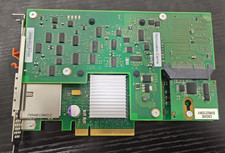
74Y6511 IBM 3Gb 2 Port PCI-E x8 SAS RAID Adapter 74Y6512 44V4199 W/ 1x Battery
$99.99
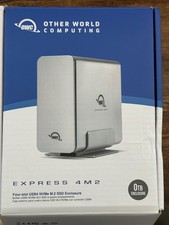
OWC Express 4M2 USB4 40Gb/s 4-Slot NVMe M.2 SSD RAID Enclosure w/ Cable
$125.00

Areca ARC-1882IX-24 (16i4e)24-Port RAID Controller Card w/BBU /HDD Monitor Board
$300.00

Intel VROC Premium RAID Controller Card PCIe Add-On Module VROCPREMMOD
$265.00
