

 Reply With Quote
I fixed ibuild to be able to use Morphix 0.5-pre4 so I hope skrat will release next version with that Morphix base.


davea0511: ther are no big changes on kernel level so I am afraid that it will not work now it it didn't work on previous version of Stallion. I will do some more research on that issue but slight problem is that I don't have any touchscreen device to test it
However, I already prepared fixed version of Stallion with keyboard problem solved. It will take few hours to upload it to the server due to my slow uplink. You will be noticed, when it will be ready.
I fixed ibuild to be able to use Morphix 0.5-pre4 so I hope skrat will release next version with that Morphix base.
Originally Posted by davea0511
According to the manufacturer of Magic Touch, http://www.magictouch.com/addon.html, Linux is supported. This page http://www.magictouch.com/install_addon_monitor.html is the manufacturer's install guide for the touch screen. At the bottom of that page it tells you to Controller & Driver Installation to continue with the setup. On that page there is a link to download the drivers http://www.magictouch.com/login.html. On that page I choose either USB-X Controller or ProE-X Controller, and they both link to a ZIP file with a Linux driver. According to the readme.txt file, This driver is compatible with RedHat Linux 9.0 under XFree86 v4.2.X. Unless I am reading it wrong, it does not have anything to do with the kernel but instead is a binary driver for XFree86. The problem with a binary driver is that it may only work for 4.2.x and not 4.3.x that Debian & Knoppix & probably Morphix uses.
The website that you mentioned has a 30 day money back guarantee, so if was daring & had the money, I would buy the touch screen, download RH9.0 and try it out & make sure it works. Then either use morphix, knoppix or debian & see if I could get it to work with that.
Please let us know if you intend to move forward with this as I would love to know if it works.
I hope this helps.
James
skrat and Underscore:
Thanks for the info...
Since XFREE86 v4.3 has been around for quite some time in all distros I figured the XFREE86 v4.2 compatible driver driver that they're still providing would work, so I already bought the touchscreen and have it right here on-hand ready to test.
My problem is this: I don't know enough about linux to even know how to install the driver (like where do I even put it, and what files do I need to edit to get Morphix/knoppix to load it - or is there alot more involved - I know, my newbie-ism is painfully glaring, I apologize).
If you can provide directions for a newbie like me on how to install their driver (or at least point me in the right direction) I'll do what I can night and day to try to make it work, because I'm already in hot water for being overdue on this project.
Much thanks!
-Dave
You have a private message.

The Stallion release Rules!
All i need to know now is how to setup:
1. Homepage
2. Proxy IP
3. Background Image
4. BrowserBar image
Hi all!
After slight problems with matchbox and iBuild I finally prepared bug-fixed version of Stallion. I just replaced old stallion2.iso while the only change is keyboard setting from Slovenian back to English.
New iso is now compressed what was also my fault with previous release and is much smaller now. I appologize to all of you who spend way too much time/bandwidth to download previous uncompressed iso.
New MD5SUM: 166d15bd292417e1ce78e1b97b45c946
Where can i DL the new release?
http://sigma.livecd.net/~skrat/stallion2.iso doesnt work....
It doesn't work? Hmmmm ... my download finished 16 minutes before your post & I verified the md5sum.
Yupp, works for me to now. Maybe the server has a dl limit....
Anyways the ISO works fine, though i thought this version would be the one where ctrl+alt+fn was diasbled.....
But as they say, he who waits.........
Regards Janne
 Posting Permissions

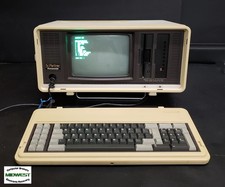
Vintage Panasonic Sr. Partner RL-H7000W Portable IBM PC-Compatible Computer
$275.00
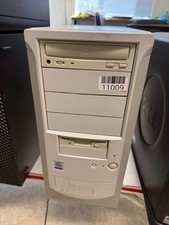
Vintage Desktop No Brand-Pentium 4-512MB Ram 40GB HDD ATI R200 Fire GFx OS W98E
$139.99
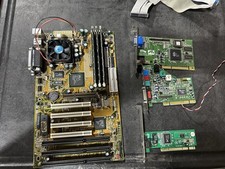
Vintage Iwill XA100 Plus Super Socket 7 Motherboard + K6-III 450 + 896mb READ
$179.99
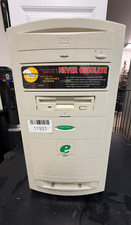
RARE-Vintage Emachines Monster 500A-Pentium III-256MB Ram 4.3GB HDD No OS *READ*
$299.99

Vintage Apple Computer "I AM AN APPLE PROGRAMMER" Pinback Button 2 1/8" 1980s
$29.99
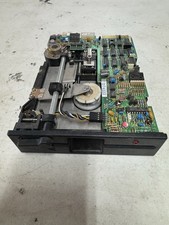
Vintage Qume QUMETRAK 142 5.25" 5 1/4" floppy drive - Untested
$55.00

Original Vintage Old Style STANDARD Black CD Jewel Case (Heavy Duty) 90g Lot
$316.95
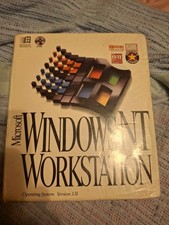
Vintage Microsoft Windows NT Workstation 3.51 CD SEALED
$145.00

Vintage NEC CDR-1410A 50 Pin SCSI CD-ROM Optical Drive Used
$39.99
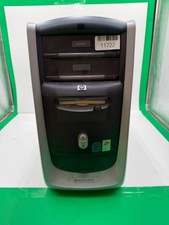
Vintage HP Pavilion XT963-Intel [email protected] 128MB Ram 40GB HDD Windows XP
$109.99