-
I am Sooooo satisified to actually have the custom disk I need.
I remastered Morphix Firefox LiveCD, vff4.iso . My requirements are that it boots quietly, runs a browser in full screen from my web server only, and reboots on exit.
Getting the browser to take my custom prefs was a bit tricky. I chroot, apt-get remove mozilla-firefox. Then I downloaded Firefox 1.0 from www.getfirefox.com . The tricky part was that I had to install the firefox...gz to my dev workstation. I put it in the /usr/lib directory. I did a firefox -install-global-extension on autohide.xpi . I copied the complete /usr/lib/firefox directory to my morph_hd source /usr/lib .
In order to get my prefs to take effect I had to wait until just before Firefox started up. Then create the user profile without actually starting the browser. Once that is done it is straight forward to append to the prefs.js file without messing anything up.
Here is the firefox.sh script I ended up with.
#!/bin/bash
/usr/lib/firefox/firefox -createprofile morphuser
FDIR=`ls -d /home/morph/.mozilla/firefox/*.morphuser`
cat >> $FDIR/prefs.js << EOFP
user_pref("browser.download.lastDir", "/home/morph");
user_pref("browser.preferences.lastpanel", 0);
user_pref("browser.startup.homepage", "http://my.website.edu/");
user_pref("browser.startup.homepage_override.mston e", "rv:1.7.5");
user_pref("extensions.autohide.bars.PersonalToolba r", true);
user_pref("extensions.autohide.bars.PersonalToolba r.always", false);
user_pref("extensions.autohide.bars.nav-bar.always", false);
user_pref("extensions.autohide.bars.tabbar.always" , false);
user_pref("extensions.autohide.bars.toolbar-menubar", true);
user_pref("extensions.autohide.bars.toolbar-menubar.always", false);
user_pref("extensions.autohide.closedFull", true);
user_pref("extensions.autohide.context", false);
user_pref("extensions.autohide.openNewFullscreen", false);
user_pref("extensions.autohide.statfloat", false);
user_pref("extensions.autohide.status-bar", false);
user_pref("extensions.disabledObsolete", true);
user_pref("extensions.lastAppVersion", "1.0");
user_pref("intl.charsetmenu.browser.cache", "UTF-8, ISO-8859-1");
user_pref("network.cookie.prefsMigrated", true);
user_pref("network.proxy.ftp", "my.website.edu");
user_pref("network.proxy.ftp_port", 80);
user_pref("network.proxy.gopher", "my.website.edu");
user_pref("network.proxy.gopher_port", 80);
user_pref("network.proxy.http", "my.website.edu");
user_pref("network.proxy.http_port", 80);
user_pref("network.proxy.share_proxy_settings", true);
user_pref("network.proxy.ssl", "my.website.edu");
user_pref("network.proxy.ssl_port", 80);
user_pref("network.proxy.type", 1);
user_pref("xpinstall.whitelist.add", "");
EOFP
/usr/lib/firefox/firefox -fullscreen $1
sudo cp /sbin/halt /home/morph/reboot
sudo /bin/umount -l /cdrom
sudo /usr/bin/eject /dev/cdrom
sudo /home/morph/reboot -f
#end of firefox.sh
Because the Firefox LiveCD doesn't have a morph user profile for firefox until firefox is started the first time, it is impossible to append to the prefs.js file because it doesn't exist at any point before that. The way I did it lets me completly and reliably control the browser behavior. Note: I tried to use the "-p morphuser" command line option to firefox on the second execution so that the browser would be forced to use the profile I just created, but it seems that the -p option now causes the firefox script to attempt to run a ".pure" version of firefox. It looks like a developer feature for testing has been left in the distribution. I found that I didn't need to specify it as there is only one profile and firefox is happy to use it without complaint.
p.s. morphix.org dev guys, should I cross post this to the morphix forum? Feel free to describe it in any firefox on LiveCD docs, etc..
Similar Threads
-
By pinoylinux in forum General Support
Replies: 2
Last Post: 01-05-2005, 11:52 AM
-
By dragonwheels in forum Hardware & Booting
Replies: 1
Last Post: 11-22-2004, 07:17 PM
-
By Eero in forum General Support
Replies: 1
Last Post: 09-29-2004, 01:23 AM
-
By sn0wflake in forum General Support
Replies: 3
Last Post: 12-05-2003, 04:13 AM
-
By adamm in forum Customising & Remastering
Replies: 30
Last Post: 06-13-2003, 09:12 PM
 Posting Permissions
- You may not post new threads
- You may not post replies
- You may not post attachments
- You may not edit your posts
-
Forum Rules


Crucial MX500 1TB 2.5" SATA III Internal SSD CT1000MX500SSD1
$99.99

Samsung 860 EVO 250GB SSD MZ-76E250 2.5" SATA III Solid State Drive
$39.99

128TB External SSD Solid State Drive Hard Drive Disk PC Phones Mac Games Videos
$69.90

Samsung New SSD 970 EVO Plus 2TB 1TB 500GB 250GB NVMe M2 Internal Hard Drive Lot
$79.99

Western Digital PC SN740 256GB M.2 2280 NVMe Internal SSD (SDDPNQD-256G)
$34.99
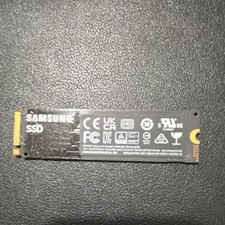
Samsung 980 500GB NVMe M.2 2280 SSD MZ-V8V500 - Tested Working.
$50.00

Netac 2TB 1TB 512GB 256GB Internal SSD 2.5inch SATAIII Solid State Drive lot
$549.00
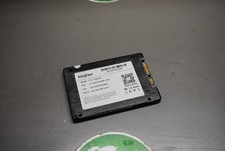
KingFast F10 256GB 2.5” SATA III SSD Tested Working 2710DCS23BF-256
$22.89

Netac 120GB 256GB 1TB 2TB Internal SSD 2.5'' SATAIII 6Gb/s Solid State Drive lot
$119.99

Netac 1TB 512GB 256GB Internal SSD 2.5inch SATA Solid State Drive lot PC Laptop
$250.00



 Reply With Quote