-
Regarding the /copy directory, on vff4.iso if I put any file there, the boot process creates an X lock file to delay X from starting until the copy (and I guess /exec) are completed. Even with a very small file this added about 10-15 seconds to the boot time. The idea of putting many megs of firefox profile first in /copy to be copied to /etc/skel, which will then be copied a second time to /home is less desirable (provided of course there is better way). With the firefox profile, since is doesn't exist until the first time firefox is run, trying to modify or replace the prefs.js will cause firefox to misbehave when it starts. You would have to copy a complete profile to get it to work correctly.
On editing ISO's, there are some very good interactive scripts like iBuild and TROM. I prefer working with the details first so I can understand what is going on 'under the hood'. The document All.pdf on the morphix.org or wiki site is where I learned the commands and their options for uncompressing an ISO, uncompressing the mainmod, making changes, then compressing everything back up to a single ISO I can use with Roxio to write the CD. I tried using canned build scripts for KNOPPIX, but like the linux distributions, sometimes there are version dependencies and the scripts haven't been updated to work with the latest ISO. Trying to fix somebody else's scripts without a solid understanding of the basics of remastering or the specifics of that distribution can be very, very frustrating. I have had the most success by building up my own scripts from the basic commands and adding the specific customizations I want on a specific ISO version. When a new ISO is released, I copy my scripts to a new work directory for the new version and run/debug the scripts until they work correctly for that version. Anyway, that's what works for me.
Similar Threads
-
By pinoylinux in forum General Support
Replies: 2
Last Post: 01-05-2005, 11:52 AM
-
By dragonwheels in forum Hardware & Booting
Replies: 1
Last Post: 11-22-2004, 07:17 PM
-
By Eero in forum General Support
Replies: 1
Last Post: 09-29-2004, 01:23 AM
-
By sn0wflake in forum General Support
Replies: 3
Last Post: 12-05-2003, 04:13 AM
-
By adamm in forum Customising & Remastering
Replies: 30
Last Post: 06-13-2003, 09:12 PM
 Posting Permissions
- You may not post new threads
- You may not post replies
- You may not post attachments
- You may not edit your posts
-
Forum Rules


IBM System X3850-X5 Server w/4x Intel Xeon E7-4870 CPU , 512 GB DDR3 RAM,NO HDD
$1299.99

Unused IBM 09P0037 MAINBOARD For RS/6000 7044-170 P-Series
$375.00

IBM QRadar xx29 2x Xeon E5-2650v4 2x 900W PSU M5120 12x 3.5" Bay Server No RAM
$179.99
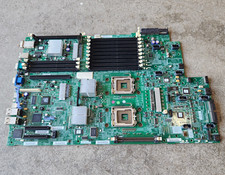
IBM 43W0331 System x3550 Server Board LGA771 DDR2 16 DIMM RJ-45
$49.00

IBM SYSTEM X3500 M3 SERVER 7380AC1 TOWER Server XEON E5620 8GB RAID SEE NOTES
$108.92
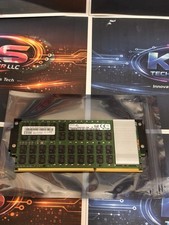
IBM DDR4 16GB 2Gx72 Server Memory (00VK248)
$125.00

IBM Power S824 12Bay 4U Server - 2x Power8 CPU, 512GB DDR4, MT: 8286-42A
$1731.00

IBM 02YC027 Seagate ST2400MM0129 2.4TB 10K SAS 12Gb/s 2.5" Server Hard Drive
$200.00

IBM ADP Server Type 7870 AC1 NO HDD | 128GB RAM PC3L | 2 x Xeon E5620
$199.99

IBM 7014-T00 Enterprise 19" Rack Enclosure No Keys
$549.95



 Reply With Quote