-
Junior Member
registered user
Cannot mount my thumbdrive!!
I started out playing with my new knoppix 3.3 live cd. Now I'm engaged in a fierce battle with it to make it function properly with my usb jump drive! Earlier today I had the jump drive formatted with ext2; knoppix recognized it in r/w mode and would mount it, but would not interact with it. After researching some previous posts, I determined I needed to format it in FAT16....which I did. However, it ended up with 4 partitions on it (funny, my windows machine didn't tell me that!)
Anyway, I'm assuming that in order to proceed I must be able to mount them....but I'm given error messages stating that neither sda1,sda2,sda3, or sda4 can be mounted because they are "not a valid block device" . What the hell does that mean?!!? 
I fear I may be loosing this battle....I have precious little ammunition (knowledge) to "mount" a counterattack. 
Anybody have a suggestion??
-
Senior Member
registered user
eeeh? 4 partitions?? try repartitioning it again, anf format in fat32. (fat 12, 16, 32... are all vfat).
you shold then be able to reach it with the comand
Code:
mount -t vfat /dev/sda1 /mnt/pen
that in turn might require you to make the directory /mnt/pen but...
-
Junior Member
registered user
RE: Cannot mount my thumbdrive!!
Well, I reformatted it in FAT32, but knoppix still sees partitions /sda1 thru /sda4. Neither one of which I can mount!!
command: mount -t vfat /dev/sda1 /mnt/pen
response: mount: mount point /mnt/pen does not exist
command: mount -t vfat /dev/sda1 /mnt/usb
response: mount: mount point /mnt/usb does not exist
command: fdisk /dev/sda (/sda1 thru /sda4)
response: unable to open /dev/sda...........
My linux "education" hasn't covered changing things in the directory yet...
I've reformatted this drive on both my windows ME and XP. The fdisk command doesn't work for removable disks in ms-dos. So I'm at a loss on how to format this thing with one partition!! Please let me know if you can think of something else!!
Thanks for responding!!!!! 
-
Re: RE: Cannot mount my thumbdrive!!

Originally Posted by
knopphead
Well, I reformatted it in FAT32, but knoppix still sees partitions /sda1 thru /sda4. Neither one of which I can mount!!
command: mount -t vfat /dev/sda1 /mnt/pen
response: mount: mount point /mnt/pen does not exist
command: mount -t vfat /dev/sda1 /mnt/usb
response: mount: mount point /mnt/usb does not exist
command: fdisk /dev/sda (/sda1 thru /sda4)
response: unable to open /dev/sda...........
My linux "education" hasn't covered changing things in the directory yet...
I've reformatted this drive on both my windows ME and XP. The fdisk command doesn't work for removable disks in ms-dos. So I'm at a loss on how to format this thing with one partition!! Please let me know if you can think of something else!!
Thanks for responding!!!!!
I had the same exact problem when I tried to use my SONY Micro Vault drive.
-
Senior Member
registered user
ok, the errormessages tell me that you have no /mnt/pen directory, nor a /mnt/usb.
do , now try again.
it should work.
now to the partitioning, I would try linux cfdisk to partition it, as root (you become root with the comands sudo su in knoppix)
I would then use (still as root) to make the fat filesystem, it should work.
there might be trouble with the drive under win though but...
nothing alarming for me, just had to format it in win once.
to quit being root you issue the comand exit (od ctrl+d).
-
Junior Member
registered user
To: cfdisk
knoppix responds:
FATAL ERROR: Cannot open disk drive
Press any key to exit cfdisk
knoppix@ttyp0[knoppix]$ mkdir /mnt/usb
mkdir: cannot create directory `/mnt/usb': Permission denied
knoppix@ttyp0[knoppix]$ mkdir /mnt/pen
mkdir: cannot create directory `/mnt/pen': Permission denied
I can create directories simply called usb @ pen :
knoppix@ttyp0[knoppix]$ ls
Desktop pen tmp usb
But nothing seem to be affected by it...
-
Senior Member
registered user
you have to make the directories as root perhaps.
-
Junior Member
registered user
Alright now....in root am able to cfdisk, but only my actual hda partitions are read, not the sda.
So, I noticed all 4 of the sda partitions are in my home/desktop directory. When I created /usb and /pen directories I tried mounting them again, but no success....What am I doing incorrectly?
I appreciate your replies....please bare with me!
-
Senior Member
registered user
ok then you might get it working by doing
Code:
mount -t vfat /dev/sda1 /home/desktop/usb
the mountpoint is any empty directory you want.
it is just a place to "hang the painting", linux cares little for where that is, like any cat cares for correct placement of paintings, not a second glance (yes my cat is called Linux ).
seriously, mountpoint i just a place where you go to access the files.
if you make the dir in /mnt/ the code i gave earlyer should work.
ok what does say? no not sda1, forget the 1 you want to see the whole disk.
keep asking, i will try helping.
what you do wrong. not much, it is me failing to explain.
-
Senior Member
registered user
knopphead: why have you spread your questions so? it is hard for both me and you to follow he instructions.
i have found you in 3 diferent topics.
keep the usbthumbdrive Qestions in one (here? ) it is easyer to answer well then.
if i know what you have tried and what info you have i can be clearer on instructions, as it is now it is a jiggsawpuzzle for you (and me).
as for info on the disk. do post the output here, then and again post here
Similar Threads
-
By fidofido in forum MS Windows & New to Linux
Replies: 1
Last Post: 05-27-2005, 08:09 PM
-
By Kethean in forum General Support
Replies: 4
Last Post: 01-03-2005, 10:44 PM
-
By gdog in forum Hardware & Booting
Replies: 1
Last Post: 12-13-2004, 05:18 AM
-
By TROLL1357 in forum Hardware & Booting
Replies: 11
Last Post: 05-14-2004, 02:19 AM
-
By smbenton in forum General Support
Replies: 1
Last Post: 05-04-2003, 01:25 AM
 Posting Permissions
- You may not post new threads
- You may not post replies
- You may not post attachments
- You may not edit your posts
-
Forum Rules

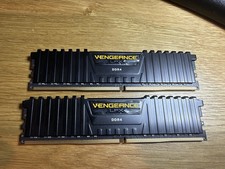
Corsair Vengeance LPX 32GB (2x16GB) RAM DDR4 3200MHz CMK32GX4M2E3200C16
$160.00

16GB KIT (2x8GB) DDR4 Gamer Desktop RAM PC4 MIXED BRANDS
$65.00

Netac DDR4 32GB 16GB DDR4 3200MHz UDIMM C16 Desktop Internal Memory RAM Kit
$99.99
128gb DDR4 Ram Hpyerx HX430C15PB3K8/128 16x8 3000 MHZ CL15 Tested Read DESC
$300.00

A-Tech 8GB DDR3 1600 PC3-12800 Laptop SODIMM 204-Pin Memory RAM PC3L DDR3L 1x 8G
$21.68

DDR4 Laptop RAM 4GB 8GB 16GB 32GB 2400 2666 3200 Samsung Hynix
$30.00
PNY XLR8 DDR4 16GB (2x8GB) 3200MHz DIMM Desktop RAM Kit Black/Red
$87.00

MINT Micron Cisco 32GB PC4-2400T DDR4 2Rx4 RDIMM RAM MTA36ASF4G72PZ-2G3 LOT
$159.99
Kingston 32GB DDR4-2666 PC4-21300 288-Pin DIMM Non-ECC Unbuffered
$239.00

16GB ( 4X 4GB ) MEMORY DDR3 PC3-10600 1333MHz FOR DELL OPTIPLEX 790 780 990 980
$39.99



 Reply With Quote