-
I had exactly the same problem with my thumbdrive. It seems that the manufacturer formatted the drive without a partition table. To mount the drive, you could use this command..
su
mkdir /mnt/thumbdrive
mount -t vfat /dev/sda /mnt/thumbdrive
You can now work with the drive..
umount /mnt/thumbdrive (for when you're finished)
However a better solution would be to add a partition table to your thumbdrive, and reformat in fat32. Do note that this means the drive will NOT work in win9x anymore, and you will lose all data on the drive, for some reason win9x becomes confused if there's a partition table on a thumbdrive. Win2k and XP I have tested, and they work fine.
To repartition and format the drive do exactly this from Knoppix console (you will only have to do this once)
su (become root so you have permission)
fdisk /dev/sda (open the partitioning tool to work with your thumbdrive)
At the fdisk prompt you will see some errors, fdisk is trying to interpret the non-existant partition table.
Type 'o' to create a new partition table.
Then type 'n' to create a new partition, make it number 1, and leave the defaults as they are for the size (to use the whole disk)
Type 'w' to write the table and quit fdisk
Now we need to format the drive...
mkfs.vfat /dev/sda1 should do the trick...
Now you can use the icon on your desktop for sda1, the other icons won't go away until you restart.
Note that you only have to do this once, and from now on your thumbdrive will appear on the desktop whenever you boot. You should always unmount it before you remove it.
Hope that all helps somebody (I had to figure it myself =P)
Enjoy!
Similar Threads
-
By fidofido in forum MS Windows & New to Linux
Replies: 1
Last Post: 05-27-2005, 08:09 PM
-
By Kethean in forum General Support
Replies: 4
Last Post: 01-03-2005, 10:44 PM
-
By gdog in forum Hardware & Booting
Replies: 1
Last Post: 12-13-2004, 05:18 AM
-
By TROLL1357 in forum Hardware & Booting
Replies: 11
Last Post: 05-14-2004, 02:19 AM
-
By smbenton in forum General Support
Replies: 1
Last Post: 05-04-2003, 01:25 AM
 Posting Permissions
- You may not post new threads
- You may not post replies
- You may not post attachments
- You may not edit your posts
-
Forum Rules


Dell PowerEdge R620 2x Xeon E5-2630 v2 3.1GHz 2.5" 4-BAY 32GB RAM No OS 2x 495w
$174.95

Dell EMC PowerEdge R440 Xeon silver 4215 2.5GHz 16 GB ram 2x 550W PSU No HDD
$275.00

Supermicro 1027GR-TSF 1U Rackmount Server 2x Xeon 2.3GHz 128GB DDR3
$219.99

Microsoft Windows Server 2022 Standard 64-bit License & DVD 16 Core US Shipping
$34.99

Dell Poweredge R720 8SFF 2.5" x Xeon E5-2680 v2 2.8GHz 20-Cores 128gb 4x Trays
$349.99

Dell Poweredge R720 8SFF 2.5" 2x Xeon E5-2680 v2 2.8GHz 20-Cores 64gb 4x Trays
$259.99

Dell Poweredge R630 2x Xeon E5-2680 v4 2.4ghz 28-Core | 32GB | HBA330 | 2x 1100w
$359.99

Dell PowerEdge C4130 1U AI GPU Server | 2x E5-2680 v3 | 32gb Ram | 2x 1600W
$409.99
![WINDOWS SERVER 2025 [REMOTE DESKTOP SERVICES] 50 USER RDS CAL SEALED picture](/store/img/g/Fn8AAOSwCcpn9N3z/s-l225/WINDOWS-SERVER-2025-REMOTE-DESKTOP-SERVICES-50-USE.jpg)
WINDOWS SERVER 2025 [REMOTE DESKTOP SERVICES] 50 USER RDS CAL SEALED
$119.18
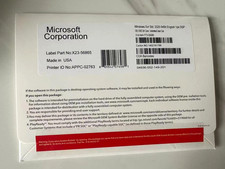
Windows Server 2025 Standard/Datacenter 64Bit 16/24 Core-Unlimited CALs With Key
$218.95



 Reply With Quote