-
Senior Member
registered user
I'll try and answer 2 questions with one
I said:
You want a line in /etc/fstab (if it's a HD install, it's probably already there: just remove the # in front of it):
/dev/sda1 /mnt/sda1 vfat noauto,users,exec,sync,umask=000 0 0
Hmm, that confuses me. How does that work?
/etc/fstab defines what drives/partitions are where and what filesystems they use.
noauto = don't automount this
users = let users have read/write access to the drive/partition
exec = let people with appropriate permissions execute executables on this drive/partition
sync = synchronise read/writes (you won't need this for anything other than a hard drive)
the rest: see man fstab and man mount.
You might like to add yourself to the disk & usb group (you can use kuser to do this)
So, make the mount point, add a reference to it in /etc/fstab, add yourself to the disk & usb group, and as root do
mount -a
That's it. You can now right click on the desktop > create new > floppy device. (You can make a better pair of icons -- or I think a better pair -- by editing the usb symbol
/usr/share/icons/crystalsvg/32x32/apps/usb.png
so that you also have a mounted version showing the green triangle at bottom right hand corner. Use the Gimp.)
Similar Threads
-
By jehan60188 in forum MS Windows & New to Linux
Replies: 1
Last Post: 07-24-2005, 09:46 PM
-
By chris-harry in forum Hardware & Booting
Replies: 1
Last Post: 09-22-2004, 10:01 AM
-
By kuser123 in forum Networking
Replies: 3
Last Post: 08-27-2004, 11:49 PM
-
By NASAce in forum Hdd Install / Debian / Apt
Replies: 1
Last Post: 08-25-2003, 09:04 PM
-
By blahblahblah in forum General Support
Replies: 2
Last Post: 08-13-2003, 07:53 PM
 Posting Permissions
- You may not post new threads
- You may not post replies
- You may not post attachments
- You may not edit your posts
-
Forum Rules

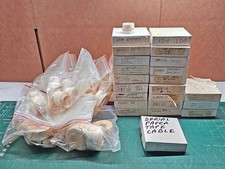
Vintage DEC LSI-11 PDP-11 Paper Tape Software Lot (96 Tapes) Cables Hardware
$649.00
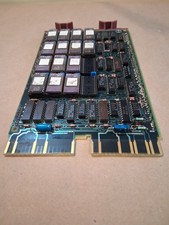
Vintage DEC Digital M8048 5013995C PDP-11 LSI 11 ROM (B3)
$149.99

Vintage DEC/Mostek memory systems MK 8015 AA-00 6805-08015 1100 REV C(B7)
$279.99
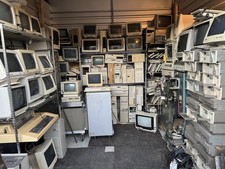
Vintage Computer Lot Commodore IBM Gateway AT Gaming Towers DEC IBM HUGE CRT LOT
$7250.00
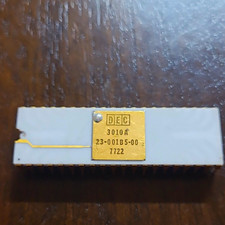
DEC 3010A Vintage Ceramic chip - ALL LEGS INTACT (BO)
$100.00

Vintage Digital VR241-A color CRT monitor, powers on, DEC Rainbow or terminal
$150.00

VINTAGE DEC LA34/ LA100 SERIES KEYBOARD W/NUMERIC PAD 70-17864-01C
$140.00

6 Vintage DEC Digital System Building Blocks - Flip Chips
$95.00

VINTAGE DEC/MDB Systems MLSI-TEV Circuit Board #40040340 1976 (B5)
$69.99

Vintage DEC LR150-11 Power Supply 70-0464-01 Rev S Sun Shoebox Server PSU Used
$160.00



 Reply With Quote