-
Junior Member
registered user
Ok, update. I did mkdir /mnt/usb1 and mount /dev/sda1 as root. It let me do it ONLY from the root shell. But now I'm only able to access it from the root account. In my user account I tried right-clicking the desktop and creating a hard disk, then for Device I typed "/dev/sda1"
It creates the icon on my desktop, but it doesn't allow me access when I try to open it. It only lets me do it if I'm in the root account (which I hate logging in under). I tried changing the permissions for the directory to allow group access in the properties window (as root), but it said it couldn't change permissions. I also couldn't access it straight from /mnt/usb1 (except as root).
I'd really like to access this drive under my own account. Will changing the sudoers file do this?
Use the command visudo from within the root shell to edit the sudoers list btw.
Ok, I type visudo and it shows me the sudoers file, right?
Uncomment out the knoppix user (remove the #) and change knoppix to whatever your username is.
That will give me all the permissions that Knoppix user has? When you say "uncomment," does that mean that the statements w/ a # are considered comments, not executable? Like in programming? Anyway, after I type visudo from the root shell, how do I edit things? It mentions reading the man file, but I don't know which manual contains visudo.
Thanks again for all the help! I appreciate the patience you must have. 
Similar Threads
-
By jehan60188 in forum MS Windows & New to Linux
Replies: 1
Last Post: 07-24-2005, 09:46 PM
-
By chris-harry in forum Hardware & Booting
Replies: 1
Last Post: 09-22-2004, 10:01 AM
-
By kuser123 in forum Networking
Replies: 3
Last Post: 08-27-2004, 11:49 PM
-
By NASAce in forum Hdd Install / Debian / Apt
Replies: 1
Last Post: 08-25-2003, 09:04 PM
-
By blahblahblah in forum General Support
Replies: 2
Last Post: 08-13-2003, 07:53 PM
 Posting Permissions
- You may not post new threads
- You may not post replies
- You may not post attachments
- You may not edit your posts
-
Forum Rules

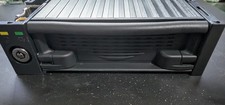
Vintage IDE Removable Hard Drive Mobile Rack 5.25 Bay 50-Pin Tray + Maxtor 40GB
$49.99

Vintage Jetway J-620BF Socket 370 Celeron AT Motherboard SiS 620 Brand New
$75.00

Vintage Computer - PC Innovation Intel 486DX2 - Dos Ver 6.2 Windows 3.1
$250.00

🔥 RARE VINTAGE HP 2112A 21MX M-SERIES 16-BIT MINICOMPUTER HP
$299.99
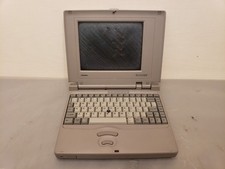
Vintage Toshiba T3400CT Mini Laptop 486SX-33, 4MB **NO POST, Bad Screen, AS-IS
$75.00
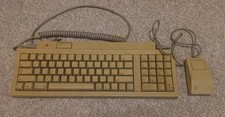
Vintage Apple Keyboard II Model M0487 & G5431 Mouse UNTESTED AS-IS
$59.99
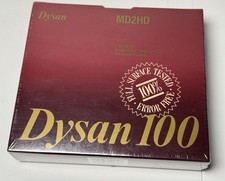
Vintage Dysan 100 MD2HD 5.25” Floppy Disks 10 Pack Sealed Double Sided HD | IBM
$38.00
Vintage Toshiba Satellite Pro 490CDT Laptop PII 233MHz 96MB 4GB Win98 Bad Backli
$100.00

Vintage Microsoft Visual Studio.NET Professional Software suite Version 2002 New
$82.00

Vintage Hewlett Packard HP 13181-60074 Circuit Card Assembly / Interface Board.
$135.37



 Reply With Quote