-
Senior Member
registered user
help! burning a Knoppix dvd
Seems that fat 32 does not like files over 2 gigs. NTFS on XP pro seems to be ok with files over 2 gig as does linux fs. I have managed to remaster 3.4 ct. boots in english with nvidia drivers loads of games and other apps. Thing is that the iso was 1.8 gig I copied the ISO to a fat 32 partition and burned the iso to dvd from windows.
Next I tried to modify the iso-top dvd. I have it the way want. I have the 2.1 gig iso to burn to the dvd.
Here is the problem:
1.) I can’t burn the dvd from knoppix because there is a Knoppix dvd in the drive.
2.) I can't get the iso to windows because the file is too big for fat 32. The partition is 10 gig. I also tried formatting the partition NTFS and use NTFS captive. That said operation not permitted after copying about 1.1 gig.
Here is my question:
1.) Assuming that my file structure is as would be created by using remastering how-to in the doc section (with isolinux) is there a way to create a floppy boot disk that would boot my remastered iso from the hard drive? ( isolinux is nested about 3 layers deep)
2.) Is there a Linux command line command that I can use that would burn the image to the dvd? Maybe I could use damn small loaded into ram to free up the dvd drive
3.) The actual KNOPPIX/KNOPPIX was slightly smaller than 2 gig so I was able to recreate the entire file structure in a directory in windows. I tried to recreate the iso I got the error opps cant find /boot/isolinux/isolinux.bin
Does anyone know the windows command line that would create the iso file?
-
Senior Member
registered user
I got the dvd burned. There was an uncompressed file called tools it was 300 meg. Mostly open source stuff for windows and German documentation. I removed it. With the extra space I put in evolution and quake 2. At 1.9 gig I could copy it to the fat 32 partition, then open windows and copy the iso over into my NTFS and burn it with Nero.
The problem remains though. I want to eventually be able to burn an image greater than 2 gig and I want to try avoiding a bootloader. Ideally I would like to be able to boot my remaster with a floppy from where it resides on the disk and burn the DVD with kb3. can anyone help?
Similar Threads
-
By downdogWoof in forum General Support
Replies: 2
Last Post: 02-19-2005, 07:24 PM
-
By raindrop in forum General Support
Replies: 5
Last Post: 12-08-2003, 07:06 AM
-
By crazysniper22 in forum General Support
Replies: 6
Last Post: 10-18-2003, 09:48 PM
-
By E-Compagnie in forum General Support
Replies: 11
Last Post: 10-14-2003, 07:01 PM
-
By Havoc in forum General Support
Replies: 3
Last Post: 09-28-2003, 10:25 PM
 Posting Permissions
- You may not post new threads
- You may not post replies
- You may not post attachments
- You may not edit your posts
-
Forum Rules

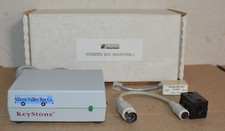
Kineses PS/2 Keyboard to Macintosh Adapter Converter Vintage Interface Apple
$60.00

Vintage Apple iMac G4 15" Lamp 700MHz 512MB Mac OS X 10.4.6 W/ Pro Speakers
$300.00

Apple Computer cards VTG 670-8020-B 607-0103-C 607-0291-C AST -Orange Micro ++
$169.00

Lot of 3 VIntage Apple Computer Rainbow Logo Sticker Decal Macintosh 1980s NOS
$7.00

Rare Vintage Macintosh Apple Wooden Disk Storage Box Dovetailed
$69.95
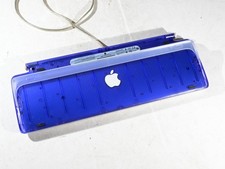
Vintage Apple USB Keyboard Purple Grape Translucent iMac 1999 M2452 Tested
$49.99
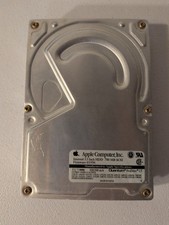
VINTAGE Apple Quantum ProDrive LT 700MB 3.5" OEM Hard Drive SCSI 50pin Mac
$69.99

Apple ColorSync Display User’s Manual Vintage Macintosh Monitor 034-0437-A
$15.99
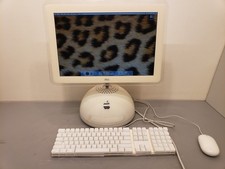
Vintage Apple iMac 2003 G4 15" 1GHz PowerPC G4 1GB 80GB HDD Mac OS X 10.4 M6498
$250.00

VINTAGE Apple Mac OS X Computer Monitor
$250.00



 Reply With Quote