-
Fix an FAQ!
The FAQ Samba Quick needs updating I think. Maybe my setup is different [I'm running of the CD] but the line
Code:
mount -t smbfs -u username=foo,password=bar //windowsbox/sharename /mnt/myshare

should have the -u changed to -o

mount -t smbfs -o username=foo,password=bar //windowsbox/sharename /mnt/myshare
definition of pain--spending 3+ hours trying to figure it out!
I found a cool page from IBM about setting up Samba. I's got some neat (and simple) steps to change & test one thing at a time to get going! It's for Linux-to-AS/400 [iSeries] connection, but it's pretty good.
to the google cache (pdf-html)
http://216.239.39.100/search?q=cache...hl=en&ie=UTF-8
search: ibm as400 file shares linux client
p.s. how do you get rid of the overtyping in the root shell--it's really hard to see what you're doing.
-
Good point. I made the change. Next time you need to mount a samba share and can't remember the syntax, enter the command "smbmount" with out any arguments and you will get the help screen with the last line of
mount -t smbfs -o username=tridge,password=foobar //fjall/test /data/test
to use as a reference for your mount command.
-
Thanks
Thanks, that was quick. Wow!
-
tdb(null): tdb_open_ex: could not open file /var/run/samba/u
Hi,
I tried to mount -t smbfs, but received error tdb(null): tdb_open_ex: could not open file /var/run/samba/unexpected.tdb: No such file or directory.
Anyone can advise what happened?
Thank you
Cheers,
Tjioe
-
I get the same message (3 times), but I still get a password prompt and a successfull log on. Do you get a password prompt? I do not include the "password=" option when I mount smb shares.
-
Re: tdb(null): tdb_open_ex: could not open file /var/run/sam

Originally Posted by
frenky
Hi,
I tried to mount -t smbfs, but received error tdb(null): tdb_open_ex: could not open file /var/run/samba/unexpected.tdb: No such file or directory.
Anyone can advise what happened?
Thank you
Cheers,
Tjioe
I found this work around online. I don't know if it will work in your situation. Try typing:
Code:
sudo touch /var/run/samba/unexpected.tdb
Let us know if this fixes the problem. If it does, it appears that the samba implementation is missing the unexpected.tdb file and by creating it (with touch) you are diverting the error messages. This probably isn't a full blown fix as unexpected.tdb probably does something important... but it appears that it works around the problem.
 Posting Permissions
- You may not post new threads
- You may not post replies
- You may not post attachments
- You may not edit your posts
-
Forum Rules


AMD Ryzen 7 9850X3D 8-Core 16-Thread 5.6GHz 120W AM5 CPU 100-100001973WOF
$435.99
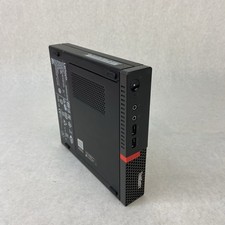
Lenovo ThinkCentre M710Q Micro Intel Core i5-7500T 2.7GHz 8GB RAM No AC/HDD/OS
$69.99
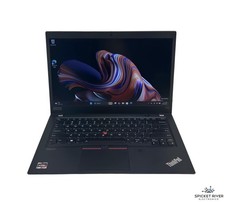
Lenovo ThinkPad T14S Gen 1 8-Core 4750U 1.70 GHz 512 GB SSD 16 GB RAM Win11Pro
$240.00

AMD Ryzen 7 PRO 8700GE 8-Core/16-Thread Up to 5.1GHz AM5 (FL1)
$189.00

(New) AMD Ryzen 7 5700X 8 Core 16 Thread AM4 Unlocked 3.4 GHz CPU OEM Tray
$174.99

Intel Core i9-9900K Coffee Lake 8-Core, 16-Thread, 3.6 GHz (LGA 1151)
$189.99

Apple Macbook Pro 13" M1 8-Core 16GB 512GB - Good
$464.99
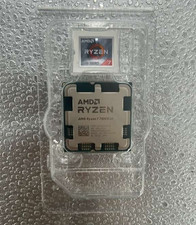
AMD - Ryzen 7 7800X3D 8-CORE 16-THREAD 4.2 GHz (5.0 GHz Max Boost) AM5 UNLOCKED
$300.00
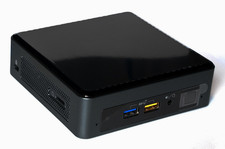
Intel NUC 8 NUC8BEK Mini PC Core i3 8th Gen 8GB 128GB SSD Black
$100.00

Intel Core i9-9900 SRG18 3.10GHz 16MB 8-Core LGA1151 CPU Processor
$177.21



 Reply With Quote