-
nvidia drivers
I've got knoppix on my hard disk. It's great, it does everything I've come to love from debian but without the installation hassles. The only problem i'm having now is I'm deciding I want to place some games and I can't because the stock nv driver sucks. Now knoppix uses some wacky xfs kernel which makes the debian nvidia packages not work for me. (If they work for you post what you did!) Failiing that, though, I'm thinking I'll just get the kernel.org source for 2.4.19 or maybe 2.4.20 now and compile that. Will doing that break the wonderful hardware detection scripts? What else will break if I change the kernel? TIA!
-
Failiing that, though, I'm thinking I'll just get the kernel.org source for 2.4.19 or maybe 2.4.20 now and compile that. Will doing that break the wonderful hardware detection scripts? What else will break if I change the kernel? TIA!
Better yet! Get the sources from nVidia for the drivers and compile them. Works great with Mandrake and you don't have to worry about lossing cloop and other goodies.
-
I tried compiling lastest driver from Nvidia and the error message stated that the drivers were not compiled with knoppix's compiler? Something like that.
Has anyone successfully compiled the nvidia drivers on hdinstall knoppix?
-
-

I am scared to install theses deb's without documation
-
Nvidia
I've got problems with the nvidia drivers also.
I installed the src packages from debian AND kernel-build.
Then I set 3 enviroment variables:
export KSRC=/usr/src/kernel-headers-2.4.20-686
export KVERS=2.4.20-xfs
export CC="gcc-2.95"
The first two are from the readme file, the latter is to let "make" use the same gcc version as was used to compile the kernel (2.95).
I get two .deb packages and I can install them both.
But.... I cannot load the nvidia.o module, first it complains about not being the same version as the kernel (2.4.20 versus 2.4.20-xfs) then when I use "-f" to force load it, I get a lot of "missing" errors.
-
Member
registered user

I installed the nvidia drivers successfully from debian source.
Took the kernel headers from the installation
Code:
ln -s /usr/src/linux-2.4.20-xfs /usr/source/kernel-headers-2.4.20-xfs
export KSRC=/usr/src/kernel-headers-2.4.20-xfs
export KVERS=2.4.20-xfs
Then I continued according to /usr/share/doc/nvidia*/README.deb.
Well, I didn't get the newest nvidia drivers, but everything works ok.
(Can play tuxracer & billard-gl)
tom
Similar Threads
-
By sandman in forum Ideas
Replies: 6
Last Post: 08-26-2004, 05:59 PM
-
By naventus in forum Hdd Install / Debian / Apt
Replies: 8
Last Post: 06-28-2004, 08:00 PM
-
By Malo in forum Hardware & Booting
Replies: 11
Last Post: 01-02-2004, 03:44 AM
-
By slc in forum Hdd Install / Debian / Apt
Replies: 19
Last Post: 08-27-2003, 06:25 PM
-
By Stephen in forum The Lounge
Replies: 11
Last Post: 07-08-2003, 06:49 AM
 Posting Permissions
- You may not post new threads
- You may not post replies
- You may not post attachments
- You may not edit your posts
-
Forum Rules


GIGABYTE A520M DS3H AC AMD AM4 Motherboard mATX
$59.99

Corsair RMe RM850e 850W 80 Plus Gold Fully Modular Low Noise Certified Refurb
$58.99

Gigabyte GA-B85M-D3H Motherboard
$54.99

ASUS PRIME Z890-P WIFI Z890 LGA 1851 ATX motherboard, Intel® Core™ Ultra Series
$235.99

Asus Prime B660M-A AC D4 Motherboard Intel LGA 1700 14th 13th 12th Gen DDR4
$79.99

GIGABYTE B365 HD3 LGA1151 Intel 9th Gen motherboard
$59.99

Intel H81 Motherboard M.2 NVMe LGA 1150 mATX w/ IO Shield (Random Slot Color)
$29.90

ASUS PRIME H410M-K LGA 1200 Intel 10th Gen H410 DDR4 USB3.2 Motherboard M-ATX
$59.99
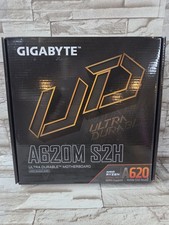
GIGABYTE - A620M S2H AM5 DDR5 M-ATX Motherboard
$65.00

HP Z440 WorkStation LGA 2011-3 DDR4 Desktop Motherboard 710324-002
$39.99



 Reply With Quote