

 Reply With Quote
How do you try to launch it?
ls -al /usr/bin/firefox
are there 3 x's in the permission bits?


Hi all,
I did an apt-get update last night and everything went fine except for Firefox. I can't launch it as a user from KDE or any other environment. However, I can launch it as rott from any of the same environments. I googled and checked this forum for an answer but couldn't find one. Can anyone help?
How do you try to launch it?
ls -al /usr/bin/firefox
are there 3 x's in the permission bits?
The permission bits read as -rwxr-xr-x
So, I think they are right. Any suggestions? Thanks.
Go to a terminal as a user and run firefox from there. What does it say in the terminal for an error?
It says:
And then goes back to the prompt. Hope this helps. Thanks.Code:selected locale: en-US
I have this same problem can someone please help!
firebird however works fine
This was in the readme from the firefox 0.9.1 download.
Note: If you install in the default directory (which is
usually /usr/local/mozilla), or any other directory where
only the root user normally has write-access, you must
start Mozilla first as root before other users can start
the program. Doing so generates a set of files required
for later use by other users.
I wish I could get firefox, but I haven't figured out apt yet, and on the list of everything in the apt I didn't see firefox listed. I'm too confused.Originally Posted by DuckDodgers
I did finally manage to un-install a couple things via apt.
Debian installs Firefox to an unwritable directory. You can't add extensions to FF w/out write permissions. You could get the installer from http://mozilla.org/ which is how I prefer to install FF.
This sets up firefox in ~ (/home/username). You can easily add extensions, themes etc. w/out worrying about root permissions. To run it do:Code:wget http://ftp.mozilla.org/pub/mozilla.o...staller.tar.gz tar xzvf firefox-0.9.1-i686-linux-gtk2+xft-installer.tar.gz cd firefox-installer/ ./firefox-installer
You can create a script to launch it for you:Code:~/firefox-installer/firefox-bin
Now just create a luancher on your desktop or taskbar to run your new script by executing:Code:touch firefox.sh echo "/home/username/firefox-installer/firefox-bin" > firefox.sh chmod +x firefox.sh sudo mv firefox.sh /usr/binCode:firefox.sh
klik://firefox (klik client must be installed) automates that for you.
 Posting Permissions


ATARI XF551 DISK DRIVE WITH AC POWER ADAPTER AND PARALLEL PORT ADAPTER, UNTESTED
$250.00
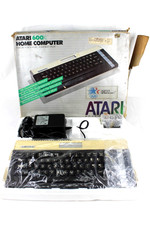
VTG Atari 600XL Home Computer System in Box ** Powers On ** Clean * Tested Works
$148.75
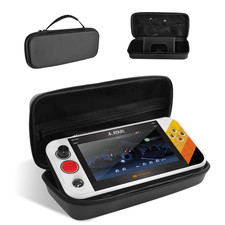
Carrying Case for My Arcade Atari Gamestation Go Retro Video Games Console,Stand
$48.51

Atari 400 / 800 Computer Memory Module 16K RAM PCB CX853 - Works Perfectly
$18.95

Fujinet 1.7.1 Atari 400 800 800XL 130XE 65XE XEGS Assembled, Tested, Working
$99.99
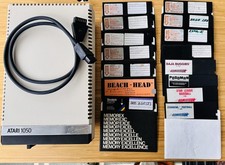
Vintage Atari 1050 Disk Drive w/ SIO Cable & 32 Games/Programs - UNTESTED
$67.76
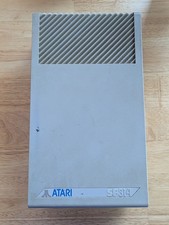
Vintage ATARI SF314 DS/DD 3.5" External Drive TESTED but can't read/write disks
$69.99

Atari 1200 XL home computer with original owners guide and power supply power on
$255.00

Atari 400 Home Computer System includes Power Cord G2U
$159.99

GreaseWeazle v4 board USB floppy drive adapter Retro All Formats
$35.00
