

 Reply With Quote
How do you try to launch it?
ls -al /usr/bin/firefox
are there 3 x's in the permission bits?


Hi all,
I did an apt-get update last night and everything went fine except for Firefox. I can't launch it as a user from KDE or any other environment. However, I can launch it as rott from any of the same environments. I googled and checked this forum for an answer but couldn't find one. Can anyone help?
How do you try to launch it?
ls -al /usr/bin/firefox
are there 3 x's in the permission bits?
The permission bits read as -rwxr-xr-x
So, I think they are right. Any suggestions? Thanks.
Go to a terminal as a user and run firefox from there. What does it say in the terminal for an error?
It says:
And then goes back to the prompt. Hope this helps. Thanks.Code:selected locale: en-US
I have this same problem can someone please help!
firebird however works fine
This was in the readme from the firefox 0.9.1 download.
Note: If you install in the default directory (which is
usually /usr/local/mozilla), or any other directory where
only the root user normally has write-access, you must
start Mozilla first as root before other users can start
the program. Doing so generates a set of files required
for later use by other users.
I wish I could get firefox, but I haven't figured out apt yet, and on the list of everything in the apt I didn't see firefox listed. I'm too confused.Originally Posted by DuckDodgers
I did finally manage to un-install a couple things via apt.
Debian installs Firefox to an unwritable directory. You can't add extensions to FF w/out write permissions. You could get the installer from http://mozilla.org/ which is how I prefer to install FF.
This sets up firefox in ~ (/home/username). You can easily add extensions, themes etc. w/out worrying about root permissions. To run it do:Code:wget http://ftp.mozilla.org/pub/mozilla.o...staller.tar.gz tar xzvf firefox-0.9.1-i686-linux-gtk2+xft-installer.tar.gz cd firefox-installer/ ./firefox-installer
You can create a script to launch it for you:Code:~/firefox-installer/firefox-bin
Now just create a luancher on your desktop or taskbar to run your new script by executing:Code:touch firefox.sh echo "/home/username/firefox-installer/firefox-bin" > firefox.sh chmod +x firefox.sh sudo mv firefox.sh /usr/binCode:firefox.sh
klik://firefox (klik client must be installed) automates that for you.
 Posting Permissions


Acer Aspire 14" AI Copilot+PC Laptop Core Ultra 5 226V Gen 4 ARC 16GB 1TB Refurb
$475.21
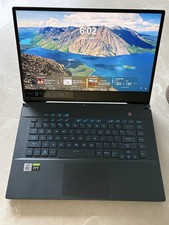
Asus ROG Zephyrus M15 GU502L Republic of Games Gaming Laptop - 78% Battery
$545.00

Dell Latitude 14" Laptop Computer Intel i5 Up To 32GB RAM 1TB SSD Windows 11 Pro
$316.61

External SSD 1TB 2TB Portable Hard Drive USB 3.1 Type-C High Speed PC Mac
$16.99

Acer Predator Helios Neo 16S AI 16" i9 275HX 2S RTX 5070 Ti 32GB 1TB SSD Refurb
$1794.16
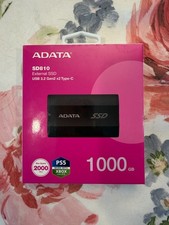
ADATA SD810 1TB External SSD USB 3.2 Gen2x2 2000MB/s New Sealed **FREE SHIPPING
$109.95
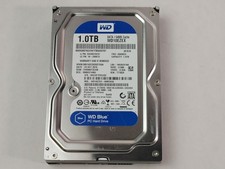
Western Digital WD Blue WD10EZEX 1 TB 3.5" SATA III Desktop Hard Drive
$23.99

1TB Kingston DataTraveler Max DTMAX/1TB USB Type-C Flash Drive
$86.95
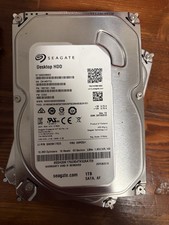
Seagate Barracuda ST1000DM003 1 TB,Internal,7200 RPM,3.5 inch Hard Drive
$29.90

Dell Latitude 14" Laptop Computer Intel i7 Up To 32GB RAM 1TB SSD Windows 11 Pro
$465.98
