

 Reply With Quote
Do you have a pile of junk built by Dell? Search for Dell here and you'll find that it's (almost) unique to them.


Last night I did a hdd install of knoppix 3.3 (16-2-04) build.
It installed without a hitch.
I had to do some work in windows XP for a bit, so I logged out of knoppix and rebooted.
Then my machine bios hung at detecting hard drive.
I had to clear cmos & leave the machine with the powerlead removed for 30 minutes before I could reboot!
Don't want to have to do this everytime I finish using knoppix!
When I originally booted the knoppix CD i passed the argument DMA - could this cause such a serious problem?
--
Brian
Do you have a pile of junk built by Dell? Search for Dell here and you'll find that it's (almost) unique to them.
Uh, no, I have a home built systemOriginally Posted by fingers99
Duron 1.2Ghz on VIA Apollo kt266 based motherboard
512mb ram,
2 x 80gig Seagate Baracudda drives
Generic CDRW, & generic DVD drive.
--
Brian
I don't think anyone has sucessfully identified what it is that makes the Dell boxen behave pretty much as yours is.
But a (sort of) solution is to turn the box off and hit the on button a few times with the power disconnected.
I wonder if this has been addressed by a bios update? Might be worthwhile informing the mobo manufacturers: it really shouldn't be doing this......
I have the most recent bios. Its a Matsonic MS8137C mainboard
--
Brian
Have you found a solution yet? I have a similar problem. When rebooting, my bios will hang. The only way to stop it from happening is to completely deleate my Linux partitions. Even reformatting them does nothing. This is really pissing me off. Who did M$ payoff for this one?
BTW: I have an HP.
It'd certainly be worthwhile contacting HP who have a pretty good history of Linux suport. This really shouldn't happen. Have you tried the trick which works with the Dells?BTW: I have an HP
Thanks for responding.
The power button trick? No I haven't. Next time it starts up w/ me, I'll give it a shot. You unplug it, and quickly press the power button a few times? Is this like a "hard" reboot process?
HP is known to be good w/ Linux? That's good to know. I'll email them now.
I might be moving sometime this year, and will probably buy a new machine. How is Alienware w/ Linux?
Thanks again!
You I have that problem to. ONly all I have is a NTFS and recovery partition (HP pavillion 520n) it locks up on boot sometimes and I have to turn it off then back on quickly to get it to work. I tried it will an old 8 gig that I installed debian to and the same thing happens. I tried to flash the bios with a new update but the program can't find the chip.
Sigh.... A new computer would be good right about now. it seems everything hardware related that can, has gone wrong.
 Posting Permissions


Netac DDR4 32GB 16GB DDR4 3200MHz UDIMM C16 Desktop Internal Memory RAM Kit
$199.99

A-Tech 8GB DDR3 1600 PC3-12800 Laptop SODIMM 204-Pin Memory RAM PC3L DDR3L 1x 8G
$21.68

16GB KIT (2x8GB) DDR3 Gamer Desktop RAM PC3 MIXED BRANDS VIPER VENGEANCE FURY
$10.00

Major Brand 16GB (2x8GB) PC3-12800U DDR3-1600MHz DDR3-12800 DESKTOP RAM NON-ECC
$29.99
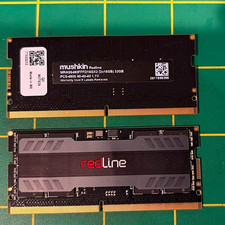
Mushkin Redline 32GB 2x16GB DDR5-4800 SO-DIMM 262-Pin Non-ECC RAM
$300.00

Samsung 16GB LPCAMM2 PC5 7500 DDR5 LPDDR5X CAMM2 M561K1LC4DM0-CCTGM RAM Memory
$189.00
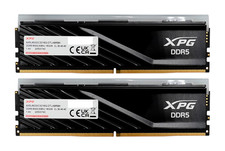
ADATA XPG Lancer Blade RGB 32GB (2x16GB) DDR5-6000 CL30 Desktop RAM Black
$429.94

DDR4 Laptop RAM 4GB 8GB 16GB 32GB 2400 2666 3200 Samsung Hynix
$66.00

NEW IN BOX - Corsair Vengeance RGB 32gb (2x16gb) DDR6200 CL36 CMH32GX5M2B6200C3
$550.00

Micron 32GB 1x32GB DDR5 5600 CL46 ECC Unbuffered SO-DIMM MTC20C2085S1TC56BD1
$399.00