

OnebaseGo is a live CD. It features "docking":
For adding applications and customizing your OnebaseGo, you need to dock the OS temporarily to a hard-disk. Normally docking requires a 2 GB free space with a linux filesystem. It does not matter even if that free space is present in a partition that contains ANY linux distribution (for example: redhat, onebase..). Since docking will not affect any of those as it takes place in a seperate folder.
Add and uninstall applications by entering into a docked environment.
When you have finished customization and installing applications you have to click the un-dock icon on the desktop and it will automatically generate a new OnebaseGo ISO, ready to be burned with a CD-writer.
Perhaps this "docking" method could also be used for Knoppix...?
http://www.ibiblio.org/onebase/oneba.../About/go.html
 Posting Permissions

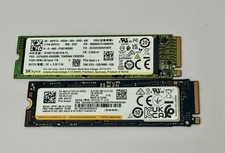
SK Hynix 1TB PC801 M.2 NVMe PCIe Gen4x4 2280 SSD
$100.00

Samsung 2.5" 870 EVO SSD SATA III 250GB 500GB 1TB Internet Solid State Drive Lot
$60.00

External SSD 1TB 2TB 4TB Portable Hard Drive USB 3.0 Type-C High Speed PC Mac
$19.99

Dell Latitude 14" Laptop Computer Intel i5 Up To 32GB RAM 1TB SSD Windows 11 Pro
$545.25

1TB Kingston DataTraveler Max DTMAX/1TB USB Type-C Flash Drive
$86.95

Crucial MX500 1TB 2.5" SATA III Internal SSD CT1000MX500SSD1
$99.99

SAMSUNG T7 Portable SSD 1TB Indigo Blue USB 3.2 Gen2 External MU-PC1T0H/AM
$159.99

Acer Predator Helios Neo 16S AI 16" i9 275HX 2S RTX 5070 Ti 32GB 1TB SSD Refurb
$1746.47

Dell Latitude 14" Laptop Computer Intel i7 Up To 32GB RAM 1TB SSD Windows 11 Pro
$330.73

External Solid State Drive USB 3.2 Gen2, 1TB SSD External Hard Drive with C to A
$100.00


 Reply With Quote