-
Problems with printing since Nov19/03 issue of 3.3
The problem and my solution
Since Knoppix 3.3 Nov 19 version, I cannot use any of my printers (HP Photosmart 1215 and Epson C82). Live or HDD install on 3 different computers.
I have searched various forums on the net but no luck. YMMV. There may be better ways to solve the problem but this worked for me.
After my install to hard drive I ran
apt-get update
apt-get install foomatic-db-gimp-print
apt-get install cupsys-driver-gimpprint
configured using http://localhost:631
BTW, I like to use the icons on the print manager. Edit
/etc/kde3/kdeprintrc and change
ViewToolBar=true
Similar Threads
-
By supernix in forum Knoppix DVD
Replies: 1
Last Post: 07-02-2005, 10:56 PM
-
By rusty in forum Networking
Replies: 5
Last Post: 11-14-2004, 06:37 PM
-
By swazi in forum Hdd Install / Debian / Apt
Replies: 1
Last Post: 10-10-2004, 05:46 PM
-
By A. Jorge Garcia in forum General Support
Replies: 1
Last Post: 05-13-2003, 06:22 AM
-
By crackdaddysnap in forum General Support
Replies: 14
Last Post: 02-01-2003, 04:10 AM
 Posting Permissions
- You may not post new threads
- You may not post replies
- You may not post attachments
- You may not edit your posts
-
Forum Rules


Dell 6P85J 4TB ST4000NM0063 7.2k 6Gb/s 3.5” SAS SED Hard Drive with Tray
$39.99

Western Digital HUS726T4TAL5204 4TB 7.2K SAS 12Gb/s 3.5" 512e HDD NetApp X375A
$64.00

Seagate ST8000NM0075 Enterprise Capacity 3.5 HDD 8TB SAS Hard Drive 8TB EXOS
$184.99

Toshiba DT01ACA100 1 TB 3.5" SATA III 3.5 in Desktop Hard Drive
$24.99

Dell ST6000NM0034 1HT27Z-150 NWCCG 6TB SAS 3.5 7.2K ENTERPRISE SERVER DRIVE
$68.99

Seagate Barracuda ST1000DM003 1 TB SATA III 3.5 in Desktop Hard Drive
$23.99

Seagate ST3000NM0005 HDD 3TB SATA 6Gb/s 7.2K 3.5" 512 b/s
$59.00
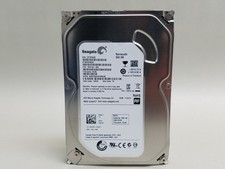
Seagate Barracuda ST500DM002 500 GB SATA III 3.5 in Desktop Hard Drive
$14.99

New Western Digital WD40EFPX 68C6CN0 4TB 3.5" SATA III Internal NAS Red Plus HDD
$137.59

HGST Ultrastar HUS726040AL5210 4TB 7200RPM SAS 12Gb/s Enterprise HDD
$41.00



 Reply With Quote