

 Reply With Quote
Type startx after logging in.However, when I boot from my floppy and log into Knoppix, I don't know how to bring up the familiar graphic interface of the CD booted Knoppix. I log in fine, but I still stay in the command line interface.


Hey, I'm a complete noob to all things Linux. I was a hardcore Windows user, but let's just say I saw the light.
Anyway, I have installed Knoppix to a partition, and am booting from a floppy. Everything with that works perfectly- I can still boot to Windows if I need to, and I can log into Knoppix.
However, when I boot from my floppy and log into Knoppix, I don't know how to bring up the familiar graphic interface of the CD booted Knoppix. I log in fine, but I still stay in the command line interface.
I'm sorry if this has been posted before, but I did a search and nothing seemed relevant.
Jared
Type startx after logging in.However, when I boot from my floppy and log into Knoppix, I don't know how to bring up the familiar graphic interface of the CD booted Knoppix. I log in fine, but I still stay in the command line interface.
If you want it to go straight to graphical mode you should-
login as root
cd /etc/rc5.d
ln -s ../init.d/kdm S99kdm
Next time you reboot into linux, it should go straight to the graphical logon screen of the K Desktop Manager (kdm). There's an option during the installer that asks about setting up kdm, and it seems you chose "no".
 Posting Permissions

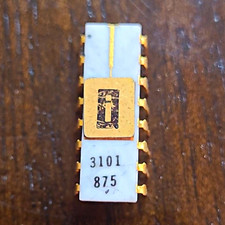
EARLY INTEL 3101 Vintage Ceramic chip. ALL LEGS INTACT (BO)
$350.00

Vintage NEC CDR-1410A 50 Pin SCSI CD-ROM Optical Drive Used
$39.99
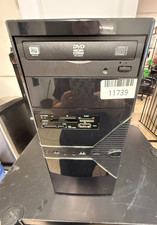
VINTAGE Custom Built Desktop-AMD [email protected] 8GB RAM 80GB HDD NO OS-READ
$160.00
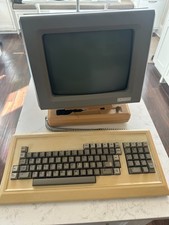
Rare Vintage Qume QVT-102 Terminal w Keyboard Damaged READ
$129.00

Original Vintage Old Style STANDARD Black CD Jewel Case (Heavy Duty) 90g Lot
$316.95
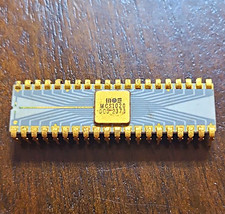
MOS MCS1026 Vintage Ceramic Chip - missing multiple legs (BO)
$250.00
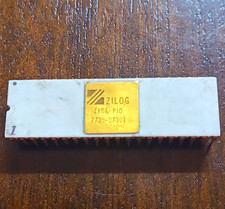
Zilog Z80A-P10 Z80 Vintage Ceramic chip - ALL LEGS INTACT (BO)
$150.00
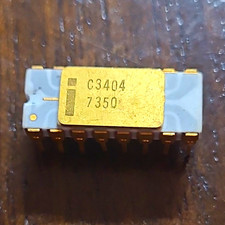
INTEL C3404 VINTAGE Ceramic Gray Trace Chip ALL LEGS INTACT (BO)
$250.00
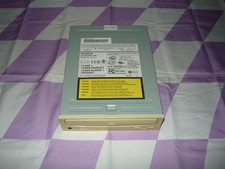
Vintage Sony CD-ROM Drive CDU5211 IDE Optical Used
$19.99

HP OmniBook 425 Vintage Computer RARE Computer Only WORKS W/Flashdisk
$299.99