
Hello,
sorry for that question! I think it was answered a few days ago. But I cannot find it anymore.
I guess it has something to do with optimization of the files. Where can I find more details about it?
Thanks in advance,
Armin herzer


Hello,
sorry for that question! I think it was answered a few days ago. But I cannot find it anymore.
I guess it has something to do with optimization of the files. Where can I find more details about it?
Thanks in advance,
Armin herzer
A lot of reasons this can happen. Did you do an apt-get clean to remove downloaded packages? Also software has a tendency tro get larger with time. If you update anything odfds, are it gets bigger.
One thing I remove straight off the bat are the tetex packages. That can clear up some space for you quickly.
Did you get this:
http://gnubox.dyndns.org:8080/~sunil/knoppix.clean
Umm...don't run that on your Linux install.In fact I never make it executable until I put it into the remastering environment.
Did you do this:
deborphan | xargs apt-get -y remove
and this:
COLUMNS=200 dpkg -l |grep ^rc |awk '{print $2} ' | xargs dpkg -P
If you did all that then the only other thing that I know of is the sorting script which can be found on the mailing lists but I haven't really figured out how to use it. I don't think that would have anything to do with the size of your image however.
Also don't forget to remove anything you might have built in /usr/src but you probably did that already.
Did you get this:
http://gnubox.dyndns.org:8080/~sunil/knoppix.clean
Umm...don't run that on your Linux install.
Did you do this:
deborphan | xargs apt-get -y remove
and this:
COLUMNS=200 dpkg -l |grep ^rc |awk '{print $2} ' | xargs dpkg -P
If you did all that then the only other thing that I know of is the sorting script which can be found on the mailing lists but I haven't really figured out how to use it. It needs a reference file but what file?? I don't think that would have anything to do with the size of your image however as it sorts by time stamp.
Also don't forget to remove anything you might have built in /usr/src but you probably did that already.
I posted this question in the debian-knoppix ML and Fabian give me this reply:Originally Posted by ahz
 Posting Permissions


Dell 6P85J 4TB ST4000NM0063 7.2k 6Gb/s 3.5” SAS SED Hard Drive with Tray
$39.99

Western Digital HUS726T4TAL5204 4TB 7.2K SAS 12Gb/s 3.5" 512e HDD NetApp X375A
$64.00
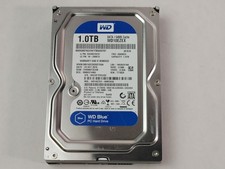
Western Digital WD Blue WD10EZEX 1 TB 3.5" SATA III Desktop Hard Drive
$23.99

DELL 2TB Enterprise HDD (7200RPM, 3.5", SATA III, 128MB Cache) HUS722T2TALA600
$49.95

Seagate Exos ST20000NM003C 20TB CMR 7200RPM SATA6Gb/s 3.5" Enterprise Hard Drive
$509.99

Seagate Exos ST2000NX0253 HDD 2TB SATA 7.2K 2.5" 512b/s
$55.00

Dell ST6000NM0034 1HT27Z-150 NWCCG 6TB SAS 3.5 7.2K ENTERPRISE SERVER DRIVE
$68.99

Toshiba 14TB MG07 MG07ACA14TEY 7.2K RPM SATA 6Gb/s 512e 3.5" Enterprise HDD
$339.00

Western Digital 1TB 3.5" SATA III 7200RPM Desktop Hard Drive
$34.99

Toshiba DT01ACA100 1 TB 3.5" SATA III 3.5 in Desktop Hard Drive
$24.99

 Reply With Quote