-
Re: 3.4 terminal server?

Originally Posted by
dbrower
Knoppix 3.4 rocks, Thanks !
How can I add the gigabit Realtek 8169 in the network bootstrap process ?
I can boot knoppix from the network (pxe, tftp, nfs, ...) using other network cards but this one. I suppose I have to recompile the miniroot.gz ... Thanks for any help, Gilles
PS: Sorry, stupid question, I didn't read the manual...
I just had to enable the right network modules when starting the Knoppix Terminal server to compile the right miniroot.gz and it works just great.
Which manual are we talking about? I haven't found one yet, and it seems anything but simple. I am having a heck of a time trying to get a 3.4 terminal server working. The newly booted machine is not getting its interface together, which prevents it from mounting the KNOPPIX. It appears that it is trying to use the af_packet module to get the nic, but there doesn't seem to be anything binding it to eth0. What I see first is that the ifconfig eth0 in linuxrc fails, first because there is no /sbin/modprobe; and if I remaster the miniroot to get one, then it can't find an eth0. Then, ignoring that, linuxrc appears to ignore the nodhcp option that is given in the pxelinux.cfg/default file, and tries to dhcp.
I'd like to think that I'm blind and have just missed the doc that explains
how one needs to reconfigure the miniroot so that you get the right network drivers, but I haven't found it yet. The <a href=http://www.knoppix.net/docs/index.php/FaqPXE> FaqPXE </a> page doesn't seem to touch on this. I don't want a floppy at all, or have to configure the miniroot -- I'd like it to pick up the UNDI PXE driver for the initial NFS mount, then if needed discover the better driver once more of the system is up. Perhaps this is implausible?
thanks,
-dB
[/quote]
Well, by manual, I meant selecting the right network cards AND deselecting the unused ones to avoid any conflict during the Knoppix Terminal server script which creates the miniroot.gz. I got it working with both the Realtek 8169 and Intel E1000 gigabits cards. I used grub and/or grub4dos to load the pxe module of the non pxe 8169 card. The intel includes the pxe rom. I noticed that the Terminal server script works better when using 2 network adapters (wan+lan) and then knoppix works also as a router and do the nat on the lan. After running the script you may need to reenable the card(s) using "ifconfig eth0(1) up" or reconfigure the adapter using the knoppix menu. You can verify that knoppix recognized your card by using "ifconfig -a" and check if the card is up with the right ip. I actually transferred the cd content and the boot files on my OpenBSD server with nfs and tftp running to boot knoppix from it. I hope this will help and that you can get your config up and running.
Cheers, Gilles

Similar Threads
-
Replies: 31
Last Post: 02-08-2005, 01:05 AM
-
By anton123 in forum The Lounge
Replies: 2
Last Post: 11-09-2004, 07:13 AM
-
By Steve F in forum Ideas
Replies: 2
Last Post: 10-13-2004, 07:49 AM
-
Replies: 23
Last Post: 03-23-2003, 09:54 PM
-
Replies: 1
Last Post: 03-21-2003, 02:35 AM
 Posting Permissions
- You may not post new threads
- You may not post replies
- You may not post attachments
- You may not edit your posts
-
Forum Rules


(New) AMD Ryzen 7 5700X 8 Core 16 Thread AM4 Unlocked 3.4 GHz CPU OEM Tray
$174.99

AMD Ryzen 7 PRO 8700GE 8-Core/16-Thread Up to 5.1GHz AM5 (FL1)
$189.00
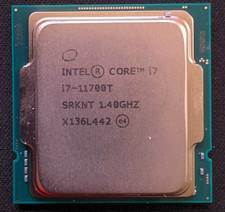
Intel Core i7-11700T 1.4GHz Processor 8-Core Socket LGA1200 SRKNT
$129.95

SGIN 17.3" Laptop Intel Quad-Core Up to 2.4 GHZ 8GB RAM 256GB SSD HD
$229.99
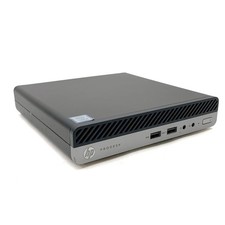
HP ProDesk 400 G5 Desktop Mini Intel Core i5-9500T Gen 8GB DDR4 As-Is For Parts
$49.99
Dell OptiPlex 3070 SFF Desktop Intel Core i3 9th gen 8gb RAM 128gb NVMe win11pro
$79.99

AMD Ryzen 7 9800X3D 8-Core 16-Thread AM5 Zen 5 Desktop Processor NEW
$399.00

Apple Macbook Pro 13" M1 8-Core 16GB 512GB - Good
$464.99

Dell OptiPlex 5070 SFF i7-9700 (8-Core) 3.0GHz 16GB 256 SSD Windows 11
$250.00

DELL OPTIPLEX 3280 21.5" AIO Core i5 10500T 8GB 256GB NVMe Windows 11 -NO STAND
$199.99



 Reply With Quote