
Cuddles,
you're not out of date. 3.4 only came out a few days ago.


Cuddles,
you're not out of date. 3.4 only came out a few days ago.
The f-prot live-install on Knoppix 3.4 downloads f-prot and its complete, up-to-date virus definitions each time it is run. It works beautifully with a high-speed internet connection, but I haven't tried installing it over a dialup connection.
It has to download all the virus definitions, not just the new ones, each time you boot up and run the live-install. There just isn't room on the Knoppix cd for the f-prot program and a basic set of virus definitions, and apparently Klaus Knopper has concerns about it not being Free-as-in-freedom.
If anyone knows of a good way to carry f-prot and a basic set of virus definitions around on a USB thumbdrive, with incremental updates downloaded quickly over the 'net, please post it here.
The BitDefender cd, LinuxDefender_Live!_v1.5.6_CeBIT.iso, was based on the c't Knoppix 3.4 iso. It had a built-in Windows virus scanner with the definition database updated over the net, and support for Captive ntfs read-write access. I haven't actually tried it, though, and it doesn't seem to be available on the BitDefender site anymore. Try http://gddistrowatch.tuwien.ac.at/?newsid=01481#0
For "native" MS-Windows antivirus, PCWorld.com has a review ( http://www.pcworld.com/howto/article...,113462,00.asp ) of four free-as-in-beer programs that are quite good, with scheduled scans and definition updates. They recommend Alwil's Avast ( http://www.asw.cz/i_idt_1016.html ) as the best of the bunch. Make sure all your MS-Windows using friends are running it, and you'll have less work to do helping them recover from virus infections.
>>Thanks especially to softwaretester, I
You're welcome.
I now have knoppix v3.4 too, and I've used f-prot, but I wonder, is it really only capable of scanning and reporting by showing a logfile, or can you order it to disinfect/delete too? Because else this is useless to me...
?
You can also (if you have the time to read documentation) use BartPE (a bootable windowsXP system), but it is sort of a pain to get it to work properly. I have used f-prot before, but I have never gotten to see how well it works since I haven't gotten a virus on my box for a while, not to mention that my brother has to use my Windows XP box to get his palm to sinc up (he won't even look at any of the damnable configuration files, or ask for help, so "it doesn't work". He won't even dual boot his computer, so he has to inconvience me).
hi all
some add infos
overcloacking :
hide a file from windows file listing
can hide a process from windows taskmon
injection :
there are several ways to " inject a process into another " spoofing the real process commander
autostart keys
several ways to load a process on windows start up (some are not detected by av (antivirus)
the virus last generation join theese technologies :
you can delete the file, but often the virii has already messed up the win system and often will download and execute a new one
free av won't protect you neither norton av
new critical security whole on outlook express allow the mail html code content to simulate a browser breaking all the web security features (script blocking & iframe blocking)
for me the best av is kaspersky av, but the best to do with an infected win os is
take an image (norton ghost)
format the hd
reinstall win os
backup your important files from the image
take a new image
btw : the av have not all the signatures from all the existing malware
it's easy to discover which strings they use to detect it
by changing one bit or by addicting a space inside the string, the malware become undetected
sorry for the bad news
Hmmm. I've tried f-prot again, on an NTFS partition I know has infected files, and I'm less impressed. It scans it all, lists the full pathnames of all 26273 files, and then says how many are infected (finding a couple more than AVG under WinXP). But it won't disinfect them (no surprise), and it won't even seem to list the infected files so I can delete or replace them manually with captive-ntfs (big surprise). So that's not much use, really.
I'm sympathetic to the recommendation to run a "native" MS-Windows virus scanner, or just backup user files and reinstall everything, but there are times when it would be helpful to find and fix a minor infection without worrying that a running virus will prevent a Windows virus-scanner from doing its job.
If anyone has any suggestions as to what I'm missing here, please post them.
________________________________________
Results of virus scanning:
Files: 26273
MBRs: 0
Boot sectors: 0
Objects scanned: 60691
Infected: 29
Suspicious: 2
Disinfected: 0
Deleted: 0
Renamed: 0
Time: 21:18
Apparently f-prot liveinstall will disinfect automatically if you run it from the command line with the right options; the GUI just scans, and doesn't even report properly for me. I haven't tested it yet, but see http://www.oreillynet.com/pub/wlg/5118 for an article on virus scanning with f-prot under Knoppix.
 Posting Permissions

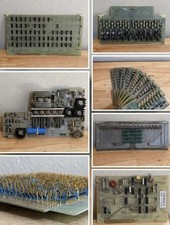
LOT of 14 DATA 100 Corporation Mainframe Terminal Boards Memory Backplane Gold
$749.99

HP 5060-8359 8K Semiconductor Memory Module 5080-9747 Vintage HP Computer
$157.30

Vintage Intel Mainframe Server MCM CPU Substrate Lot Prototyping PGA Validation
$500.00

Vintage Telex 952003-112 Mechanical Terminal Keyboard IBM 3270 Mainframe DB25
$799.00
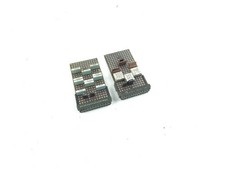
2 x Vintage IBM Mainframe Computer Card - Circuit Board
$49.99

Vintage Mainframe Computer Disk Drive Pack Dyson SMD 5 Level Disks
$79.00

Computer Tape Reel 1600 BPI 9 Track Vintage Mainframe LOT OF 2 WITH BOX
$89.95

Vintage IBM #192726 Paper Tape Punch Mainframe Computer Programming Tool 1960s
$81.39

SOYO SY25 R-Vesa Socket 3 Motherboard SiS Chipset Mainframe
$73.99

HP 13210-60001 Disc Drive Interface PCB HP 7900A 7901A Vintage
$157.93

 Reply With Quote