

 Reply With Quote
--What make/model of computer are you using; is it a laptop, etc...
--You may have to go into the BIOS to disable power-saving stuff.
Originally Posted by punk000


does anyone know how to prevent the system from entereing standby mode?...... when it does i lose the entire filesystem, kernel, daemons, everyhing... and its a apin to have to confire my dsl, email, gaim, and all of this stuff....
oh, and also, i see to be able to only cron one thing at a time, and only as root (i tried to cron some comands to prevent the computer from sleeping, but no luck)..... is there a fix to this?
--What make/model of computer are you using; is it a laptop, etc...
--You may have to go into the BIOS to disable power-saving stuff.
i doubt that that is it, because when my family rauns windows they can leave it for days........ but i have to play with it at least every 30 mins
Dave is correct. You need to turn off power management. If you don't want to do it in your bios, then use the 'noapm' option when you boot.
E.G. 'knoppix noapm'
but, if it was a bios problem.... wudnt it have effected the windsows os also?
No. The problem is not in the bios. The problem lies in how linux is interacting with the power management features which are ENABLED in the bios. Apparently windows doesn't have this problem. This could be for a variety of reasons. Most likely it's due to the fact that your bios and/or hardware makers disclose information about how their products work to Microsoft but not to others.
By "pulling the plug" on power management in the bios you will solve your linux problem but will loose the ability to use these features in Windows. If you want to keep power management enabled in Windows, but fix your linux problem then you need to disable the power management features by passing on the "noapm" option to the kernel at bootup.
If this doesn't work, then post back here with details.
--AFAIK, Windoze has Power Management settings that can override the BIOS.
thank you, i will try that... but the "cheat codes" can u have more than one at a time.. cuz i cant start the compu w\o the screen=MY_RES one..... if you can, please include the syntax
This should not be a problem. I often pile on several options. Just do this: 'knoppix noapm xxx xxx xxx' whre xxx = you other options.
than you... i did it, i have no jsut to see if it will standby... but i have to wait till bed time.. cuz i cant get off unix (in love)
 Posting Permissions


Macintosh Platinum Mouse - Apple 128K 512K 512Ke Mac Plus Lisa IIe M0100 - NEW
$49.99

Apple Macintosh Mac 128k - 512k Boot / Diagnostics 2 Disk Set for Classic Macs
$14.99

1984 Apple Macintosh 128k Picasso Accessory Case Empty Cord Tape Box Incomplete
$59.99

1984 APPLE MACINTOSH 128K FIRST MAC Model M0001 PICASSO KIT Discs Harvard Rare
$1800.00
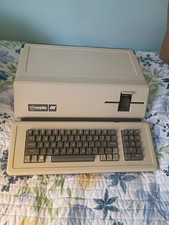
VINTAGE APPLE III COMPUTER A3S1-052010 (128k)
$800.00

Apple IIe Platinum 128k Computer - Powers On - As is - See Photos - a2s2128
$255.00
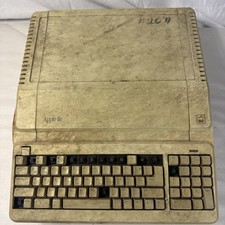
Vintage Apple IIe Platinum A2S2128 128K Computer Parts Repair Missing Keys
$100.00

Vintage Apple Macintosh Classic 128K Game Pack 5 On New 400K Double Density Disk
$39.99

Apple Keyboard for Macintosh 128k 512k Mac Plus RARE Vintage M0110 (010)
$149.00

Vintage Apple Macintosh M0100 Mouse 128K 512K Original Tested Working USA
$65.00