
Hello,
sorry for that question! I think it was answered a few days ago. But I cannot find it anymore.
I guess it has something to do with optimization of the files. Where can I find more details about it?
Thanks in advance,
Armin herzer


Hello,
sorry for that question! I think it was answered a few days ago. But I cannot find it anymore.
I guess it has something to do with optimization of the files. Where can I find more details about it?
Thanks in advance,
Armin herzer
A lot of reasons this can happen. Did you do an apt-get clean to remove downloaded packages? Also software has a tendency tro get larger with time. If you update anything odfds, are it gets bigger.
One thing I remove straight off the bat are the tetex packages. That can clear up some space for you quickly.
Did you get this:
http://gnubox.dyndns.org:8080/~sunil/knoppix.clean
Umm...don't run that on your Linux install.In fact I never make it executable until I put it into the remastering environment.
Did you do this:
deborphan | xargs apt-get -y remove
and this:
COLUMNS=200 dpkg -l |grep ^rc |awk '{print $2} ' | xargs dpkg -P
If you did all that then the only other thing that I know of is the sorting script which can be found on the mailing lists but I haven't really figured out how to use it. I don't think that would have anything to do with the size of your image however.
Also don't forget to remove anything you might have built in /usr/src but you probably did that already.
Did you get this:
http://gnubox.dyndns.org:8080/~sunil/knoppix.clean
Umm...don't run that on your Linux install.
Did you do this:
deborphan | xargs apt-get -y remove
and this:
COLUMNS=200 dpkg -l |grep ^rc |awk '{print $2} ' | xargs dpkg -P
If you did all that then the only other thing that I know of is the sorting script which can be found on the mailing lists but I haven't really figured out how to use it. It needs a reference file but what file?? I don't think that would have anything to do with the size of your image however as it sorts by time stamp.
Also don't forget to remove anything you might have built in /usr/src but you probably did that already.
I posted this question in the debian-knoppix ML and Fabian give me this reply:Originally Posted by ahz
 Posting Permissions


Intel Core i5-12500T SRL5W 2GHz 18MB 6 Core Socket LGA1700 Desktop CPU Processor
$114.99

INTEL CORE I9-10940X X-SERIES PROCESSOR | 3.30GHZ | SRGSH
$179.99

PS5 Over Heating Problem Solver 1.5 Grams Liquid metal thermal paste CPU, GPU
$15.99
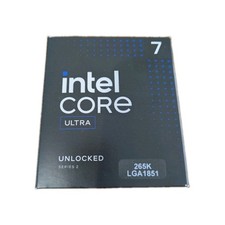
Intel Core Ultra 7 265K CPU Desktop Processor LGA 1851 20-Core - New
$284.79

AMD Ryzen 5 5500 Processor ( read Description)
$59.00

Intel Core I7-7700 SR338 3.60 Ghz Processor
$39.99

Intel Xeon E3-1230 v3 SR153 3.3GHz Quad Core LGA 1150 CPU Processor
$14.49

Intel Core i7-3770K 3.5 GHz Processor
$39.00

Lenovo ThinkCentre M920s SFF Barebones PC Motherboard PSU DVD No CPU RAM SSD
$27.99

AMD - Ryzen 7 5800X3D 8-Core - 16-Thread 3.4 GHz (4.5 GHz Max Boost) w/ Ice Pad
$355.99

 Reply With Quote