-
Senior Member
registered user

Originally Posted by
Cuddles
Ok,
In trying to find my own answers, I have concluded the following, from the above situation:
I should have mounted the /dev/hda device as r/w access, and performed a fixing fsck on the device. After, hopefully, a good fixing, and a successful fsck completion, rebooted.
But, I didn't - I just rebooted.
What I am guessing I should do is, shutdown, boot to the CD, give it cheatcodes to not use my swap, which is also on the "physical" /dev/hda device, to not use my home/root on the /dev/hda1 device, and after booting, perform a fsck on the /dev/hda device.
You would boot the CD and then check the filesystem assuming it is ext3 e2fsck /dev/hda1 you do not mount the partitions and knoppix will not by default mount the partitions the /swap is irrevalent you should not need to check it.
Looking through the fsck man pages, I am getting lost. I know I want to use the fix option, but do I want it to have "unlimited" fixing, (it suggests this is a bad thing), do I mount the device previous, or do I let fsck do that part?
I am in fear that the longer I keep my system up, after knowing about the fsck problem, I am only damaging the file system further, am I right?
Someone, [?]
Cuddles
You can just answer the questions one by one which the command I gave does there will most likely be a lot of them and you are going to want to answer yes to fixing the errors so the -y in the command may be what you want.
Similar Threads
-
By alvey in forum MS Windows & New to Linux
Replies: 16
Last Post: 01-10-2007, 02:02 AM
-
By Ripshaft in forum General Support
Replies: 3
Last Post: 02-16-2005, 09:32 PM
-
By FatBoy in forum General Support
Replies: 5
Last Post: 06-15-2004, 01:56 AM
-
By ramu_i in forum Hdd Install / Debian / Apt
Replies: 3
Last Post: 01-02-2004, 08:26 AM
-
By suoko in forum Hdd Install / Debian / Apt
Replies: 1
Last Post: 10-27-2003, 10:20 PM
 Posting Permissions
- You may not post new threads
- You may not post replies
- You may not post attachments
- You may not edit your posts
-
Forum Rules

Commodore Plus/4 computer for parts or restore
$50.00
Commodore 128 Vintage Computer Not Working No Power Damage READ
$129.00

Commodore OS USB | Bootable LIVE + Install | The Ultimate Gaming Linux OS | NEW
$11.99

TeensyROM+ TR+ v0.4 Cartridge for C64/128 - w/ Case & 32GB SD Preloaded
$89.50
Commodore VIC-20 Dead Test Rom - USA seller
$19.99
Commodore 64 & VIC-20 BASIC & Kernel ROM Replacement Adapter - USA seller
$17.99
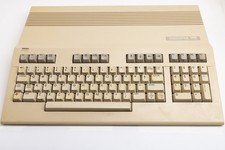
Vintage Commodore 128 Computer Powers On Not Tested with Power Supply
$169.99

Commodore VIC-20 Diagnostic Cartridge & Test Harness Set - USA seller
$39.99
Commodore 16 C16 Computer Matching Serial Box Tutor Cartridge Tested Workong
$174.99
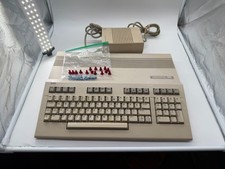
Commodore C128 Comp w/ Original Box TESTED & WORKING + Original & PETG Key Plung
$297.98



 Reply With Quote