-
Senior Member
registered user
May be it's time to close this thread, but it still bugs me  .
.
I think you have an issue with you keyboard mappings. There is one way to find out.
Run xev - in terminal and then press and hold the F1 key and see if it registers properly in xev, do the same with CTRL and ALT. I bet you might have to switch to other xkbModel or xkbLayout setting. Also if this is the reason you might find out some other key combination not functioning properly
-
Senior Member
registered user
Easier then this is to run:
xmodmap -pk | egrep '^[ ]+67 '
and you should see XF86_Switch_VT_1 in the output. If that's not the case then definitely
your key mappings are wrong. This would restore Virtual terminal switching, but may create bigger problems
xmodmap -e 'keycode 67 = F1 XF86_Switch_VT_1'
-
Senior Member
registered user
@krishna
My laptop has a setting in setup (bios)
that toggles the operation of the function keys. You might
look into this aspect, since you don't seem to be getting
the response you expect from the function keys.
-

Originally Posted by
utu

@krishna
My laptop has a setting in setup (bios)
that toggles the operation of the function keys. You might
look into this aspect, since you don't seem to be getting
the response you expect from the function keys.
Thanks for the thought! I've looked around in the several BIOSs involved (3 machines, I think) and didn't see that kind of functionality. Since it's on multiple machines, I figured it was something others would have seen and reported, perhaps.
Cheers!
Krishna 
 Posting Permissions
- You may not post new threads
- You may not post replies
- You may not post attachments
- You may not edit your posts
-
Forum Rules


🔀 Juniper Networks EX2300-C-12P 12× Gigabit PoE+ • 2× 10G SFP+ Compact Switch ⚡
$109.99

Juniper EX2300 12-Port Gigabit PoE+ Managed Network Switch P/N: EX2300-C-12P
$149.99

Juniper EX3400-24P 24-Port PoE+ GbE + 4-Port 1/10Gb SFP Switch
$245.00

Juniper Networks Mist Wireless Access Points, Model AP45
$59.99

Juniper MX204 +JUNOS and Dual Power Supply
$7299.99
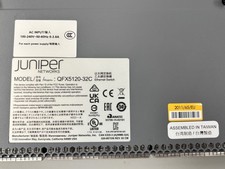
Juniper Networks QFX5120-32C Ethernet Switch, Server Component
$5999.95

Juniper Networks MX204-HW-BASE *BRAND NEW FACTORY SEALED* READ DETAILS
$8199.99

Juniper QFX5120-48Y-AFO 48 x 1/10/25GB SFP28 + 8 x 40/100GB Switch w/Dual AC
$10499.99

Juniper EX4300-24P 24 Port Gigabit PoE+ Switch.
$95.55

Juniper Networks EX3400-24T 24-Port Ethernet Switch w/Power Cord
$174.99



 Reply With Quote