-
How to get files to Flashdrive
Hello I'm new toKnoppix and I'm not sure where to go from the point I'm at now. I have Knoppix 6.0.1 and I got to the knoppix desktop but now I'm unsure on how to find my driver so that I can transfer the files/pictures I need to the flash drive I have plugged in.
-bowser
-

Originally Posted by
bowser

Hello I'm new toKnoppix and I'm not sure where to go from the point I'm at now. I have Knoppix 6.0.1 and I got to the knoppix desktop but now I'm unsure on how to find my driver so that I can transfer the files/pictures I need to the flash drive I have plugged in.
-bowser
There are many ways to go, but if it was my brother or sister, I would try to talk them into switching to 6.2.1 or 6.3. There are some fairly significant changes that would be good to have.
The short answer to the question is, start the file manager pcmanfm, plug in the drive, and then click the drive link in that window when it shows up. It will most likely be mounted read-write automatically, as most flash drives have the FAT32 filesystem. Now you can click-and-drag or copy-and-paste as you like, as in Windows or Mac-world.
Cheers!
Krishna 
p.s. Start PCMan by clicking the file folder icon on the toolbar (lower left.)
Last edited by krishna.murphy; 08-07-2010 at 01:11 AM.
Reason: Extra tip
-
I found how to find the flash drive, but where would I go if I'm trying to retrive files from the hard drive? The computer working because of 'windows\system32\config\system is missing or corrupt' so I just need to try and salvage a few pictures and files off of it but I don't know where I would go to find them. Also I tried using 6.2.1 but I couldn't get it to load past the initial/booting screen so I popped back in the 6.0.1
-
Originally Posted by
bowser
I found how to find the flash drive, but where would I go if I'm trying to retrive files from the hard drive? The computer working because of 'windows\system32\config\system is missing or corrupt' so I just need to try and salvage a few pictures and files off of it but I don't know where I would go to find them. Also I tried using 6.2.1 but I couldn't get it to load past the initial/booting screen so I popped back in the 6.0.1
1) It sounds like you found and started PCMan - good. If you don't see the hard drive partition you want to save files from there - not so good. It would be good to know if those guesses are right.
2) As far as 6.2.1 goes, it sounds like you got a bad disk (very common, especially when burned with Win-blows.) I recommend that you get your hands on a copy of 6.2.1 that boots properly. Use 6.0 with another disk, or borrow the use of a PC or Mac (roommate, brother/sister, girlfriend, etc.) and download again, check the md5 checksum to make sure it's good, then burn at SLOW speed to ensure properly functioning disks.
3) If the guesses in 1) are correct, then it's likely you have a bad drive/partition. Most likely, IMHO, you need M$oft recovery tools to get to NTFS data - if so, then search around for Hiren's BootCD, which is widely available on the web, especially via torrent. It will give a DOS-like command line and chkdsk, to start the process.
Cheers!
Krishna
 Posting Permissions
- You may not post new threads
- You may not post replies
- You may not post attachments
- You may not edit your posts
-
Forum Rules


OWC Mercury Elite Pro Quad 4 Bay RAID Storage Enclosure USB 3.1 Gen 2 No Drives
$149.95
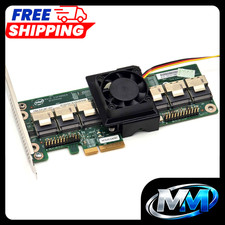
Intel RAID Expander RES2SV240 SAS 40mm Cooling Fan Included + Shroud Cooler
$31.95

Broadcom LSI Avago RAID card MegaRAID SAS 9480-8i8e 05-50031-00
$400.00

HP controller P3410-69003 NetRAID-1M SCSI 64-bit U160 32MB Cache (PCI)
$359.00

Broadcom LSI 9305-16i 12Gbps SAS-3 PCIe x8 HBA 16-Ports Raid Controller
$64.99

Dell PERC H740p Mini Mono RAID Controller 8GB 0878M 5FMY4 GP6RN
$55.00

Inspur LSI YZCA-00424-101 12Gbps SAS 3.0 RAID Controller CARD HBA HDD
$14.99
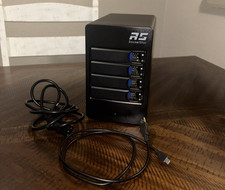
HighPoint RocketStor 6114V 4-Bay USB-C SATA RAID STORAGE ENCLOSURE
$125.00
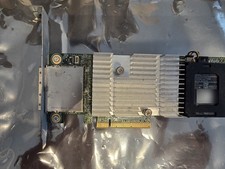
Dell PERC H810 1GB NV Cache External SAS RAID 0VV648 w/ Battery Full Height
$21.99
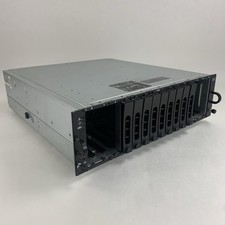
Dell PowerVault MD3000i AMP01 Storage Array 2x PSUs No HDDs/Controllers/Caddies
$144.95



 Reply With Quote