

 Reply With Quote
There has been some discussion of startup script errors here (in /etc/init.d/knoppix-autoconfig.) I personally use a modified version to keep the timezone set between boots, as it would erase my /etc/timezone file.
Cheers!
Krishna


I've got a keyboard setting problem using 6.4 on a flash drive.
Using System Settings/Regional & Language/Keyboard Layout I've set the Active Layout to "gb" but it doesn't survive rebootiing.
Any help would be appreciated.
There has been some discussion of startup script errors here (in /etc/init.d/knoppix-autoconfig.) I personally use a modified version to keep the timezone set between boots, as it would erase my /etc/timezone file.
Cheers!
Krishna
@ jaques1
I'm presuming you are using persistent store.
If not, do that first.
If all else fails, you can usually have /etc/rc.local to re-establish things
at each boot with some console commands.
Last edited by utu; 01-24-2011 at 05:41 PM.
Having read knoppix-autoconfig there doesn't seem to be a reason why my settings don't work. I've written a simple script (setkbmap -model pc104 -layout gb) cribbed from the GUI which works as a stopgap until I can find a better solution.Originally Posted by krishna.murphy

Yes I'm using persistent store - for example Bluetooth loads on start up and my preferred home page appears in Iceweasel.
@ jaques1
I expect a solution to this partucular problem then
is to call up your script from /etc/rc.local.
For others, you might publish your script here.
There is also the possiblility that your problem is another
manifestation of an LXDE 'over-initalization' problem,
the cure for which is covered here in another thread:
http://www.knoppix.net/forum/threads...gs-persistence
See specifically my post #5 there.
I tried the modification in your post #5 but lost the window function symbols at the top right of each window. Sorted things out with a reinstall. For info heres's how I derived the script instruction: Go System Settings/Regional & Language/Keyboard Layout and choose your keyboard model and active layout. The resultant entry in the Command field is all you need to use in your script (in my case: "setxkbmap -model pc104 -layout gb").
Last edited by krishna.murphy; 01-25-2011 at 01:59 PM. Reason: Formatting/typo fix
 Posting Permissions


IBM System X3850-X5 Server w/4x Intel Xeon E7-4870 CPU , 512 GB DDR3 RAM,NO HDD
$1599.99

Unused IBM 09P0037 MAINBOARD For RS/6000 7044-170 P-Series
$375.00

IBM 7915 AC1 M4 E27R704 Server Intel 2650V2 32GB RAM NO HDD w/ 2x 750w PSU
$225.00

IBM QRadar xx29 2x Xeon E5-2650v4 2x 900W PSU M5120 12x 3.5" Bay Server No RAM
$179.99

IBM Power 8 S822L Server 8247-22L POWER8 Enterprise 256GB RAM 2x 00KV626 CPU
$999.99

IBM System x3550 M3 1U Server 2x Xeon E5645, 192GB RAM, 2x 300GB HDD (7944-AC1)
$150.00

IBM SYSTEM X3500 M3 SERVER 7380AC1 TOWER Server XEON E5620 8GB RAID SEE NOTES
$110.30
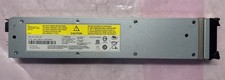
IBM 02CL197 FLASH SYSTEM 840-900 LITHIUM ION SERVER BATTERY MODULE 990854
$225.00
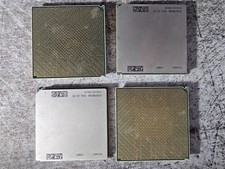
Lot of 4 IBM 52Y4089 POWER7 CPU Processor Modules Server CPUs
$49.99

Rare Vintage IBM 93ZZ PowerPC Server Board - MCM Ceramic CPU - 40N1844 - 1.1 lbs
$54.99