-
excuse me for my noobyness forrester, but if I were to apply those patches, do I need to use the commands described here:http://www.cyberciti.biz/faq/appy-pa...patch-command/ ? (I have never used a patch before)
I really like things like this getting released. It'll keep knoppix a bit more 'alive' and makes knoppix even more usable.
now we just need to get klaus knopper's attention to this thread.
He should really implement the knoppix_data, knoppixsh and mountbypath while considering moving to squashfs?
-

Originally Posted by
dinosoep

it is about 200 % faster to compress
.. I can't believe this result. What did you compress, Knoppix CD or DVD? How long (exact) will it take to compress with sqashfs and with cloop (create_compressed_fs)?
And which command-line for "create_compressed_fs" did you use?
Greetings Werner * http://www.wp-schulz.de/knoppix/summary.html
Own Rescue-CD with Knoppix (Knoppix V6.4.4 remaster)
-
Originally Posted by
dinosoep
excuse me for my noobyness
Noobyness excused.
Originally Posted by
dinosoep
Yes, the patch is a simple one to apply. You should get some messages about offsets and possibly fuzz. That's OK. A message that says hunk failed is not OK.
Here's a tip for noobyness ...
Every Linux command comes with a man page. To find out about patch(1) from a console terminal, type in man patch. To find out more, try man man.
If you don't like man pages (and I can see why) but you do like html, you can find the man pages on-line. Here's two I use ..http://linux.die.net/man/1/man2html and http://www.linuxmanpages.com/man1/man2html.1.php.
I also cheat. I've the MAXI (aka DVD) edition so I've KDE and I've Konqueror. For installed software, I simply type into the Konqueror address bar something like #bash to call up in html format the man page for bash(1). If I type in ##sed I get the GNU project info pages on sed(1) in a form I can actually use. 
BTW, patch(1) means section 1 of the man pages - that means user command. Compare with passwd(5), which describes the format of the passwd file, not the command passwd(1) while mount(8\) and mount(2) mean the system administration command and the operating system call respectively.
Originally Posted by
dinosoep
I really like things like this getting released.
Thank you for your enthusiasm but I would not go so far as to call what I done a release. Without other people trying it, it cannot be called tested thoroughly and so cannot be called released.
Originally Posted by
dinosoep
now we just need to get klaus knopper's attention to this thread.
KK has a mailing list. He does not need a forum - he already knows all the answers. 
Originally Posted by
dinosoep
He should really implement the knoppix_data, knoppixsh and mountbypath while considering moving to squashfs?
First you would have to ask politely why there is no home=anymore. If he he does not have a good reason why such a thing is a bad idea (and he might) then you might ask if he would welcome a patch that might do the job.
Have you ever tried to get a 'developer' to accept a patch from someone he has never heard of before ? Camels and the eye of a needle come to mind.
-
Senior Member
registered user
Re this whole thread: Nicely done, Forester; My thanks as well.
-
Senior Member
registered user
Originally Posted by
Forester
Have you ever tried to get a 'developer' to accept a patch from someone he has never heard of before ? Camels and the eye of a needle come to mind.
A lot of wisdom in this paragraph.
-
mkisofs & mksquashfs
well, it wasn't really that accurate. I used mkisofs the first time I remastered and mksquashfs the second time, a lot had changed in the meantime. But mkisofs took really a lot of time while mksquashfs took considerably less.
Originally Posted by
Werner P. Schulz
.. I can't believe this result. What did you compress, Knoppix CD or DVD? How long (exact) will it take to compress with sqashfs and with cloop (create_compressed_fs)?
And which command-line for "create_compressed_fs" did you use?
Greetings Werner *
http://www.wp-schulz.de/knoppix/summary.html
Own Rescue-CD with Knoppix (Knoppix V6.4.4 remaster)
-
Originally Posted by
dinosoep
it is about 200 % faster
@ werner
The only thing more versatile than the English language is the users of the English language in their use of the English language.
Take a time interval of 2 hours. 50 % longer is 3 hours, 50 % shorter is 1 hour. 100 % longer is 4 hours, 100 % shorter is no time at all.
If I take 2 hours to do something and dinosoep takes twice as long, then he does it 100 % slower than I and do it 100 % faster than he.
When dinosoep says squashfs compression is 200 % faster, he is saying it takes only one third the time but I do not think that is what he meant to say and that is almost certainly not what you understood him to mean.
@ dinosoep
From yesterdays post I see you have 2 Gb of RAM and swap space. There is no excuse for the cloop compression to be so slow. When you did your remastering, how many clever loop devices mounted from files on your (shock horror  ) windows partition did you use ?
Further discussion of squashfs should take place under the relevant thread and that is not this one,
-
Your right, it doesn't really belong here but I will try to find the commands I used and I had one loop device mounted.
going to try the patches tomorrow and see if it works for me
-
Originally Posted by
Werner P. Schulz
.. I can't believe this result. What did you compress, Knoppix CD or DVD? How long (exact) will it take to compress with sqashfs and with cloop (create_compressed_fs)?
... now I have done a test for my own.
using virtual machine (VirtualBox), 1 GB RAM, swap partition 1 GB
using Knoppix CD-Version 6.4.4
decompress /KNOPPIX/KNOPPIX (705211 K => 100%) to directory '/remaster' (2054135 K)
Code:
losetup /dev/cloop0 /media/sr0/KNOPPIX/KNOPPIX
mount -t iso9660 /dev/cloop0 /knoppix/loop
rsync -aH /knoppix/loop/* /remaster
a) compress '/remaster' to KNOPPIX
Code:
genisoimage -R -U -no-bak -quiet \
    /remaster | create_compressed_fs -q -B 65536 \
    -f /tmp/knoppix_tmp - /knoppix/KNOPPIX/KNOPPIX
size of new KNOPPIX: 740461 K (104,96%)
compression time: 7 min 03 sec
b) compress '/remaster' to KNOPPIX.squasfs
Code:
mksquashfs-lzma /remaster
   \/knoppix/KNOPPIX/KNOPPIX.squashfs
size of KNOPPIX.squashfs: 719876 K (102,08%)
compression time: 6 min 42 sec
I think the differences are not worth the trouble to leave a well established compression method.
Greetings Werner * http://www.wp-schulz.de/knoppix/summary.html
Own Rescue-CD with Knoppix (Knoppix V6.4.4 remaster)
-
Senior Member
registered user
@ Werner
Would a comparison of expansion times be comparable?
Thanks.
 Posting Permissions
- You may not post new threads
- You may not post replies
- You may not post attachments
- You may not edit your posts
-
Forum Rules


Kingston 32GB 64GB 128GB 256GB USB 3.0 Flash Drive Thumb Memory Stick Pen lot
$285.90

Lot Of 8 Micron 8GB 2Rx8 PC4-2666V-RE2-11 ECC REG Server Ram MTA18ASF1G72PDZ-2G6
$210.00
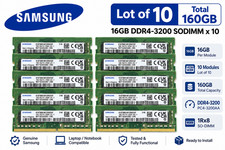
Lot of 10 Samsung 16GB 1Rx8 PC4-3200AA DDR4 SODIMM M471A2G43AB2-CWE 160GB
$1319.99

TF/SD Card Adapter Camera Reader Android Type-c For iPhone17 Pro Max Plusm lot
$573.98

USB 3.0 Flash Drive 32GB 64GB 128GB Memory Stick Thumb Stick Lot Pack
$826.09
MTA36ASF4G72PZ-2G3B1 Micron 32GB (1x32GB) 2RX4 PC4-2400T DDR4 Server Memory
$220.00
Grade A Samsung Cisco 64GB PC4-2666V DDR4 2S2Rx4 RDIMM RAM M393A8K40B22-CWD LOT
$299.99
Micron 16GB DDR5-4800 PC5-38400R EC8 RDIMM Server Memory RAM MTC10F1084S1RC48BA1
$560.00
LOT OF 2 Micron 16GB 2Rx8 PC4-2666V-EE1-11 P/N: MTA18ASF2G72AZ-2G6D1ZG
$199.95

LOT OF 4 Samsung 16GB DDR4-2666 ECC UDIMM 2Rx8 PC4-21300 M391A2K43BB1-CTDQ
$469.95



 Reply With Quote