-
How to disable desktop and menu bar?
Hello.
How can I disable showing desktop icons and menu bar? I want to run my application on a start of system and i don't want to see icons and menu bar. Only wallpaper+my application.
-
Senior Member
registered user

Originally Posted by
rafal_rr

Hello.
How can I disable showing desktop icons and menu bar? I want to run my application on a start of system and i don't want to see icons and menu bar. Only wallpaper+my application.
I think it can be done. You just disable pcmanfm from starting and put in your program in the same file :-
/etc/xdg/lxsession/LXDE/autostart
As for the wallpaper you configure it in compiz, since you have disabled pcmanfm, so now the wallpaper is managed by compiz. You can set different wall paper for each of the virtual desktop.
-
ok. thanks. when i killed pcmanfm icons had disabled. 
but what about menu bar? is it the way to hide od disable it?
edit:
i've just found an answer:
killall lxpanel
Last edited by rafal_rr; 04-04-2011 at 12:11 PM.
-
hello.
i have one more problem: my application should occupy full screen. so, i kill lxpanel before running and run my app yet. but my application occupy whole desktop area without lxpanel area. so i see part of desktop instead.
how to solve it?
-
Senior Member
registered user
Originally Posted by
rafal_rr
hello.
i have one more problem: my application should occupy full screen. so, i kill lxpanel before running and run my app yet. but my application occupy whole desktop area without lxpanel area. so i see part of desktop instead.
how to solve it?
Not sure if it will meet your requirement :-
The lxpanel itself can be configured. One of the things you can configure is 'autohide'/'autoshow'. When lxpanel is configured to autohide, it should allow your application to take up the remaining screen space. And subsequently you can kill lxpanel if you like to.
-
We seem to have the opposite problem. When fiddling with panel settings (I think), we seem to have lost our desktop icons except for knoppix, which is still there and also lost the bottom menu bar. on all desktops. Also the working desktop has a 1/3 inch gap at the top and about a 1 1/2 inch gap at the left side with just a gray color in the gap.
No idea how to get the bottom menu bar back and how to make the desktop take up the entire screen.
Haven't tried rebooting, friend thinks we can shut down from terminal console, since we don't have a menu for shutdown. ... added later - shutdown from terminal not authorized... power off button worked. .... rebooting brought the menu back.... good thing.
Whew - OK now.
Last edited by Denver Dave; 03-09-2012 at 02:31 AM.
 Posting Permissions
- You may not post new threads
- You may not post replies
- You may not post attachments
- You may not edit your posts
-
Forum Rules

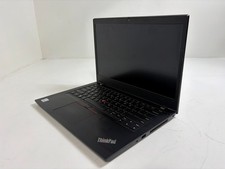
Lenovo ThinkPad L14 Gen 1 Core i5-10310U 1.7GHz 16GB 512GB 14" W11P Laptop
$197.10

Lenovo Thinkpad E15 Gen 2 8GB RAM 256GB SSD Intel Core [email protected] Laptop
$220.36
Lenovo ThinkPad T14 Gen 2 i5-1145G7 16GB 512GB SSD Touch Win11 Pro
$289.99
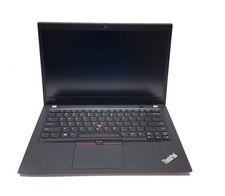
Lenovo ThinkPad T490s 14" FHD i5-8365U 16GB RAM 256GB SSD Windows 11 Pro Laptop
$229.00

LENOVO THINKPAD T14s GEN 2a Ryzen 7 PRO 5850U 1.9GHz 16GB 256GB TOUCH - NO OS
$299.95
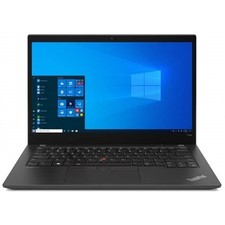
Lenovo ThinkPad T14s Gen 2 14" 32GB, Thunder Black
$318.83

Lenovo - Idea Tab Plus - 12.1" 2.5K Tablet - 8GB RAM - 128GB UFS - Luna Grey
$209.99
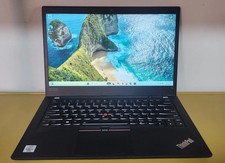
Lenovo ThinkPad T14 Gen 1 Core i5 1.70GHz, 16GB RAM , 256GB SSD
$259.99
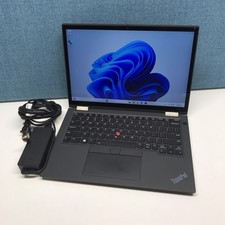
Lenovo Lenovo ThinkPad X13 Yoga Gen 2 i7-1185G7 32GB RAM 512GB NVMe SSD
$449.00
LENOVO 83A100PBUS Lenovo V15 G4 IRU 15.6" FHD i3-1315U 1.2GHz Intel UHD Graphics
$346.00



 Reply With Quote