

 Reply With Quote
Have you tried booting into safe mode on your XP PC.


Hi
I am trying to get an XP machine running, but it freezes on the first (mainly black) XP splash screen. This happens if I boot as last config that worked, Safe Mode freezes during the long list of names, (both selected using F. I tried a UBCD 4win disk, it also freezes on the XP splash screen, the UBCD 4win does appear to start to work, in that you get the program splash screen, but freezes on the XP splash screen.
I have used an AVG Rescue disk to do an anti virus scan, and nothing untoward was found,
I tried using a copy of an XP disk to do a repair, but it asks for a floppy disk to do an automated repair. I do not have the floppy for this, and the laptop does not have a floppy disk drive.
Also, I do not know if this is relevant,but when I boot into safe mode, it stops at the agpCRQ.sys file.
I successfully booted the Knoppix disk, but I am unfamiliar with the Linux based operating system, so I am not sure what repair utilities are available.
I am an absolute beginner with this operating system, so please assume I have no previous knowledge.
Any help greatly appreciated
Allan
Have you tried booting into safe mode on your XP PC.
Yes, also tried to boot to last known config that worked, all froze.Originally Posted by Denver Dave

I was even patient, left it for an hour in case it took a while to sort itself out, still no joy.
Safe mode freezes part way through the list of drivers, all other boot options freeze on the mainly black XP splash screen.
Are there any disk check options with Knoppix, to check for corrupt files?
With thanks
Allan
Sorry, I don't know what you should do for your XP boot beyond what you've done.
However, there may be a hardware issue at play, so if Knoppix can read your XP hard drive, this might be an excellent time to get some backups, especially of critical files. Someone else will have to help you with the best way to backup, but you may be able to just copy some files, like your address book to a USB drive or email them to yourself at a gmail or yahoo location.
ls and cd are handy commands from the terminal.
Good luck !
Just found this article: The 10 Cleverest Ways to Use Lilnux to fix your Windows PC. From an ubuntu perspective, but probably would work with knoppix:
http://www.howtogeek.com/howto/31804...ur-windows-pc/
 Posting Permissions

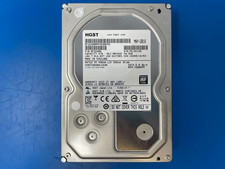
HGST 4TB 7200RPM 3.5" SATA 6Gb/s Internal HDD | HDN724040ALE640 0F22408
$75.00

Seagate Exos X14 10TB 7200RPM 3.5" SAS 12Gb/s Hard Drive HDD ST10000NM0528
$165.00

Seagate 14TB Exos X14 7200RPM SATA 6Gb/s 256MB 3.5" Enterprise HDD ST14000NM0408
$354.99

Seagate Exos X16 ST10000NM010G 10TB 7200RPM SAS 12Gb/s 3.5" 512e/4Kn HDD
$199.00

Seagate ST6000NM0115 6TB 256MB 7200RPM 3.5" SATA 6.0Gb/s Enterprise Hard Drive
$159.99
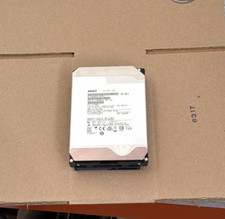
HGST - 6TB - 7200RPM 3.5" SATA 6Gb/s Enterprise Hard Drive | HUS726060ALA640
$84.99

HGST HUS724040ALA640 4TB 7200 RPM SATA 3.5" Internal Desktop Drive 100% Health
$78.00
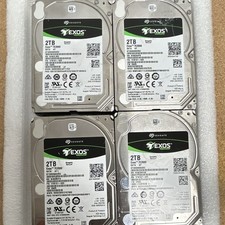
Seagate Exos 7E2000 2TB 2.5 SATA Internal HDD 7200RPM 256MB SED ST2000NX0253
$60.00

MG08SCA16TE Toshiba 16TB 7.2K SAS 12gb/s 512e 3.5inch HDD HDEPN10GEA51 NEW
$454.44

HDD 3.5" SATA Hard Drive with Windows 10/Win 11 64x Installed Legacy
$35.00