-
Senior Member
registered user
Recapitulation
.
This is not to take away from heretofore 'standard' re-mastering procedure(s) but to
highlight a subtle refinement in using Knoppix that accomplishes much of what one hopes to
achieve by re-mastering, or making backups of some kind. This alternative is elegant
in minimizing the resources required in re-mastering, including time.
I'm re-wording here to collapse into one post what previously spread over several posts.
Assuming for example that KNOPPIX1 was the previous compressed image update,
to stack another compressed image update with the previous, use the following magic incantation:
cd /
sudo mkisofs -R -U KNOPPIX-DATA | create_compressed_fs -B 131072 -m - - > /mnt-system/KNOPPIX/KNOPPIX2
Then reboot, using 'knoppix noimage' or to see if it all works like it did using the previous
persistence file.
If so, move knoppix-data.img from /mnt-system/KNOPPIX/ to /mnt-system/ temporarily and reboot,
this time without the 'noimage' cheatcode. This should allow you to re-establish persistence.
Then, re-verify that KNOPPIX2 is doing what if ought. When you are sure KNOPPIX2 and persistence
are ok, remove the 'old' knoppix-data.img in /mnt-system/, not the 'new' one in /mnt-system/KNOPPIX/.
You may use PCManFM to move things around, but don't count on PCManFM to remove things;
use root and rm to remove files.
init's mountunion() looks like you may have up to ten such upgrades, if you have enough space
on your LiveUSB
Recapitulation: We can have a full-DVD-size LiveUSB on an 8 Gb Class 10 SDHC device. This device
may be serially updated with compressed image additions without requiring any additional workspace;
without requiring any additional system, real or virtual, to manage this process; and without
any significant time expenditure for these performing these updates.
The convenience of temporary persistence may be maintained, while greatly reducing the magnitude
of the hazard in occasional inadvertent ruination of this 'persistent' image, since these
successive updates preserve well-tested material in more safely situated in more permanent
compressed images.
Last edited by utu; 06-20-2012 at 02:30 PM.
-
Senior Member
registered user

Originally Posted by
utu

.
Recapitulation: We can have a full-DVD-size LiveUSB on an 8 Gb Class 10 SDHC device. This device
may be serially updated with compressed image additions without requiring any additional workspace;
without requiring any additional system, real or virtual, to manage this process; and without
any significant time expenditure for these performing these updates.
The convenience of temporary persistence may be maintained, while greatly reducing the magnitude
of the hazard in occasional inadvertent ruination of this 'persistent' image, since these
successive updates preserve well-tested material in more safely situated in more permanent
compressed images.
For more heavy installs. I will strongly recommend using a 16 GB stick, for in this scheme nothing is ever purged, which means, for example, that you will get several instances of the apt data, essentially one on each KNOPPIX[N] image. In my own use case, I have by now purged about 2GB of programs/data, and added about 3 GB on 7.0.2. Of course, this is "real world" use of Knoppix, and most users might do less, but if I had used this method, I would have had about 6GB total in cloop images by now, and I advise people to be defensive with regard to the space overhead of different copy/compress/backup methods.
It does not go on indefinitely, for the vast majority of uses, 16GB media will be enough. I have also experimented with >4GB persistent image, for example using several (uncompressed) image files, but I think an adaptation of the method presented here is better in most cases.
I think this is also a nice illustration of what I have come to think is the basic rule of remastering: If you don't know exactly why you need it, and why the alternatives are indequate, don't do it.
I'd like to mention one way this can bu used for (sort of) incremental backups: If you call the KNOPPIX[1|2|3...] images something else, for example knoppix-20120620.cloop, and store it at your backup location, while you continue to use the same knoppix-data.img at next boot, instead of forcing creation of a new image, you may cloop-mount this image and recreate the knoppix-data.img of that day from it. They may of course grow ever larger, but if you purge your persistent image, they may also shrink.
Myself, I make tarballs (.tgz files) of the knoppix-data.img for backups, but this way, I don't have the chance to start afresh with the persistent image without remastering - like I can if I decide to use the cloop backup as KNOPPIX1 and start a new .img file. I should add that I don't use the persistent store for much data - they are stored on a volume mounted on /store in my setup, and this volume is stable across OS versions and backed up separately. Some of it dates back to Slackware days of 1995..
Last edited by Capricorny; 06-20-2012 at 09:42 PM.
 Posting Permissions
- You may not post new threads
- You may not post replies
- You may not post attachments
- You may not edit your posts
-
Forum Rules


Original Vintage Old Style STANDARD Black CD Jewel Case (Heavy Duty) 90g Lot
$316.95

Vintage Jetway J-620BF Socket 370 Celeron AT Motherboard SiS 620 Brand New
$75.00

Lot of 2 Vintage Plextor PX-43CS SCSI CD-ROM Caddy Drives + 4 Caddies Used
$55.99

Vintage Microsoft Visual Studio.NET Professional Software suite Version 2002 New
$82.00
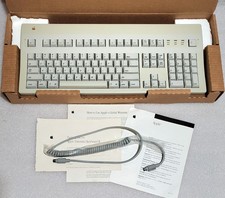
Apple Extended Keyboard II Vintage Keyboard with Original Box & Cable
$110.00

Vintage 2006 Juicy Couture House of Juicy Velour Laptop Sleeve Y2K NWT Rare
$199.99

Huge Lot of Vintage Computer Brochures, Catalogs, etc. - 1980's - SEE PICS
$100.00
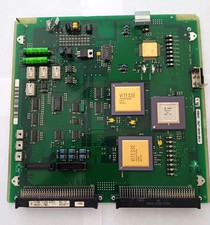
Vintage Fujitsu Scrap Board with 4 CPU's for Gold Recovery
$89.95

🔥 RARE VINTAGE HP 2112A 21MX M-SERIES 16-BIT MINICOMPUTER HP
$299.99

🔥 RARE VINTAGE HP 2113A 21MX 1000 E-SERIES MINICOMPUTER CHASSIS BACKPLANE
$249.00



 Reply With Quote