-
Member

Greetings, Utu.
in my case:
options --exclude *gvfs* prevents the error messages to complete KNOPPIX1 creation options --exclude *cache* is to reduce size of KNOPPIX1
I had already set up by default to move cromium cache, ~/.thumbnails, proxy cache to ramdisk.
option -iso-level 4 is to prevent file/directory name truncation as you can see at the beginning of the process of mkisofs.
Code:
cd /
sudo mkisofs --exclude *gvfs* --exclude *cache* -iso-level 4 -R -U KNOPPIX-DATA | create_compressed_fs -B 131072 -m - - > /mnt-system/KNOPPIX/KNOPPIX1
I'm testing KNOPPIX1 without overlay at the moment and everything goes well.
The size of KNOPPIX1 is only 720MB instead of 3GB overlay (2GB really used)
With KNOPPIX1 ramdisk is used by default by knoppix
-
Senior Member
registered user

Originally Posted by
Blacksimon

option -iso-level 4 is to prevent file/directory name truncation
Interesting.
I haven't noticed this as a problem, but I may have just been lucky.
FWIW, I often write things back to /tmp first just to see how things are turning out.
Last edited by utu; 03-28-2013 at 09:49 PM.
-
Senior Member
registered user
Using ramdisk
Originally Posted by
Blacksimon
I had already set up by default to move cromium cache, ~/.thumbnails, proxy cache to ramdisk.
This also interesting.
I had been establishing or re-establishing a reiserfs r/w persistence.
An alternative might be to use the ramdisk as a temporary r/w (in ram) for
some functions like *[Cc]ache* files.
I assume if I use the cheatcode noimage and forget my reiserfs that sets this up.
Not sure how to go about the re-routing of caches, however.
-
Member
To move cromium cache in ramdisk you have to use
Code:
/usr/bin/chromium %U --disk-cache-dir="/ramdisk"
right click on Menu/Internet/Browser web Chromium to change property or modify the Exec line in /home/knoppix/.local/share/application/Browser web Chromium.desktop file
To move ~/.thumbnails in ramdisk you have to add in /etc/init.d/knoppix-autoconfig at line 739 (function start_fs) this code
Code:
[ -d /home/knoppix/.thumbnails ]  || mkdir /home/knoppix/.thumbnails
mount -t tmpfs -o rw,size=200M,suid,dev tmpfs /home/knoppix/.thumbnails
I think you can use even other directory
-
Senior Member
registered user
puzzled why the cache re-location effort here:
Originally Posted by
Blacksimon
To move cromium cache in ramdisk you have to use...
The chromium cache is already in ramdisk, operating without persistence. See
Code:
updatedb; locate *[Cc]ache* | grep chromium
after booting with noimage and no prior re-arrangement of the cache.
This cache's current contents are probably lost on re-boot of course.
Last edited by utu; 03-30-2013 at 03:58 PM.
 Posting Permissions
- You may not post new threads
- You may not post replies
- You may not post attachments
- You may not edit your posts
-
Forum Rules


Vintage Cherry W. Germany G80-0486H/05 Mechanical 25-Pin D-Sub Keyboard M8
$170.99

Vintage Computer - PC Innovation Intel 486DX2 - Dos Ver 6.2 Windows 3.1
$250.00

Vintage Jetway J-620BF Socket 370 Celeron AT Motherboard SiS 620 Brand New
$75.00

Vintage HP Hewlett Packard 2112A 21MX 1000 M-Series 16-Bit Minicomputer
$419.99
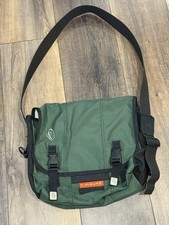
Vintage Timbuk2 Crossbody Messenger Bag Forest Green/ Black Y2k USA Made
$85.00

Vintage cross Apple computer branded pen rainbow logo In original box
$100.00
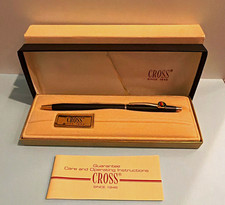
Vintage Apple computer Cross Metal Ballpoint Pen Black Ink Gold Trim
$125.00
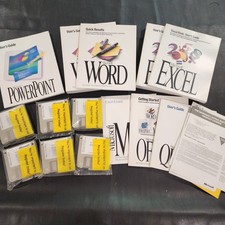
Vintage Microsoft Office 4.2 for Windows Original Floppy Disks & Manuals 1994
$119.99
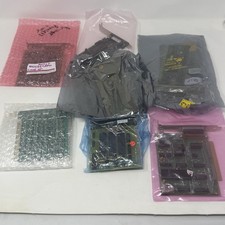
Vintage ISA Expansion Card Lot Async Serial I/O Printer Game RAM Untested
$107.29
ASUS A7V333 Vintage Motherboard | Untested | For Parts
$44.89



 Reply With Quote