-
Senior Member
registered user
I can only answer for myself and that's simple: Storage used for data not affected by OS versions do not, IMHO, belong to the OS installation proper. They belong somewhere else, i.e. on other partitions. For my use, 4GB cloop + 4GB persistent store is enough for the OS-version related stuff (including user configuration data and casual stored files). And in that case, the files may as well reside on a FAT32 partition. Typically, things like Android or Tizen SDKs, or virtual machines will never be installed on the OS version related space, but instead on one or more large partitions with suitable file systems. I use ext3/4, YMMV. Working "The Knoppix Way", we never really need to do formatting upon installing new OS versions, other than for setting up USB boot media w/new persistent store.
Using Knoppix, why bother at all with the native file system type where the Knoppix system files reside, as long as it works well?
Last edited by Capricorny; 04-18-2013 at 09:48 PM.
-
Senior Member
registered user

Originally Posted by
Capricorny

Working "The Knoppix Way", we never really need to do formatting upon installing new OS versions, other than for setting up USB boot media w/new persistent store.
Using Knoppix, why bother at all with the native file system type where the Knoppix system files reside, as long as it works well?
Still, two loose ends (on why Fat32) , I think:
1. A re-format of Fat32 is required if a previous OS is found there when making
a new LiveUSB on a USB containing an earlier or different OS; and
2. Even Klaus K has to split his overlays to do a DVD-size LiveUSB install on
Fat32; he wouldn't need to do that on ext or reiser.
I buy the argument that if it works, why change it, but the clever overlay solution
does seem like overkill and getting away from Fat32 altogether would have. some appeal.
in simplifying things.
 Posting Permissions
- You may not post new threads
- You may not post replies
- You may not post attachments
- You may not edit your posts
-
Forum Rules


IBM System X3850-X5 Server w/4x Intel Xeon E7-4870 CPU , 512 GB DDR3 RAM,NO HDD
$1599.99

IBM 7915 AC1 M4 E27R704 Server Intel 2650V2 32GB RAM NO HDD w/ 2x 750w PSU
$225.00

Unused IBM 09P0037 MAINBOARD For RS/6000 7044-170 P-Series
$375.00

IBM QRadar xx29 2x Xeon E5-2650v4 2x 900W PSU M5120 12x 3.5" Bay Server No RAM
$179.99

IBM Power 8 S822L Server 8247-22L POWER8 Enterprise 256GB RAM 2x 00KV626 CPU
$999.99

IBM SYSTEM X3500 M3 SERVER 7380AC1 TOWER Server XEON E5620 8GB RAID SEE NOTES
$110.30

IBM System x3550 M3 1U Server 2x Xeon E5645, 192GB RAM, 2x 300GB HDD (7944-AC1)
$150.00
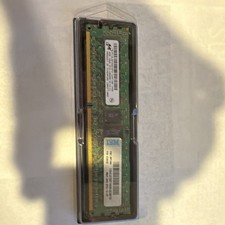
IBM Systems Ram Module
$50.00

IBM ADP Server Type 7870 AC1 NO HDD | 128GB RAM PC3L | 2 x Xeon E5620
$199.99

IBM EMC 091-000-091 17 Inch Rackmount LCD Keyboard KVM Console 03N7012
$109.99



 Reply With Quote